


Best 12 Meeting Room Technology For 2026
Modern teams depend on strong meeting room technology to keep hybrid work smooth and productive. Many businesses struggle with cluttered setups, weak audio, or outdated tools that slow every session. This guide of MOR Software will walk you through smarter upgrades and technology meeting room options that help your spaces run better and support real teamwork.
Why Teams Invest In Modern Meeting Room Technology
Whether your team works mostly hybrid or stays fully on-site, you still need the right setup to support a productive meeting. Remote teammates want real-time teamwork and a smooth flow that helps them feel close to the group. This is where strong meeting room technology supports a better experience in every session, especially when you aim to build a solid hybrid meeting room technology setup.
As a manager, you guide your team and give them the tools they need to work well. This means staying current with new trends and picking equipment that lifts performance and teamwork. Many leaders follow fresh ideas in technology meeting room setups so the whole group can stay on track.
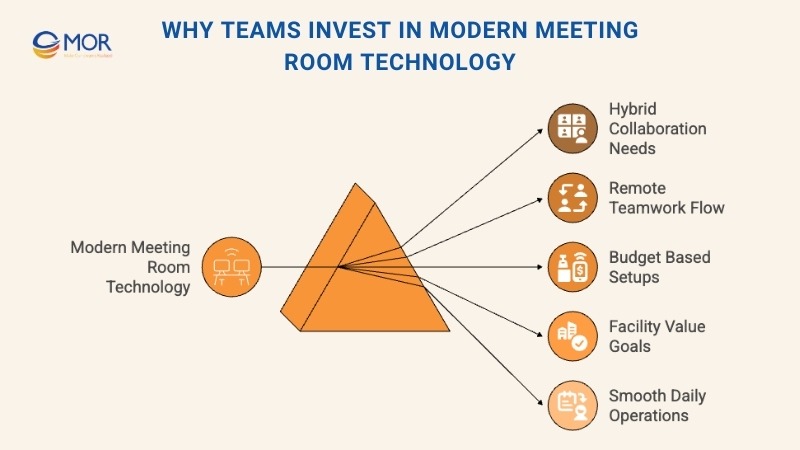
Budgets have limits. You may only be able to set up one space with the full set of tools you want.
Other rooms may need lighter setups. Some might only carry the most basic gear.
As a facility manager, you want tools that bring value, draw in clients, and help you avoid heavy upkeep. When the equipment serves many types of users, your space runs smoothly and stays ready for both in-person and remote team work. Teams that look for meeting room technology solutions often aim to reduce small issues and keep rooms busy without delays.
Now we can look deeper into what this type of technology can bring to a modern workplace.
12 Best Meeting Room Technologies And Trends
Conference rooms have been part of daily business life for many years, and as hybrid work grows, the tools inside these spaces keep changing fast. Teams now expect stronger visuals, smarter tools, and cleaner sound. Astute Analytica shared that the global market for video conferencing systems reached 4.8 billion dollars in 2023, showing how much companies value modern meeting and conference room technology.
With today’s tools, remote or hybrid meetings feel close to in-person sessions. Clear sound, sharp video, and simple interactive features help people work together from anywhere and still feel connected.
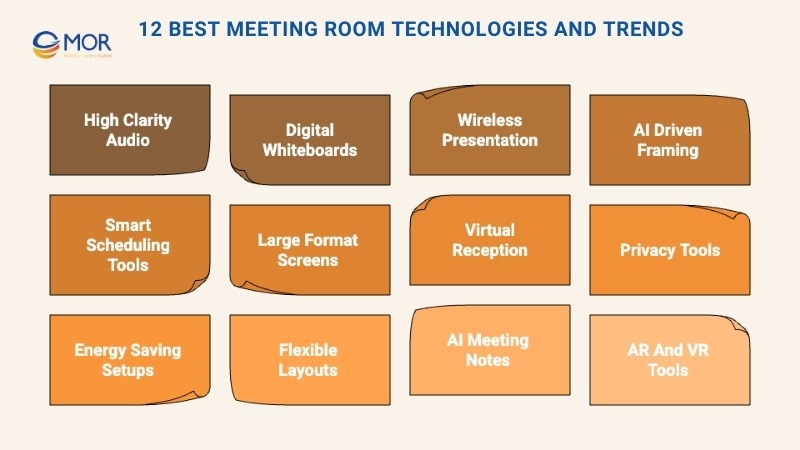
We have gathered a list of key items of meeting room technology that help you make the most of your space and guide you toward a smooth setup.
High Clarity Audio Systems
Clear sound is a must for virtual or hybrid meetings. Weak audio makes it hard for people to follow the flow and stay focused. To make sure every voice is heard, whether someone sits inside the room or dials in, you can use tools like echo control, noise blocking, or ceiling microphones spread across the table area. These items act as part of your meeting room av solutions and strengthen the full setup for your group.
Along with physical gear, many platforms include built-in noise control and echo filters that work well with the hardware you choose.
Pro tip: If you choose physical microphones, keep the distance equal for everyone and test the sound before you decide on the final position.
Digital Whiteboards And Touch Enabled Displays
You can switch from old whiteboards to digital screens that let everyone join in. People can draw on the touchscreen or add notes and comments from their laptops. This makes the room more open for teamwork and fits well with modern meeting room equipment that many offices use today.
These digital boards support teamwork for both remote and in-person users. They help you turn simple slides into active, shared sessions that feel more engaging for every person in the room.
You can look for tools with video call support, multi-touch actions, cloud sync, and easy annotation. Most visitor management systems update notes in real time, so remote teammates do not only watch. They can take part in the talk. Online tools like Zoom Whiteboard, Microsoft Whiteboard, Miro, or Mural give groups a smooth way to share ideas.
Choose displays that match your other tools with no trouble. Options such as Zoom Rooms for Touch, Microsoft Teams Rooms on Surface Hub, or Cisco Webex Board connect well with their wider platforms and keep the flow steady.
Pro tip: Ask your team to use annotations during the session. It helps keep everyone involved, even when some people join from another location.
Wireless Presentation And Device Connection
You can skip the messy cables and move to wireless sharing and device control instead. This shift saves the time teams used to spend dealing with tangled cords or searching for places to plug in devices. It also keeps the room cleaner and more organized while supporting modern technology for meeting rooms. Some systems even include admin dashboards that let IT handle network use and active connections with ease.
This setup also helps your team present from any device in just a few seconds. Tools like Chromecast, Apple AirPlay, Zoom Direct Share, or Barco ClickShare work well for fast sharing. Just make sure the option you choose supports all major platforms like Windows, iOS, Android, and Chromebook.
Pro tip: Check that your Wi-Fi stays steady and can handle several users at the same time.
Ai Driven Framing And Speaker Recognition
Tools like Zoom Intelligent Director and Smart Gallery, along with similar features in Microsoft Teams Rooms, Cisco Webex, and other platforms, can automatically frame each person who speaks and detect who is talking. This creates a smoother flow and feels closer to an in-room meeting. Some systems can even track several speakers at the same time, which works well for panels or group presentations. These features play an important part in smart meeting room technology because they help everyone stay focused without manual camera control.
When the screen adjusts to the best view of each person, remote users can follow the speaker with less effort. Smart name tag features in platforms like Zoom, Microsoft Teams, or Webex also help people see who is in the room, so no one has to guess names during the call.
Pro tip: Keep your camera at eye level and avoid placing it in front of bright windows or lights. This helps the system track people with better accuracy.
Smart Scheduling And Workspace Booking Tools
Smart meeting room scheduling and booking tools help teams avoid double booking and wasted space. With platforms like Robin, Envoy, OfficeRnD, Zoom Workspace Reservation or Skedda, staff can reserve desks and meeting rooms with clear details, so everyone knows which areas are open. When people arrive, they can check the schedule on a touch-screen display and confirm their meeting with a quick check-in.
With calendar sync and simple dashboards that show how each room is used, IT teams can cut down on manual work and see clear patterns in daily activity. These functions also fit well with modern meeting room technology solutions because they support better space planning and smoother daily flow.
Some systems also include sensors that detect real use of each space and tools that match with visitor check-in setups for smoother entry.
Pro tip: Turn on auto-release for no-show bookings so rooms free up on their own and stay open for others.
Large Format Screens And Video Walls
Large screens and video walls help make shared content easier to see, especially in big rooms or for larger groups. They improve visibility and keep people engaged without needing to lean in or strain their eyes. These displays can also support real-time sharing from remote speakers, so presenters do not need to be in the room to take part. Many teams view this as part of high-end meeting room technology that lifts the quality of important sessions.
This type of setup works well in boardrooms, town halls, client demos, and all-hands meetings. You can look for 4K or 8K displays, wide screens, or modular LED panels. Features like closed captions and screen magnifiers help make sessions more accessible for everyone. These upgrades also support strong video conference room solutions that many companies use today.
Pro tip: Adjust the screen brightness and contrast to match the light in the room so the content stays clear without causing eye strain.
Virtual Reception And Kiosk Mode
You can turn tablets into simple virtual reception desks that greet guests or support remote check-ins through tools like Zoom’s kiosk mode, Microsoft Teams displays, or dedicated visitor tools such as Envoy. This helps cut staffing costs while still giving visitors a warm, guided entry experience.
This setup works well for coworking spaces, offices without fixed desks, places with security needs, or teams that run with flexible staff. To get the most value, choose tools that offer check-in forms, video greetings, guest logs, and two-way video calls so visitors can reach the right person fast.
Pro tip: Add your brand style and a friendly message to the kiosk screen to create a positive first impression for both on-site and remote guests.
Privacy And Security Tools For Meeting Rooms
When you add new meeting room technology, make sure the software includes strong privacy and security controls. Platforms like Microsoft Teams, Zoom, Cisco Webex, and Google Meet let you turn on end-to-end encryption, waiting rooms or lobbies, and role-based access settings that help protect your sessions. These tools matter even more when people join from outside the office or when sensitive topics are discussed.
You can also add extra layers such as password-protected meetings, host-only screen sharing, or automatic meeting locks to keep the room safe from unwanted access.
Pro tip: Check your security settings on a regular schedule to confirm everything works as expected and stays up to date.
Energy Saving And Eco Friendly Room Setups
If you want to cut waste and support greener habits, you can add energy-saving tools to your meeting room technology setup. Smart lighting, occupancy sensors, and digital teamwork tools help your space run with less power. These upgrades also match well with fresh meeting room technology ideas that many companies use to build cleaner and more responsible workplaces.
Motion-based lighting and occupancy sensors turn lights on only when people are in the room. This helps lower energy use and keeps the space active only when needed. These tools also fit into modern room technology that supports both comfort and lower power costs.
A focus on green choices can also lift your brand. Many customers and employees look for spaces that show care for the environment, so small steps in this area can build trust and spark positive feelings.
Pro tip: Use smart plugs or timed power strips so screens and devices switch off on their own when the room is empty.
Flexible Layouts And Movable Setups
Meeting styles change from session to session, so your space needs to adjust with ease. Modular furniture and movable tech setups help you shift the layout to fit in-person groups, hybrid calls, or fast brainstorming sessions. This keeps the room ready for many types of work and supports broader meeting room solutions that teams rely on.
If you still use wired setups, you can try under-desk or portable cable holders to keep things tidy, especially when you move tables or seats around.
Some AV tools even let you save layout presets. You can load a setup for presentations or switch to a layout made for open discussions with just a quick tap.
Pro tip: Set up your rooms so people can change layouts without needing help from IT or the facility team.
AI Helpers For Meeting Notes And Summaries
You can cut down on admin tasks and keep key details organized with AI tools that create meeting summaries. Platforms like Zoom AI Companion, Microsoft Copilot, Otter, Fireflies, or Notion AI can produce clear recaps, highlight action items, and generate smart transcripts that help teams review the session with less effort. Many setups use a built-in conference room computer to run these tools smoothly during each meeting.
These AI helpers save time, improve follow-up, and support better communication. They also help team members stay informed even when they cannot join the call. Some tools even support real-time translation, which makes global teamwork easier and more natural.
Pro tip: Use the summaries and recaps to prepare follow-up emails or assign next steps right after the meeting.
Augmented And Virtual Reality Tools
Augmented reality and virtual reality are still growing, but they have become common in many workplaces. Teams use them for design checks, staff training, and global teamwork across different time zones. These tools work well in fields like design, healthcare, and manufacturing where a more immersive view helps people understand details faster.
Common uses include product demos, hands-on training scenes, and remote site checks. Many teams choose tools like Microsoft Mesh, Meta Quest for Business, or Spatial to support these tasks.
Pro tip: Use AR or VR with a clear goal in mind, and collect early feedback from your group before you roll it out to more teams.
How To Select The Right Meeting Room Technology For Your Space
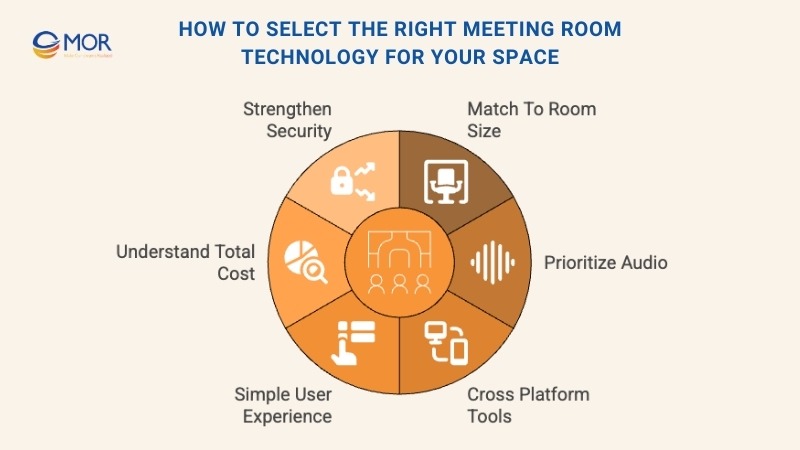
You can pick the right setup when you look at a few key factors that guide your choice.
We can walk through them in more detail.
Match The Setup To Room Size And Purpose
One of the most important points when choosing meeting room technology is the size of the room and how your team plans to use it. This helps you match tools to the space instead of buying advanced items that sit unused or placing weak mics in a large boardroom where they cannot capture clear sound.
A small huddle room for three people that hosts short daily stand-ups may only need a compact screen, a simple webcam, and a speakerphone.
A larger 16-person boardroom for leadership meetings will need dual screens, a high-quality PTZ camera, ceiling microphones, and a touch control panel to manage inputs.
Here is how that works in real settings:
Huddle Rooms (1–4 People)
These small and casual spaces work well for short catch-ups or focused talks. They do not require a complex setup. One wall-mounted screen in the 43 to 55 inch range and an all-in-one video bar, like the Logitech Rally Bar Mini or the Neat Bar, is usually enough to handle both the camera and audio needs.
If you want the room to handle more tasks, you can add simple USB plug-and-play support for laptops. This makes the setup friendly for anyone who brings their own device.
Small To Medium Conference Rooms (5–12 People)
As the room grows, the needs grow with it.
In these spaces, sound becomes harder to manage, so the mic inside a simple video bar may not be strong enough.
You will need a system that offers intelligent framing, like Jabra PanaCast or Poly Studio, which follows the active speaker. Add high-quality microphones, either tabletop units or beamforming mics, to make sure every person is heard clearly, even from the far end of the table.
At this room size, it also helps to include a room controller, such as a Logitech Tap or a Crestron touch panel, so users do not have to deal with remotes or messy cables.
Large Boardrooms And Training Spaces (12+ People): Large Enterprises
These larger rooms usually need the most advanced setups because they support big groups and important sessions like executive meetings, client pitches, or full-company training events. Spaces this size depend on strong meeting room technology to keep everything clear and steady.
So your setup will include items like:
Multiple cameras with speaker tracking
Digital Signal Processors that handle echo control, mic syncing, and audio processing
Several ceiling microphones, such as the Shure MXA910, to keep tables free of clutter
Dual 75 to 98 inch screens or a full projector setup with control panels
- Multiple cameras that follow active speakers
- Digital Signal Processors (DSPs) to manage sound and mic flow
- Ceiling microphones to capture voices across the room
- Large dual displays or projector systems with control panels
After you match the tech to the room size, the next step is to look at how the space will be used.
For brainstorming, you will need interactive whiteboards or touch displays. If the goal is to present to clients, high-resolution screens will lift the experience. For training sessions, VR or AR tools can help you simulate real work situations for hands-on learning.
Make Audio Quality A Top Priority
Clear audio matters more than sharp video. People can still follow a meeting with a slightly blurry screen, but unclear sound makes the whole conversation fall apart. If participants cannot hear or speak clearly, the meeting loses its purpose, no matter how strong the visuals look.
Your audio setup should match the size of your space:
Small rooms can use omnidirectional table mics or mic pucks so voices are captured from every side.
Larger rooms often need ceiling microphones or several mic arrays to cover the full area.
- Small rooms can rely on table mics or pucks to pick up sound from all directions.
- Larger rooms need ceiling mics or more than one mic array for complete coverage.
For even better sound, choose systems with Acoustic Echo Cancellation to cut feedback. To keep the audio balanced, set your speakers at ear level on opposite walls or place them in the ceiling corners based on the shape and size of the room.
Choose Tools That Work Across Platforms
Most workplaces do not stick to one video platform. A recent report showed that 89 percent of companies use more than one option, often switching between Zoom, Microsoft Teams, Cisco Webex, and Google Meet.
To support this mix, your meeting room technology needs to work across platforms.
This means that even if a room is set up to run one system, like Microsoft Teams Rooms, people should still be able to join calls on other platforms without changing settings or wasting time on reconfiguration.
Here are a few ways to build in this type of flexibility from the start:
Enable BYOD (Bring Your Own Device): Use wireless presentation tools like Barco ClickShare or Mersive Solstice. They let staff or visitors start meetings from their laptops on any platform with a simple USB dongle or wireless link.
Simplify with cross-platform tools: Apps like ConferFly give users one simple screen to join Zoom, Teams, or Webex calls with a single click.
Choose hardware with Direct Guest Join (DGJ): When you pick room devices, look for models that support DGJ for Zoom, Microsoft Teams, and Google Meet. Work with IT to set this up correctly so guests can join calls without issues or extra steps.
- Enable BYOD: Use wireless presentation tools like Barco ClickShare or Mersive Solstice.
- Use cross-platform apps: Tools like ConferFly give one interface for joining meetings.
- Pick hardware with DGJ: Choose devices that support Direct Guest Join for major platforms.
Keep The Tech Powerful But Simple To Use
A system with many advanced functions only helps if people can use it with no trouble.
If your team struggles to join a call or share a screen, even the most impressive tools will fall short. Your IT staff will also spend extra time fixing simple issues that should not happen.
This is why your meeting room technology needs a clear balance between strong features and easy everyday use. A good setup includes:
Intuitive interfaces with simple layouts that are easy to understand
Minimal training needs so staff can learn the system with little guidance
Auto login and one tap join so meetings begin fast with fewer delays
Accessibility tools like high contrast modes, readable fonts, audio cues, and screen reader support so everyone can take part
- Intuitive interfaces with clear and simple layouts
- Minimal training needs so users learn quickly
- Auto login and one tap join for fast meeting starts
- Accessibility tools like high contrast options and audio prompts
Understand The Real Cost Beyond Hardware
The price of building a meeting space changes from place to place. In the United States, creating a flexible room can cost between 15.50 dollars per square foot in Houston for a basic setup and 32.70 dollars per square foot in Chicago for a higher grade space, according to CBRE. These numbers cover the first round of expenses like hardware, IT work, and software licenses for your meeting room technology.
But these prices do not show the hidden costs that appear over time. You may face delays during setup, repeated IT support calls, or lost time when the system crashes. These issues add up quietly and reduce overall team performance.
Some examples include:
A single day of downtime can delay key work or push teams into less effective spaces
Weak user interfaces often create extra IT tickets and slow down skilled staff
Crashes during important meetings can harm client trust and block important decisions
- A full day of downtime can slow projects or force teams into low quality settings.
- Poor interfaces create extra support tickets and take time from IT teams.
- Mid meeting crashes can damage client relationships and block decisions.
This is why you should look past the price tag and focus on the full cost of ownership. You can judge each tool based on five important factors:
Deployment time: How long it takes to set up all rooms
IT workload: Whether your team will spend hours fixing logins, crashes, or connection issues
Energy usage: If the hardware uses too much power and increases your bills
Maintenance and updates: Whether you will pay for licenses, patches, or firmware updates often
Productivity impact: How many glitches or crashes you may face during daily use
- Deployment time: How long it takes to roll out the system.
- IT workload: How much support the system may require.
- Energy usage: Whether the devices consume more power than needed.
- Maintenance and updates: If you must pay for ongoing patches or licenses.
- Productivity impact: How often the setup slows work or stops meetings.
To learn these details, check real user reviews, speak with vendors about timelines and support terms, and talk to current customers about their upkeep needs. The more you learn early, the easier it is to avoid surprise costs later.
Prioritize Security And Remote Device Management
Nearly half of CISOs report that hybrid workers create the highest cybersecurity risk in their organizations.
This concern is easy to understand.
Modern hybrid offices depend on connected tools like wireless displays, IoT sensors, and shared devices. These items support flexible work, but every new device also creates another possible entry point for attackers.
There is also the risk that comes from personal laptops, phones, and tablets. Many people join meetings from home, but their devices may not have strong protection such as encryption, endpoint security, or regular patching.
To lower these risks, your meeting room technology must follow enterprise security standards. At a basic level, it should include:
End to end encryption to protect in room and online discussions
Multi factor authentication to block unapproved system access
Biometric or ID checks to secure sensitive areas
Centralized device management so IT can see and control all connected hardware
- End to end encryption: Keeps in room and online conversations private.
- Multi factor authentication: Prevents unauthorized access.
- Biometric or ID verification: Strengthens control in secure spaces.
- Centralized device management: Helps IT monitor and manage all devices.
Hybrid work will continue, and strong security tools help reduce risks while keeping your system safe.
Best Practices For Using Meeting Room Technology Effectively
Even strong tools only work well when people use them the right way. Here are some simple steps that help you get the most from your meeting room technology and support smooth teamwork and productivity:
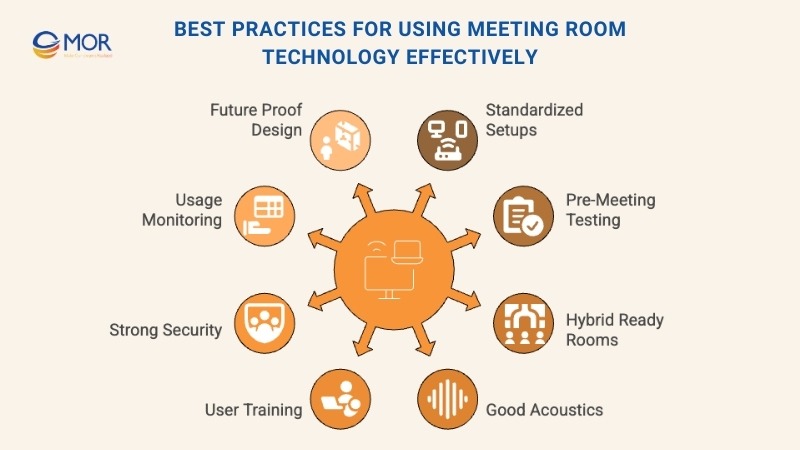
- Standardize your hardware setup across rooms: Use the same setup in each space to lower the learning curve and cut down on troubleshooting.
- Test all equipment before the meeting starts: Check audio, video, screen sharing, and any key functions before the session begins to avoid delays.
- Design for hybrid meetings by default: Make sure every room includes microphones, cameras, and displays for both in-person and remote users, including webinar-style sessions.
- Prioritize good acoustics and smart camera placement: Avoid glass walls or add acoustic panels so sound stays clear. Keep cameras at eye level for a natural view.
- Train your team on how to use the tech: Share guides, knowledge bases, or short training sessions so everyone feels confident using the tools.
- Lock down your security settings: Turn on features like waiting rooms, passwords, and access controls to keep meetings safe.
- Monitor usage data to optimize room setups: Use analytics tools to see how often each room is used and adjust layouts or tools as needed.
- Future-proof your setup: Pick solutions that can grow with your business and support new updates and integrations over time.
Best Practices For Setting Up New Technology In Meeting Rooms
Buying and installing new meeting room technology is not a simple plug and play task. Setting it up in your space can feel complex, especially when many tools must work together.
Here are a few points that help make the process smoother:
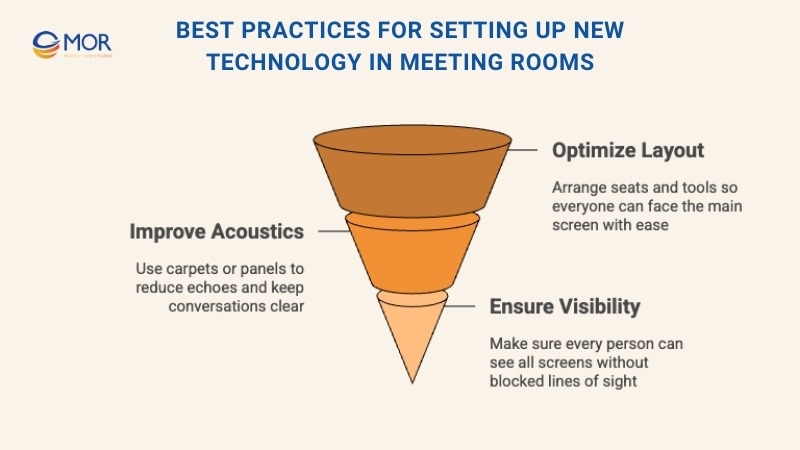
Optimize Room Layout And Sound
If you want the room to deliver clear sound and strong visuals, you need to focus on the layout and how the space handles noise.
There are four important points to look at:
- Focal point: Use flexible furniture and arrange seats so people can easily turn toward a main screen or central area when needed. Place speakers around the room so sound reaches everyone evenly.
- Acoustics: Add acoustic panels or carpets to help absorb sound and lower excess noise inside the room.
- Visibility: Make sure every person can see all screens or boards without anything blocking their view. A simple swivel of a chair should give a clear line of sight.
Strengthen Security And Data Protection
Companies must feel confident that their private and sensitive information stays protected inside your space.
The level of security you need will depend on the type of data handled and the needs of each client. Still, every organization must follow some form of privacy rules and protect their information.
Here are a few security measures you can put in place:
- Use keycard or biometric access for meeting rooms
- Encrypt all data shared inside the facility
- Add privacy filters to windows to block outside visibility
MOR Software builds custom enterprise scheduling software that helps organizations manage their spaces more smoothly and improve collaboration across teams. Our solutions can include room booking systems, device control, calendar integration, automated check-in features, usage analytics, and seamless sync with platforms like Zoom, Microsoft Teams, or Google Meet. With secure architecture and flexible design, we help businesses avoid double bookings, reduce setup time, improve room availability, and create a more efficient meeting experience for both in-office and remote employees.
Conclusion
Strong meeting room technology helps teams work with less friction and keeps every session focused. When your tools stay simple, secure, and easy to manage, you give people a smoother path to share ideas and make decisions. The right setup also supports hybrid work and reduces the small issues that slow busy teams.
If you want a smarter, more reliable meeting space, contact MOR Software to explore custom solutions that fit your workflow and future plans.
"Solutions Director at MOR Software, has extensive expertise in software development and management. He leads innovative projects and provides strategic solutions to enhance business operations, helping clients achieve digital transformation goals."
Pham Huu Canh


Solutions Director
MOR SOFTWARE
Frequently Asked Questions (FAQs)
What is meeting room technology?
Meeting room technology covers the tools and systems that help people run meetings more smoothly. It includes digital displays, video conferencing equipment, wireless sharing tools, cameras, microphones, and software that supports better communication and collaboration.
Which technology is used in video conferencing?
Most video conferencing setups rely on a camera, microphone, speakers, and a device that connects everything through the internet. This can be as simple as two smartphones using video call apps or more advanced room systems built with dedicated conferencing hardware.
What tech is essential for a conference room?
A standard conference room usually needs a screen or projector, a reliable camera, good microphones, speakers, and a wireless presentation tool. The goal is to make it easy for people to present, join calls, and work together without interruptions.
What is a smart meeting room?
A smart meeting room uses integrated audiovisual tools to help teams collaborate more effectively. These rooms often include automated controls, sensors, digital displays, and video conferencing features that support both in-person and remote participants.
What software is commonly used for meetings?
Popular meeting platforms include Zoom, Microsoft Teams, and Google Meet. They are widely used because they offer clear video, simple controls, and strong integration with other workplace tools.
What is the best tool for scheduling meetings?
Many teams rely on platforms like SimplyBook.me, Setmore, Calendly, or Brevo Meetings. These scheduling tools help people find open time slots, send invites, and manage bookings without sending long email chains.
Why is meeting room technology important for hybrid work?
Hybrid teams need clear audio, steady video, and reliable sharing tools so everyone can participate equally. Good meeting room technology makes remote teammates feel included and reduces the chance of miscommunication.
How does wireless presentation technology help in a meeting room?
Wireless presentation tools let people share screens from their laptops or phones without plugging in cables. This cuts setup time and keeps the room tidy, making presentations faster and easier.
What equipment improves sound quality in meetings?
High-grade microphones, echo-reducing software, and well-placed speakers can make a big difference. Ceiling mics, beamforming mics, and noise-filtering tools help everyone hear clearly, even in bigger rooms.
How do AI features support meeting room technology?
AI can track speakers, adjust camera angles, clean up background noise, create meeting summaries, and even provide real-time captions. These features save time and help teams stay focused.
What factors should businesses consider when upgrading meeting room tech?
Companies should look at room size, number of participants, the platforms they use most often, budget, sound quality, and ease of use. It’s also important to choose equipment that works across multiple video conferencing apps.
How do smart booking systems improve room usage?
Smart scheduling tools help people reserve rooms, prevent double-bookings, display availability, and show which spaces are actually being used. This leads to better planning and less confusion during busy days.
Share


Make Our-Dreams Realized


© 2023 . MOR Software. All Rights Reserved
Sitemap
Privacy Policy
Terms of Use

Rate this article
0
over 5.0 based on 0 reviews
Your rating on this news:
Name
*Email
*Write your comment
*Send your comment
1