


Salesforce Custom Development: What To Predict in 2026
A strong CRM can push a business forward, yet many teams feel limited when standard tools cannot match their real workflows. Salesforce custom development gives companies room to shape the platform around their goals and fix pain points that slow growth. This guide of MOR Software will break down how tailored builds help you work smarter in 2026.
What Is Salesforce Custom Development?
According to IDC, Salesforce held around 20.7% of the global CRM market in 2024. This shows how many businesses already depend on this platform. Salesforce works as a cloud-based CRM, and Salesforce custom development means shaping the platform to match the way your business operates. Today, about 87% of companies use cloud CRM solutions to get better access and flexibility, so this kind of setup is now the normal way many teams manage customer data.
Instead of relying only on standard tools, this approach lets you adjust the system so it fits your daily work. It supports cleaner processes and helps your teams stay productive. This is why many companies turn to this tailored work when they need more control. It also supports deeper Salesforce customization for teams that want more freedom in how their CRM behaves.
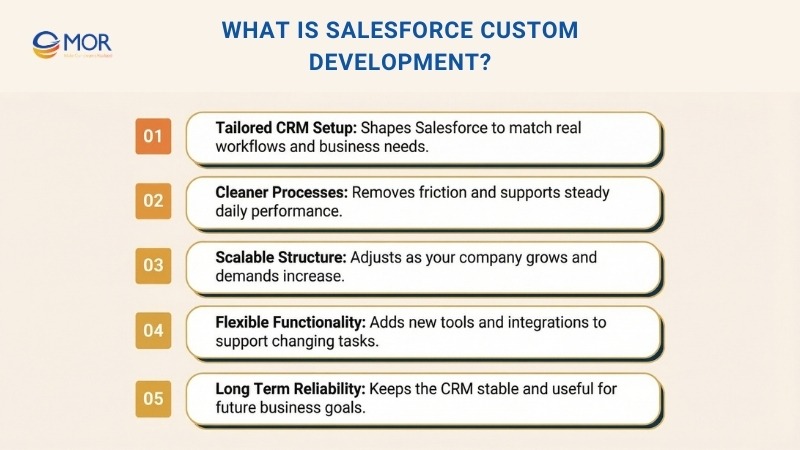
This type of tailored setup can bring strong value as your company grows. You avoid trying to force general features into workflows that do not match your needs. You also avoid blockers that come from tools that do not scale well. With this custom approach, the platform grows with your goals and keeps pace with new demands inside your organization.
When you add new functions, connect external systems, or simplify work for your teams, this custom adjusts the platform so it operates the way you expect. It supports clear, steady performance and helps your CRM work as a long-term partner in your business. This is the core purpose of custom Salesforce development, and it sets a strong base for companies that want a reliable and flexible CRM built for the future.
What Are The Key Elements Of Salesforce Development?
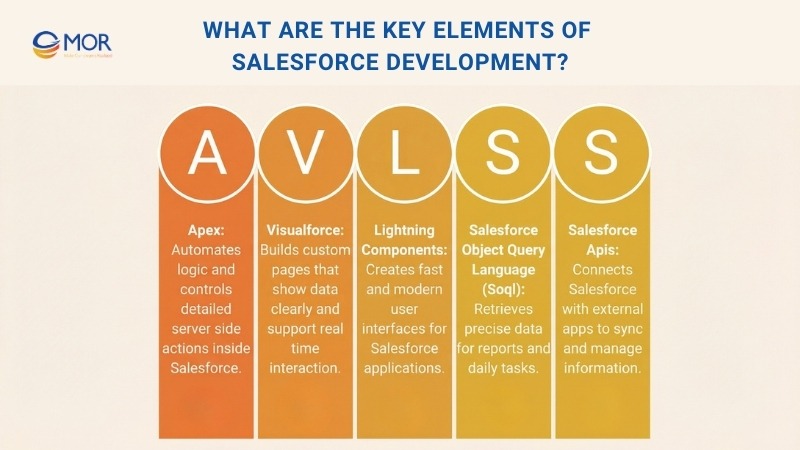
These core parts shape how teams build, adjust, and extend the platform. Each tool plays a different role in Salesforce custom development, especially when a company wants to support this type of app work on Salesforce or create functions that match real business tasks. Together, they form the base that allows this CRM to act as an application development platform instead of a simple record system.
Apex
Apex works as a programming language made for Salesforce. Developers rely on it to manage how actions are handled and how server-side logic runs inside the platform. This tool gives a certified developer the ability to automate work and support solutions that scale as companies grow. It is an important part of Salesforce custom application development because it controls detailed logic in the background.
It also helps teams create business rules, shape platform behavior, and set up simple or complex automation.
Visualforce
Visualforce functions as a markup language for building custom views. Salesforce developers use it to design pages that fit a company’s workflow. It works inside the Lightning system and supports dynamic screens that stay connected to live Salesforce data. Many people compare it to HTML because the structure feels familiar.
It lets teams display information clearly and interact with records in real time. Visualforce also includes ready-made controllers that handle standard actions and help move data safely through the system.
Lightning Components
Developers rely on Lightning Components to build clean and modern user interfaces for Experience Builder sites, Salesforce apps, and the Lightning Experience. These elements stay light in structure and support fast performance because they follow Lightning Design System rules. The setup also keeps screens clear and easy to use.
Work with Lightning Web Components, or LWC, brings an even more current way to build web apps on the platform. LWC applies common web standards like HTML, CSS, and JavaScript to create parts that you can reuse and shape for Salesforce custom app development. This keeps the development flow simple and helps teams move faster when they need new UI features.
Salesforce Object Query Language (SOQL)
Salesforce Object Query Language (SOQL) helps you look through Salesforce records to find the exact data you need. It supports reporting tasks and makes daily data work easier for teams.
It can also pull up specific items based on the conditions you set. SOQL gives you clear search results and works well across different parts of the platform.
Salesforce APIs
Salesforce APIs act as bridges that let other apps or systems connect with Salesforce. A certified Salesforce developer uses these tools to read or update data and to automate actions. This solution helps the platform stay open to tools outside Salesforce.
Both REST and SOAP APIs help developers interact with Salesforce data and metadata in a structured way. They also make it easier to link the CRM to other systems or cloud development platforms that support your daily work.
Benefits Of Salesforce Custom Development In 2026
Expert support plays a major role in the success of Salesforce custom development. A trusted partner makes sure every part of the build is handled with care, from planning to delivery, so the system works the way your teams expect. This level of guidance helps companies avoid mistakes and keep the project on track.
These specialists also bring strong technical skills and real experience across industries. This gives your teams the confidence to use the platform in smarter ways and unlock more value from it. Many companies look for custom Salesforce development services when they want a smooth path from idea to working solution.
Here are the core benefits that companies gain from a tailored Salesforce ERP solution.
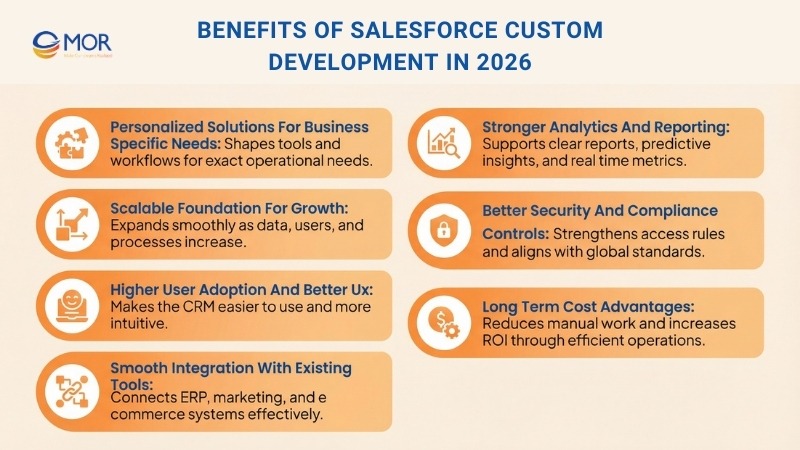
Personalized Solutions For Business Specific Needs
Each company has different targets, and Salesforce custom development helps shape the CRM so it fits those needs. Standard tools often miss the small details that matter in daily work, which can slow teams down. A tailored build fills this gap and supports better performance through options such as:
- Custom Workflows: Create salesforce workflow that reflect your real processes and keep tasks clear and easy to manage.
- Personalized Dashboards: Build views that highlight the numbers your teams check most, helping them act fast.
- Industry Specific Solutions: Adjust the platform for your field, whether you work in healthcare, retail, manufacturing, or finance.
These custom elements help teams work faster, lower manual effort, and give customers a smoother experience. It also supports custom app development Salesforce when a company needs tools that follow its daily operations closely.
Scalable Foundation For Growth
As a company grows, its daily work becomes more complex. Salesforce custom development helps the CRM expand at the same pace so teams stay productive. With added functions and smooth integrations, the platform can support a wider set of needs, including tasks linked to custom Salesforce app development when the business requires new tools.
- Add New Functionalities: Bring in extra apps, plugins, or outside systems whenever your operations call for more capability.
- Handle Increased Data Volume: Keep performance steady even when your records and activity levels rise.
- Future Proof Operations: Use a structure that adjusts to new tech and shifts in your market.
In 2026, companies look for fast movement and stable systems, and Salesforce custom development gives them a strong way to scale without slowing down.
Higher User Adoption And Better UX
Teams often struggle when a CRM feels hard to use or does not match their daily habits. Salesforce custom development helps solve this problem because it shapes the system around real user needs. This creates a setup that people understand faster and trust more in their work. It also supports efforts to build CRM experiences that feel natural for each role.
- Simplified Interfaces: Create screens that fit each user group so the system feels clear and comfortable to use.
- Automated Processes: Remove repeated manual steps so teams can spend more time on important tasks.
- Intuitive Navigation: Keep pages and flows simple so users can find the right tools and information without trouble.
A CRM shaped around users encourages stronger adoption and helps the business gain more value from the platform.
Smooth Integration With Existing Tools
Most companies depend on several systems to run their daily work. Salesforce CRM development company helps connect these tools so everything functions as one environment. This keeps data consistent and supports stronger teamwork across the business.
- ERP Systems: Combine financial and operation data so managers can see a clear picture of performance.
- Marketing Tools: Link platforms like HubSpot or MailChimp to support wider and more coordinated campaigns.
- E Commerce Platforms: Connect the CRM with online sales systems to follow each customer action from start to finish.
These connections remove data gaps, strengthen collaboration, and give teams a single view of the information they use each day.
Stronger Analytics And Reporting
Most companies rely on clear data to guide their choices, and this becomes even more important in 2026. Salesforce custom development supports better analysis so teams can understand patterns faster and react with confidence. It also helps companies shape reports that match their own goals instead of sticking to default options.
- Utilize AI And ML: Use predictive tools to study trends and understand how customers may act in the future.
- Generate Custom Reports: Build reports that highlight the exact metrics your teams care about most.
- Track KPIs: Follow key indicators in real time so leaders can make quick and informed decisions.
With this level of clarity, data turns into guidance that helps companies grow and stay ready for new changes.
Better Security And Compliance Controls
Protecting sensitive customer information is a top concern for every company. Salesforce custom development helps strengthen this area because it lets teams shape security rules that match their own policies and industry standards.
- Custom Security Protocols: Set role based access and use multi factor checks to keep data protected.
- Compliance With Industry Regulatory Requirements: Align the CRM with rules like GDPR, HIPAA, or CCPA so the system meets required standards.
- Audit Trails: Record actions in the system to support clear tracking and keep activity transparent.
With these focused controls in place, companies can maintain safer operations and build stronger trust with their customers.
Long Term Cost Advantages
Custom work on the CRM may look like a large expense at first, but Salesforce custom development often lowers costs as the business grows. It removes manual steps, cuts delays, and reduces the need for extra tools. These changes help teams work with more focus and make better use of the platform.
- Optimize Resources: Shift attention to tasks that bring real value while removing repeated work.
- Reduce Downtime: Create a stable setup that limits service breaks and keeps operations moving.
- Maximize ROI: Gain stronger results through higher productivity and better customer experiences with salesforce experience cloud.
With the right setup, companies save money over time and get more value from the CRM they use every day.
How To Choose A Partner For Salesforce Custom Development
Selecting the right partner is important when your company plans to invest in Salesforce custom development. A strong vendor helps shape the system correctly, supports smooth delivery, and guides your teams through each phase. Many companies look for companies providing custom Salesforce software development services when they want a trusted partner that can match their goals and technical needs.
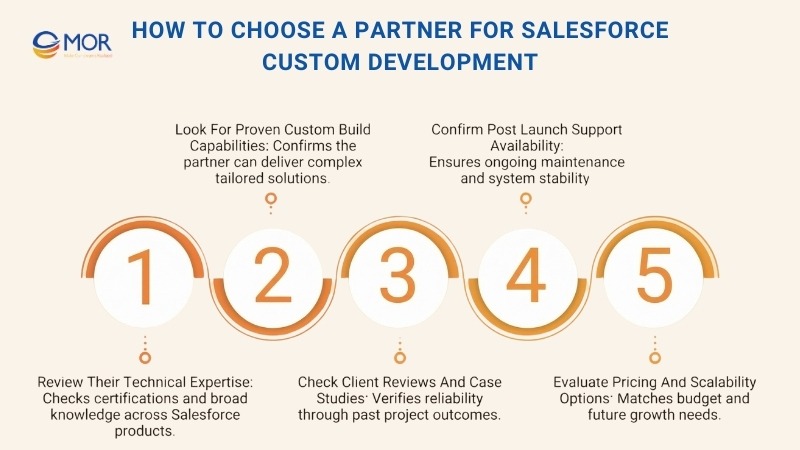
Review Their Technical Expertise
Start by checking the team’s skill level. Look for developers who hold the right certifications and have real project experience. It also helps to confirm that they understand different Salesforce products, including Sales, Service, and cloud marketing automation. This ensures the partner can support a full range of solutions.
Look For Proven Custom Build Capabilities
Next, choose a team that can handle complex custom work and match your business needs. A partner with strong problem solving skills can shape solutions that fit your goals and adapt as your operations grow. Their experience helps them deliver custom builds that support long term success.
Check Client Reviews And Case Studies
Look at feedback from past clients to understand how reliable the company is. These reviews help you choose a partner that has delivered strong Salesforce work before. It is even more helpful when the vendor has experience in your industry because it shows they understand your goals and challenges.
Confirm Post Launch Support Availability
A dependable partner also provides ongoing Salesforce support services. This support helps your system stay stable and free from bugs. Regular checks and updates keep the platform in good shape as your needs change over time.
Evaluate Pricing And Scalability Options
Budget is another important factor. Make sure the company offers pricing that matches the value you expect. Their solutions should stay high in quality even when cost limits exist. It is also important that the partner can scale their work so the system continues to grow with your business.
Risks And Limitations Of Salesforce CRM Customization
Salesforce gives companies a wide range of options, but there are still limits to how far the platform can be adjusted. For instance, no matter which edition you use, the system cannot support more than 3,000 custom objects. Each object can also hold up to 900 custom fields, including the fields your team creates and those added from AppExchange packages. These limits are only part of the challenges companies may encounter during Salesforce custom development.
Below are the main risks and hurdles that can appear during deeper customization work.
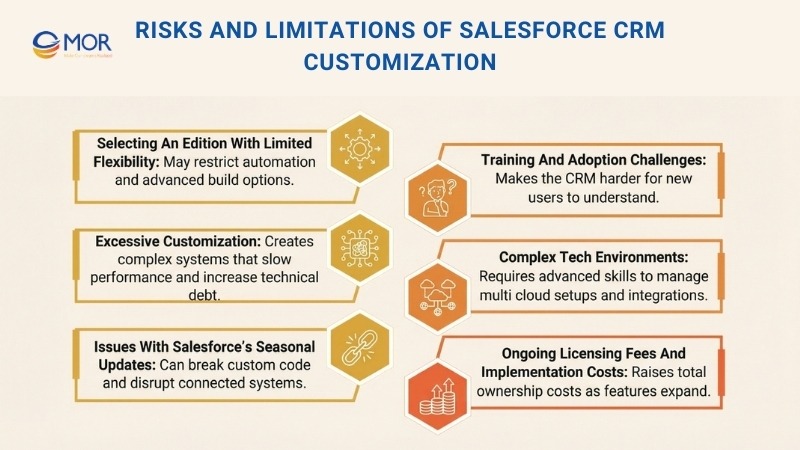
Selecting An Edition With Limited Flexibility
Some issues can start even before the project begins. The first risk comes from choosing a Salesforce edition that does not support the level of customization your business needs. Salesforce has several editions, such as Essentials, Starter, Pro Suite, Professional, Enterprise, Unlimited, and Developer, but the freedom to customize them varies.
Essentials and Professional editions have tight limits and do not allow advanced automation or Apex coding. Enterprise and Unlimited editions provide far more control, although they cost more.
If companies skip early planning, they may choose an edition that cannot support their goals. This can lead to expensive upgrades or force teams to build complex workarounds that slow down progress.
Excessive Customization
Creating too many changes in the system can make Salesforce harder to handle, expand, or upgrade. When a setup includes large numbers of custom fields, objects, and automation steps, the screens can feel crowded. Complex flows and Apex triggers may also create hidden links between functions, which can slow page loading and delay automated tasks. In busy environments, this can reduce overall performance.
Heavy customization can also increase technical debt. Managing this debt often requires skilled developers because standard Salesforce admins may not have the background needed to maintain or repair advanced builds.
Issues With Salesforce’s Seasonal Updates
Salesforce releases new updates three times a year during the spring, summer, and winter windows. These changes usually improve the platform, but they may also disrupt custom features. A common issue is older Apex code failing to work with updated API versions. Teams must review and adjust this code to avoid errors, which may take time. During this period, users might notice problems until fixes are complete.
Third party systems that connect through Salesforce APIs can face similar risks. Changes to API versions or authentication settings can cause sync problems or disconnect external tools. To keep the system stable, companies must run tests and debug after every release.
Training And Adoption Challenges
Salesforce includes many built in tools that are simple to learn, but heavy customization can turn the system into something harder for new users to understand. Custom objects and fields may not follow the usual patterns inside Salesforce, which can change how data connects or how users move through the platform. When automation also depends on detailed Flows or Apex triggers, staff may find it difficult to see how records update or why certain actions happen.
Custom dashboards and reports can add another layer of difficulty, especially when they need SOQL knowledge or advanced filters that do not exist in standard reports. The learning curve grows wider because users must understand how validation rules, custom permissions, and role settings affect what they can view or change inside the system.
Complex Tech Environments
The technical setup becomes more complicated when several Salesforce clouds, such as Sales Cloud, Service Cloud, and Marketing Cloud, are customized at the same time. Each cloud uses its own structure and needs different skills, including Apex for back end logic, LWC and JavaScript for user interface work, and SOQL for database queries. More advanced integrations require knowledge of REST and SOAP APIs, middleware tools like MuleSoft, and security methods such as OAuth 2.0. These elements connect to many cloud development platforms, which adds even more layers to the system.
Custom work across multiple clouds can also affect data flow. Without one clear data plan, changes in one area may not match others, which creates isolated data and limits what teams can view. Linking outside systems can be even harder when their data format or API rules do not match Salesforce, often leading to more middleware changes and longer development time.
Ongoing Licensing Fees And Implementation Costs
Salesforce licensing and setup costs can be high, especially when your company needs support for many users or plans to add deep customization. Salesforce pricing changes based on the edition you choose. Sales Cloud and Service Cloud work on a per user monthly fee, and Enterprise or Unlimited editions cost more because they include stronger automation, reporting tools, and wider integration options.
Marketing Cloud uses a different pricing method. Costs often depend on how much data you store, how many contacts you manage, and which tools you use, such as Journey Builder, Email Studio, or Advertising Studio. Marketing Cloud Intelligence, once called Datorama, adds even more expense for teams that need advanced analytics and multi channel data work.
Aside from licenses, companies must also plan for implementation costs like consulting, data migration, custom builds, and long term system support. Custom features, API integrations, and outside add ons may also increase the total cost of ownership.
These factors show why companies should take time to decide if Salesforce customization matches their long term goals or if a separate custom CRM solution is a better fit.
Why Choose MOR Software For Your Salesforce Development Needs?
MOR Software brings the mix of experience, structure, and problem solving that Salesforce outsourcing projects demand. Our teams understand how real workflows operate, so we focus on building solutions that strengthen daily operations instead of adding noise. You get a partner that pays attention to detail, communicates clearly, and builds systems that stay reliable long after launch.
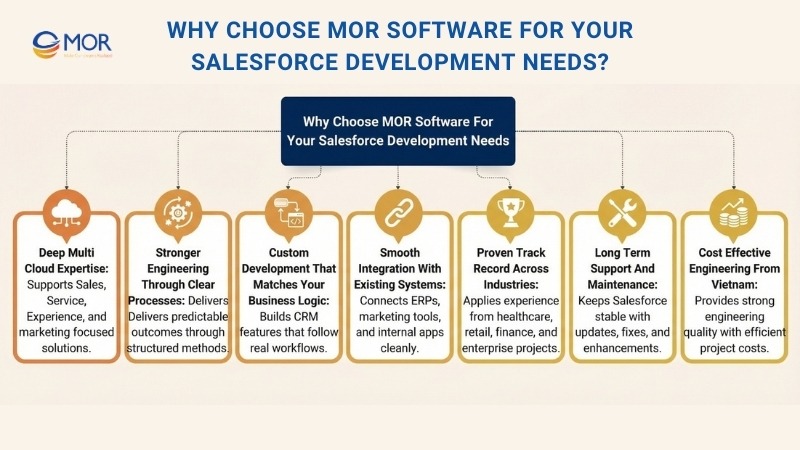
Deep Multi-Cloud Expertise
Our certified Salesforce specialists work across Sales Cloud, Service Cloud, Experience Cloud, and Account Engagement. This helps us design solutions that connect departments, improve data flow, and give you a full picture of your customers.
Stronger Engineering Through Clear Processes
Every project runs on a structured model that blends Agile delivery with strict quality control. We document requirements, track changes, and maintain a predictable delivery rhythm. This approach keeps complex Salesforce builds stable, even when scope grows.
Custom Development That Matches Your Business Logic
We do not rely on generic templates. Our team uses Apex, Lightning Web Components, Visualforce, and API integrations to build functions that match how your teams work. The result is a CRM that feels natural to your users and supports the way your business actually runs.
Smooth Integration With Existing Systems
Whether you run ERP platforms, HRM models, marketing tools, or internal apps, our engineers know how to connect them through APIs, middleware, and scalable data pipelines. This eliminates double entry and brings your entire workflow into one place.
Proven Track Record Across Industries
MOR Software has delivered salesforce consulting solutions for healthcare, finance, retail, and large enterprise operations. Our projects include Customer 360 setups, workforce systems, real-time integrations, and mobile extensions built on Salesforce. Each project follows the same goal, which is to give clients a system that works from day one.
Long-Term Support and Maintenance
Salesforce shifts quickly with seasonal releases and new features. We stay with you after deployment to keep your system updated, secure, and performing well. This includes enhancements, bug fixes, and new integrations as your business expands.
Cost-Effective Engineering From Vietnam
Our delivery centers outsourcing to Vietnam allow you to work with strong engineering teams while keeping total project costs manageable. You get predictable pricing, steady communication, and high output quality supported by ISO-based processes.
Conclusion
Salesforce custom development gives companies a clearer, faster way to build a CRM that fits real work. It removes limits, supports growth, and keeps your teams moving with confidence. MOR Software builds these solutions with care so your system stays stable and ready for the future. If you want a partner that understands both the tech and the business side, we are here to help. Contact MOR Software to start your Salesforce journey today.
"Mr. Cong’s guiding philosophy is simplicity, believing that the simplest solutions are often the most powerful. He sees trust, empowerment, and the opportunity to demonstrate one’s abilities as the key elements that set MOR apart from traditional IT companies."
Mac Tien Cong


Division Manager (Hanoi Branch)
MOR SOFTWARE
Frequently Asked Questions (FAQs)
What is custom Salesforce development?
Custom Salesforce development means adjusting the platform so it fits the unique workflows and systems a business uses. This may include building new features, automating tasks, customizing interfaces, or connecting Salesforce with other tools to improve how teams manage customer relationships.
Why do companies invest in Salesforce custom development?
Businesses choose custom development when built in Salesforce features cannot support their specific processes. A tailored setup helps remove manual steps, improves data accuracy, and creates a CRM that supports the way the business actually operates.
What are the benefits of customizing Salesforce?
Customization helps teams work faster, supports specialized business rules, simplifies daily tasks, and brings data together from different systems. It also strengthens reporting and improves visibility into customer behavior.
What’s the difference between Salesforce configuration and customization?
Configuration uses standard Salesforce tools like fields, layouts, and Flow to make changes without coding. Customization relies on code, including Apex, Lightning Web Components, and Visualforce, to build features that configuration alone cannot handle. Configuration is faster, while customization unlocks advanced functionality.
When should a company consider custom Salesforce development?
Custom development is useful when processes are too complex for the default Salesforce setup, when deeper system integrations are required, or when teams need automation and design elements that go beyond what no code tools allow.
Does Salesforce custom development require coding?
Some parts do. Apex, Lightning Web Components, and API integrations all require code. Many basic adjustments, automations, and workflows can still be done with Salesforce’s built in configuration tools. Most projects involve a mix of both.
Is Salesforce customization expensive?
The cost depends on the complexity of the requirements. Simple additions are cost effective, while integrations and multi cloud builds require more hours. Many organizations still choose custom work because the long term value outweighs the initial cost.
Can Salesforce integrate with other business systems?
Yes. Salesforce supports API based integrations with ERP tools, HR platforms, marketing software, eCommerce systems, and internal databases. These connections help improve workflow efficiency and unify data across the business.
Is custom Salesforce development secure?
Salesforce provides strong security features, but the safety of a custom build relies on proper development practices. Developers must follow best practices for access control, authentication, and code security to maintain compliance and data protection.
How long does Salesforce custom development take?
Smaller improvements can take days or weeks. Larger projects that involve integrations, multi cloud builds, or system redesigns may take several months. The timeline depends on scope, complexity, and testing requirements.
Share


Make Our-Dreams Realized


© 2023 . MOR Software. All Rights Reserved
Sitemap
Privacy Policy
Terms of Use

Rate this article
0
over 5.0 based on 0 reviews
Your rating on this news:
Name
*Email
*Write your comment
*Send your comment
1