


TOP 15 Mobile App Security Best Practices for 2026
Security gaps in a mobile app can expose user data, interrupt services, and damage trust before your team sees the warning signs. This MOR Software guide covers 15 mobile app security best practices for 2026, along with a practical mobile app security checklist to help you protect APIs, stored data, login flows, backend services, and every release.
Key Takeaways
- Mobile security must cover the app, backend, APIs, stored data, user identity, sessions, edge controls, privacy, and team skills.
- Early security checks lower repair costs and stop unsafe code, packages, and design choices from reaching users.
- Regular testing, live monitoring, and team training keep your controls useful as threats, platforms, and industry rules change.
Secure API Traffic
Certificate pinning is one of the mobile app security best practices that limits which servers your application can trust. Your app stores an approved SSL/TLS certificate or public key instead of accepting every certificate trusted by the device. This direct check blocks many Man-in-the-Middle attacks, even when someone installs a harmful root certificate on the phone.
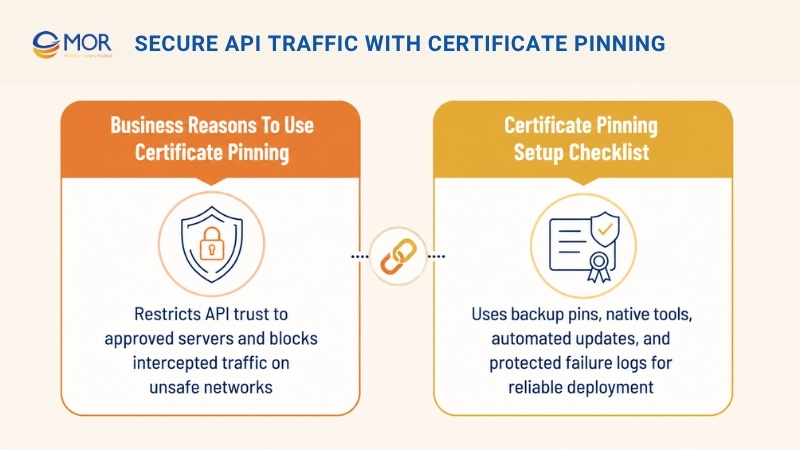
Business Reasons To Use Certificate Pinning
Apps that process financial, medical, or personal records need stronger server checks than standard certificate validation. Certificate pinning keeps API traffic encrypted and connected to your real servers, even on unsafe Wi-Fi or altered devices. It also supports the OWASP Mobile Top 10 guidance for unsafe network communication and helps stop intercepted customer data.
Certificate Pinning Setup Checklist
Certificate pinning needs a planned setup because a wrong configuration may block legitimate users. Use the following checks to create a stable pinning process:
- Select The Right Pin Type: Choose between the complete server certificate and its public key. A public-key pin gives you more room during certificate renewal because the same key may stay active.
- Prepare A Secondary Pin: Add at least one spare certificate or public key to your app. This backup supports planned certificate changes without breaking API access. Users may lose access after the main certificate expires when no secondary pin exists.
- Apply Native Platform Options:
- Android Configuration: Define certificate rules inside NetworkSecurityConfig.xml so your team can manage pins outside the main application code.
- iOS Configuration: Use TrustKit or another tested library to handle pin settings, validation reports, and failure events.
- Connect Pin Updates To DevOps: Add automatic pin changes to your CI/CD pipeline whenever your server receives a new certificate. This process keeps the mobile trust settings matched with your active backend certificates and supports a sound DevOps process.
- Record Validation Errors: Track each failed pin check through protected logs. A sudden rise in these failures may point to a broad interception attempt and help your security team act sooner.
>>> Discover why keeping pace with trends developments in software like artificial intelligence (AI), cloud computing, DevOps, and mobile applications is essential for organizations.
Encrypt Sensitive Data Stored On Mobile Devices
Encryption at rest changes readable device data into protected content that unauthorized people cannot understand. Strong cryptography shields stored login tokens, passwords, account records, and personal details from physical or software-based access. Native secure storage keeps this information protected when a phone is lost, stolen, infected, or opened through harmful tools.
Business Reasons To Encrypt Stored Data
Phones face a real risk of theft, malware, and unauthorized local access. Plain-text storage may expose private information and conflict with the OWASP guidance for unsafe device storage. In finance and healthcare, mobile banking security best practices also require strong controls that support PCI DSS and HIPAA duties. Stored-data encryption becomes the final barrier when an attacker gains access to a customer’s device.
Data Encryption Setup Checklist
A safe encryption setup should use the protected hardware and storage services already supplied by each mobile platform. Apply these checks during development:
- Rely On Native Secure Storage: Do not create your own encryption system unless your project has a rare technical need. Mobile operating systems already include hardware-backed storage that protects and manages cryptographic keys.
- Use The Correct Platform Services:
- Android Storage: Use the Android Keystore to create and keep encryption keys away from normal application storage. Save protected data through encrypted SharedPreferences or the Jetpack Security library for secured files.
- iOS Storage: Place passwords, tokens, and API secrets inside the Keychain. The platform encrypts these records and connects their protection to the device’s secure hardware.
- Keep Keys Out Of Source Code: Never place encryption keys directly inside your application files. Create keys while the app runs, then manage them through Keystore or Keychain services. Teams should also understand AES and RSA encryption when choosing between symmetric and public-key methods.
- Remove Old Data Safely: Clear sensitive records from device memory and storage after the application no longer needs them.
- Check Different Devices: Test the encryption flow across several phone models and operating system versions for steady protection.
Strengthen Login Security
Password-only login no longer gives enough protection for modern mobile accounts. Biometric authentication and multi-factor authentication (MFA) add separate identity checks through fingerprints, facial scans, devices, tokens, passwords, or PINs. This layered model can block account entry after an attacker steals one set of login details.
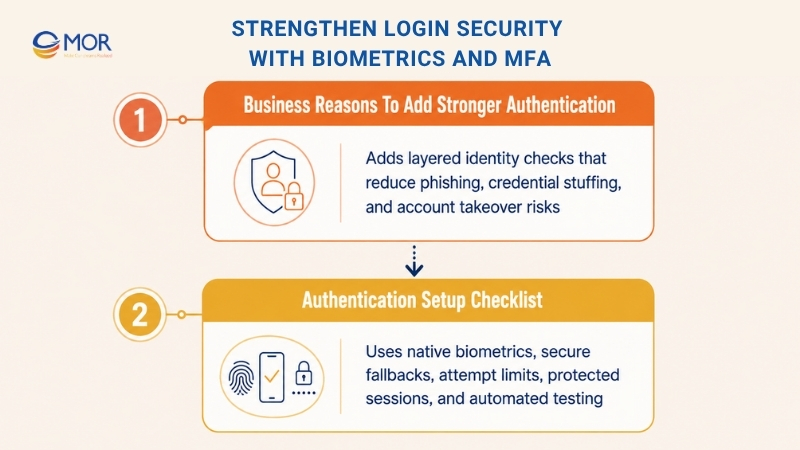
Business Reasons To Add Stronger Authentication
Phishing and credential-stuffing campaigns often defeat accounts that depend only on passwords. Mobile app security best practices pair biometrics with MFA to meet OWASP authentication guidance and make stolen credentials less useful. The best practices for secure authentication in mobile apps also protect fintech, enterprise, and data-heavy services from common account takeover methods. Payment gateway integration services like Apple Pay and banking apps like Chase show that strong login checks can still feel simple for users.
Authentication Setup Checklist
Secure sign-in should protect accounts without making normal access confusing or slow. Apply these controls when building your authentication flow:
- Use Built-In Biometric Services: Work with the secure biometric tools included in each operating system. Use BiometricPrompt on Android and LocalAuthentication on iOS. Never keep biometric templates inside your app because the secure device system should process them.
- Add A Safe Backup Login: Some users lack biometric hardware or may choose not to activate it. Give them a protected PIN or password path so they can still reach their accounts.
- Limit Repeated Login Attempts: Apply firm request limits to passwords, PINs, and other backup methods. Temporarily block further attempts after a chosen number of failures.
- Protect The Login Session: Pair successful identity checks with secure token handling. Keep session tokens short-lived and cancel them on the server after logout or suspicious actions.
- Test Authentication In CI/CD: Add automated login tests to your pipeline across common devices and system versions. Test accepted scans, rejected scans, user cancellations, and fallback routes through mobile emulators. Review different biometric authentication methods before selecting the right option for your app.
Protect Network Traffic And Limit App Permissions
This practice covers two main security needs: safe data transfer and controlled access to phone resources. Every request between your application and backend should travel through HTTPS protected by Transport Layer Security (TLS). The app should also request only the permissions needed for its main tasks, which keeps the attack area smaller.
Business Reasons To Control Traffic And Permissions
Encrypted connections block spying and message changes across public or untrusted networks. Permission control also matters because unused access to contacts, cameras, or location may expose extra customer data after a breach. A banking service should send every API call through HTTPS, while a social app should ask for camera access only when someone starts a video call. These mobile security best practices support user trust and follow the review rules used by the Apple App Store and Google Play Store.
Secure Communication And Permission Checklist
Network and permission controls should remain part of planning, coding, testing, and every release review. Add the following checks to your development process:
- Require Encrypted Connections: Send every network request through HTTPS. Current mobile systems may warn about or block plain-text connections. On Android, use NetworkSecurityConfig.xml to deny unencrypted traffic as the default setting.
- Request Only Needed Permissions: Review AndroidManifest.xml or Info.plist and list every device permission your app requests. Link each permission to a real task that users need. Remove access that does not support a core function.
- Ask At The Right Moment: Do not request every permission when the user first opens the app. Ask for location only after the user starts a map or nearby-search task. Give a short reason that tells the user why the app needs that access.
- Review Permissions Often: Check permission lists during code reviews and release preparation. Teams may remove old functions but leave their device access active, which creates needless risk.
- Use Native Privacy Controls: Apply iOS privacy settings and Android runtime permissions so users can manage each access choice. Keep the app usable when someone denies a permission that is not required for the main service.
Scan Source Code And Third-Party Packages
Secure code review finds weaknesses in your own application files and in outside packages before production release. Mobile app security best practices use Static Application Security Testing (SAST) and Software Composition Analysis (SCA) throughout the development cycle. SAST checks code written by your team, while SCA searches open-source components for known security problems in modern mobile app development.
Business Reasons To Scan Code And Dependencies
Most current mobile products depend on open-source libraries to save development time. One unsafe package may give attackers a path to customer records or core application functions. Early security checks find faults when development teams can repair them with less time and cost. This approach addresses OWASP risks tied to poor code quality and code changes before unsafe components reach users.
Code And Package Security Checklist
SAST and SCA work best when automated checks follow a clear review and repair process. Use these controls to protect your software supply chain:
- Add Scans To The Build Pipeline: Make SAST and SCA checks required gates inside your CI/CD process. Stop builds that contain high-severity findings so unsafe code cannot enter the shared branch.
- Match Tools To Your Technology: Select scanners that support the languages and libraries used in your project. SonarQube can find injection issues in Java or Kotlin, while Snyk can flag unsafe packages in React Native projects. Set the scan rules to match your company’s accepted level of risk.
- Create A Finding Review Flow: Define how your team checks, ranks, assigns, and closes each security finding. Review possible false alarms and create clear repair tasks for confirmed issues.
- Maintain A Component Inventory: Generate a Software Bill of Materials (SBOM) through your SCA platform. Keep a full list of packages, versions, and dependencies so teams can locate affected components after a new flaw becomes public.
- Include Human Code Reviews: Run manual security checks on sensitive modules alongside automated scans. Authentication, payments, and access rules may contain business-logic faults that scanning tools cannot find.
Control API Requests And Validate Incoming Data
Backend protection carries the same weight as security inside the mobile client. Request limits and strict input checks create two server controls against automated abuse and planned attacks. Rate limiting controls how often an account or IP address can call an endpoint, while validation rejects data with the wrong type, size, format, or value.
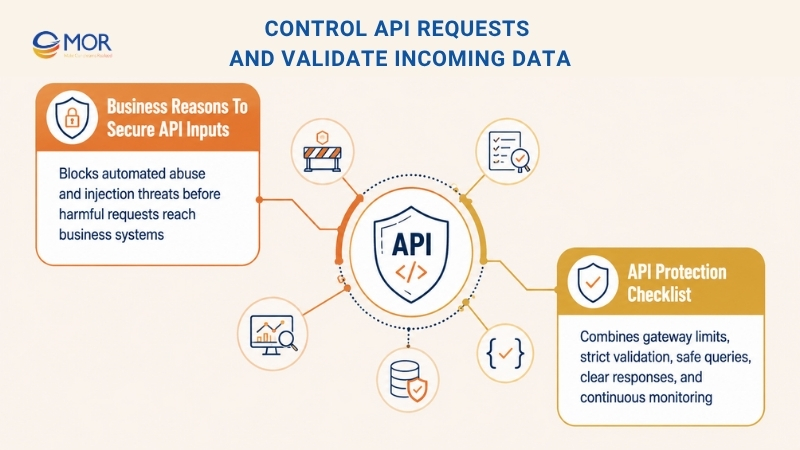
Business Reasons To Secure API Inputs
These two controls address several common threats against mobile APIs. Request limits can slow password guessing, credential stuffing, and application-level Denial-of-Service attacks that flood backend systems. Input checks help stop SQL, NoSQL, and command injection attacks listed in the OWASP API Security Top 10. Rejecting harmful requests at the API boundary keeps them away from your business rules and databases, which protects operations and data accuracy.
API Protection Checklist
API protection should join gateway controls with checks inside the backend application. Apply these steps across the complete request path:
- Set Limits At The Gateway: Apply request controls through AWS API Gateway, Nginx, Kong, or a similar gateway. Edge-level limits stop excess traffic before it consumes resources inside your application servers.
- Choose Limits From Real Usage: Base each threshold on normal customer behavior. A login API may allow five attempts per minute from one IP, while an authenticated data API may allow 100 calls each hour.
- Check Every Input Field: Validate incoming values for data type, length, range, and required format. Use trusted libraries or JSON Schema rules to accept only approved data patterns.
- Use Safe Database Queries: Never join user input directly into an SQL command. Parameterized queries and prepared statements separate data from commands and block common SQL injection methods.
- Return Useful Limit Messages: Send an HTTP 429 Too Many Requests response when a user passes the allowed request count. Add a Retry-After header so the mobile client knows when another request may be sent.
- Watch Failed Requests: Record input failures and rate-limit events in your monitoring system. A fast increase may show that someone is testing or attacking the API. These alerts help security teams react before the traffic harms your service.
Create Safe Logs And Real-Time Security Monitoring
Logs and monitoring give security teams the records needed to find attacks and respond as events happen. Yet log files can create another weakness when they store private customer information. Safe logging records useful security events without keeping personally identifiable information (PII), passwords, tokens, or payment details. Data masking also keeps investigation records useful while supporting privacy and compliance duties.
Business Reasons To Protect Log Data
This method supports OWASP guidance for unsafe stored data because it keeps private values out of log files targeted by attackers. Poor logging may bring heavy penalties for finance and healthcare companies under GDPR, HIPAA, or PCI DSS. Protected logs can feed a Security Information and Event Management system (SIEM) that spots failed login waves or strange API behavior without exposing customer records.
Logging And Monitoring Checklist
A good logging plan should give teams enough detail without collecting private data they do not need. Apply the following controls:
- Clean Every Log Record: Do not write raw customer values into application logs. Add an automatic filter that hides protected fields before storage. Cover passwords, API secrets, session tokens, national identity numbers, and payment card data.
- Use A Consistent Log Format: Store entries in a structured format like JSON. Monitoring platforms like Splunk or the ELK Stack can search and review structured records more easily. Add a unique request ID so teams can trace one action across several backend services.
- Limit Who Can Read Logs: Protect records through Role-Based Access Control (RBAC). Only approved staff, including security operations members, should view or study sensitive logs. This permission rule also lowers the risk of misuse by internal users.
- Set Clear Storage Rules: Define approved log levels, retention periods, and deletion methods. Disable detailed DEBUG messages in production and remove old logs after the required storage period.
- Encrypt Stored And Transferred Logs: Protect records while the app sends them to the main logging service. Keep the same encryption in place after the system stores those records.
- Create Live Security Alerts: Set monitoring rules that send an alert after suspicious activity. One rule may trigger after more than 10 failed logins from the same IP within one minute.
Defend Mobile Code Against Reverse Engineering
Attackers may study a released application to find private business rules, protected methods, and hidden weaknesses. Code obfuscation changes readable application code into a harder form while keeping the same behavior. It may rename methods and variables, add unused instructions, or rearrange control paths so analysis takes more effort. Mobile app security best practices pair this method with anti-tampering checks that detect changed or repackaged apps during use.
Business Reasons To Protect Mobile Code
These controls address OWASP risks linked to reverse engineering and unauthorized code changes. Fintech products may protect trading logic this way, while streaming services use similar controls against account misuse. Android mobile app security best practices also use obfuscation and integrity checks when sensitive operations remain inside the client. These barriers protect intellectual property and revenue by making code theft and harmful repackaging harder.
Code Protection Checklist
Mobile code needs several automated controls across development, build, release, and runtime stages.
- Start With Native Build Tools: Use the security options already included in your development platform.
- Android Build Protection: Apply the R8 compiler, which replaced ProGuard, for shrinking, code changes, and name obfuscation. Update proguard-rules.pro so required reflection and serialization classes still work after the build.
- iOS Build Protection: Turn on Strip Swift Symbols and set Deployment Postprocessing to YES in Xcode to remove metadata that users do not need.
- Run Integrity Checks During Use: Add runtime checks instead of depending only on static code changes. Confirm the app signature and look for unexpected changes inside memory.
- Detect Rooted Or Jailbroken Devices: Check whether the application runs on an altered phone. Do not close the app without warning. Limit high-risk tasks and send a signal to the backend when the device fails the trust check.
- Automate Protected Builds: Keep obfuscation rules under version control and apply them through the CI/CD pipeline. Build, test, and release the protected app version as part of your secure software development lifecycle (SSDLC).
- Confirm Sensitive Actions On The Server: Client-side barriers only slow attackers and cannot replace backend checks. Approve payments, transfers, and other high-risk actions through server-side rules.
Run Mobile Security And Penetration Tests Regularly
Automated scanners and secure coding give your app a solid base, but they cannot think like a patient human attacker. Human-led penetration testing fills this gap by testing how well your controls stand up under real attack methods. Testers stage a controlled attack against login flows, APIs, stored data, and system design to find weaknesses that scanners may overlook.
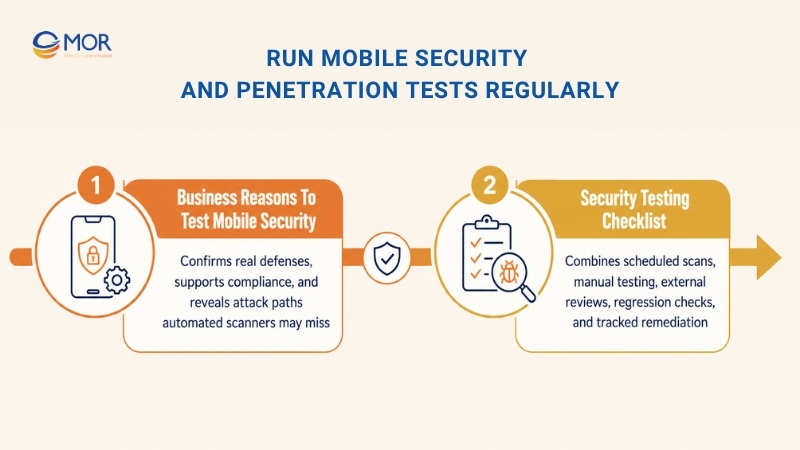
Business Reasons To Test Mobile Security
Regular assessments show whether your app’s defenses still work against real attack paths. Many teams searching for ‘how secure are mobile banking apps best practices’ need test results, not claims, before trusting a financial product. Rules like PCI DSS, HIPAA, and SOC 2 may also require independent security reviews at set times.
An outside test gives stakeholders a neutral view of your current security level. It can find serious flaws before criminals abuse them and shows customers that your business takes security duties seriously.
Security Testing Checklist
A complete test plan should combine automated scans with manual checks across the whole development cycle. Use this mobile app security checklist to build a repeatable testing program:
- Set A Fixed Test Schedule: Do not wait for a serious incident before testing the app. Run reviews before launch, after large updates, and at least once each year. Fintech and other high-risk products may need checks every quarter or more often.
- Mix Tool-Based And Human Tests: Add Dynamic Application Security Testing (DAST) and Static Application Security Testing (SAST) to your CI/CD pipeline for regular scans. Pair them with manual pen tests that can find hidden business-rule gaps and complex attack paths.
- Bring In Outside Testers: Work with an independent security team for a fair and detailed review. External specialists may notice risks that internal teams miss because they see the system with fresh eyes.
- Add Tests For Past Bugs: Create a new test case after your team finds and repairs a security flaw. Place that case in the regression test set so the same weakness does not return in a later build. This habit strengthens your DevOps process over time.
- Record And Close Every Finding: Write down each weakness, rate its seriousness, and follow the repair until completion. Give every issue an owner and due date. Use the results to teach developers how to avoid the same coding mistake in future releases.
Secure Backend Systems And Mobile APIs
Your mobile client cannot stay safe when its backend contains weak access rules or exposed services. Client-side controls alone cannot protect customer data when attackers can abuse server functions or API routes. The backend must apply business rules, control data access, and verify every request. This server-first view treats all client traffic as untrusted until the API confirms it.
Business Reasons To Protect The Backend
Your backend holds the final record of user rights, account data, and business actions. A server flaw may cause a major breach and connect with OWASP Mobile Top 10 risks involving poor platform use and weak authorization. Strong API checks stop an altered mobile client from viewing private records or taking actions outside the user’s rights. Mobile banking app security risks and best practices often center on this point because the server must verify every payment or transfer request.
Backend And API Security Checklist
A safe server design needs several connected controls instead of one security layer. Use these steps to protect backend services and mobile APIs:
- Use Standard Login Protocols: Apply trusted standards like OAuth 2.0 and OpenID Connect (OIDC) through a proven identity service. Do not create your own login protocol when a tested standard can meet the same need. Issue access tokens with short life spans and use safe refresh-token rotation.
- Apply Detailed Access Rules: Simple Role-Based Access Control (RBAC) may not cover every business case. Use Attribute-Based Access Control (ABAC) when decisions depend on the user, requested action, resource, time, or other facts. A healthcare system can limit each doctor to records for assigned patients.
- Check And Clean Every Request: Never assume that data from the app is safe. Test every value on the server for type, format, size, and allowed range. Use parameterized database commands or an Object-Relational Mapping (ORM) tool to block SQL injection.
- Place An API Gateway In Front: Route public calls through a gateway that manages shared security rules. It can apply request limits, check API credentials, and stop harmful traffic before it reaches internal services. This setup also gives your team one place to manage a REST API security strategy.
- Store Secrets In A Protected Vault: Do not place API keys, database passwords, or service credentials inside source files. Keep them in a managed secret store and load them only when the application runs.
- Use Strong Privacy Checks: Standard encryption protects stored and transferred data, but some systems need proof without sharing the original secret. Zero-Knowledge Proofs can confirm selected facts while revealing less private data to backend services.
Add Threat Modeling To The Secure Development Process
A secure development cycle places security work inside planning, design, coding, testing, release, and maintenance. Mobile app development security best practices use threat modeling to find key assets, attack paths, trust boundaries, and weak design choices before engineers build sensitive parts.
Teams following mobile development security best practices study how criminals could misuse login flows, APIs, local files, device permissions, payment steps, and outside SDKs during design. Early review lets your team select the right controls before unsafe ideas spread across the product.
Business Reasons To Use Threat Modeling
Design flaws found near launch often take more time and money to repair. A weak login plan, payment flow, or data-sharing design may force changes across the mobile client, server services, and databases.
Threat modeling lowers this risk because teams find design problems when they are still easier to change. It also helps leaders rank security work through attack chance, business harm, and data sensitivity instead of treating every system part as equal.
Threat Modeling Checklist
Threat modeling should happen throughout development rather than during one isolated meeting. Use the following checks to make it part of regular project work:
- List High-Value Assets: Record the data and actions that need protection, including login details, payment records, medical data, location history, company code, admin tools, and access tokens.
- Draw Data Paths And Trust Zones: Map how information moves through the mobile app, operating system, outside SDKs, API gateway, server services, databases, and external systems. Mark every place where data passes into a zone with a different trust level.
- Review Likely Attack Types: Apply a known method like STRIDE to study identity spoofing, data changes, action denial, information leaks, service disruption, and higher access rights.
- Rank Risks Through Business Harm: Give every threat a chance score and damage score. Fix threats that may expose private data, cause fraud, stop key services, or break legal duties before lower-risk items.
- Turn Risks Into Security Rules: Change each chosen response into a clear project need, including MFA, server access checks, encrypted storage, request limits, audit records, or payment approval.
- Update The Model After Major Changes: Review it again when your app adds a large function, API, payment option, device permission, outside service, or system design change.
- Link Actions To Project Tasks: Add security work to the same task system used by developers. Give each task an owner, target date, and clear completion rule so known risks do not remain open.
Manage Mobile Sessions With Strong Token Controls
Session management controls account access after the user passes the login check. It defines how tokens are created, sent, saved, renewed, ended, and cancelled during app use. A secure login can still fail when tokens are easy to guess, sessions never expire, or logout does not remove server access.
Mobile apps need extra care because account tokens may stay on a phone for days or weeks. Users want fast return access, but long sessions increase harm after device loss, malware, token theft, or account takeover. Your design must balance easy use with firm time limits and clear account controls.
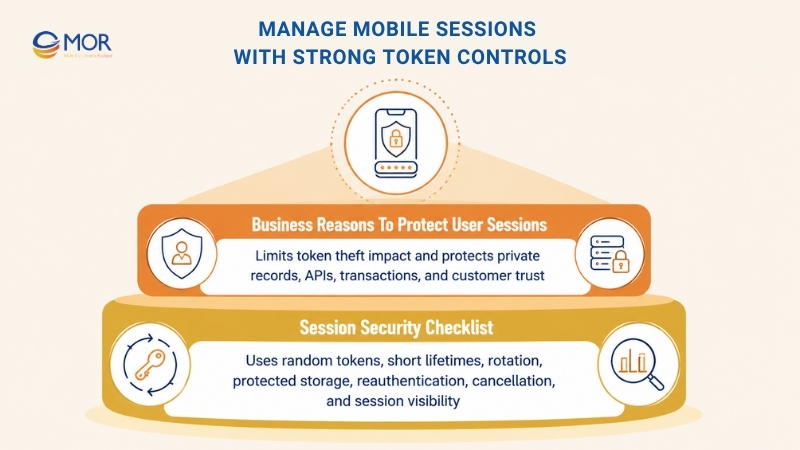
Business Reasons To Protect User Sessions
A stolen session token may let an attacker act as the real user without knowing the password. Weak controls can then allow access to private records, account changes, protected APIs, and financial actions.
The business cost may include fraud, data loss, customer complaints, legal review, and damaged trust. Good session rules shorten the time a stolen token works and let users or administrators end strange access fast.
Session Security Checklist
The best practices for secure mobile app access management require shared rules across the mobile client, identity service, API gateway, and backend. Follow these steps to manage sessions safely:
- Create Random Session Values: Generate tokens through a secure random process. Do not base them on usernames, dates, sequence numbers, or other values an attacker may predict.
- Keep Access Tokens Short-Lived: Give access tokens a brief active period. Use protected refresh tokens to create new access tokens without asking users to log in every few minutes.
- Replace Refresh Tokens After Use: Send a new refresh token whenever the current one creates fresh access. Cancel the old token at once so an attacker cannot replay it.
- Store Tokens In Protected Device Areas: Keep session data in storage backed by Android Keystore or iOS Keychain. Never write tokens to normal preferences, local plain-text databases, logs, analytics records, or crash reports.
- Set Idle And Total Time Limits: Close sessions after a chosen period without user activity. Add a final end time that applies even when the account remains active.
- Ask For Identity Checks Before Risky Actions: Require another login check before password changes, payment-detail updates, private record access, or large transfers.
- Allow Server-Side Token Cancellation: Let the backend cancel sessions after logout, password resets, account recovery, device removal, strange activity, or staff action.
- Show Users Their Active Sessions: Give users a list of signed-in devices and recent account access. Let them close one session or sign out everywhere.
Place WAF And Edge Controls In Front Of Mobile APIs
A mobile app runs on a phone, yet many high-value tasks depend on public APIs and cloud services. Among mobile app security best practices, a Web Application Firewall (WAF) can check traffic before requests reach those systems. These mobile app security measures can block known attack patterns, abusive clients, and malformed requests near the network edge.
Edge controls add another layer outside login rules and checks inside your application. They can filter harmful payloads, limit request sizes, detect bots, apply location rules, and respond to new threats without waiting for users to install an app update.
Business Reasons To Use Edge Protection
Your official mobile client is not the only tool that can call a public API. Attackers may study endpoints, copy request formats, create scripts, and send calls straight to backend services.
A WAF can block common injection attacks, harmful web requests, credential stuffing, and application-level service floods. It also protects service availability during sudden traffic growth or planned attacks.
Apps in fintech, healthcare, gaming, and online retail often depend on stable API access for revenue and customer service. Edge defenses help these products remain available when hostile traffic reaches public endpoints.
WAF And Edge Security Checklist
Edge rules must match normal app traffic. Strict rules may block real customers, but weak default settings may stop very little.
- Protect Every Public API Route: Put a cloud or network WAF between internet users and your API gateway, load balancer, or backend service.
- Turn On Managed Attack Rules: Begin with maintained rule groups for injections, harmful payloads, protocol errors, known software flaws, and common attack methods.
- Set Different Limits For Each Route: Apply lower request limits to login, sign-up, password reset, verification code, search, checkout, and payment endpoints.
- Detect Bots And Scripted Abuse: Watch for strange request speed, repeated account attempts, false headers, and user paths that do not match normal app use.
- Control Allowed Request Details: Define accepted HTTP methods, file sizes, content types, headers, API versions, and user regions when these limits fit the service.
- Add Service-Flood Protection: Pair the WAF with network and application controls that absorb large traffic bursts before they fill backend capacity.
- Send Edge Events To Monitoring: Forward blocked traffic, rule matches, limit events, and strange request patterns to your SIEM or main monitoring platform.
- Test Rules Before Blocking Users: Run new policies in report-only mode at first. Study false alarms, adjust the settings, and activate blocking after the rules work as planned.
Build Privacy And Compliance Rules Into The Mobile App
Privacy work involves more than a legal page or consent box added before launch. The app must collect data for a stated reason, protect it during use, keep it only for an approved time, and remove it after that need ends.
Your duties depend on your users, industry, data, and target countries. A medical app may store health files, while a payment service handles card data. Products serving users in several regions may also need tools for access, correction, export, deletion, and consent changes.
Business Reasons To Add Privacy Controls
Mobile apps may collect names, locations, device IDs, contacts, habits, payment records, and health information. Extra collection creates more risk and makes any later breach more damaging.
Poor privacy practices may lead to fines, app-store action, contract problems, delayed business deals, and public trust loss. Privacy-focused design lowers these risks and makes your data use easier to describe to users, auditors, partners, and client review teams.
Good compliance records can also help your product win enterprise work. Business clients often feel more confident when you can show where data goes, who can read it, how it is protected, and when it is removed.
Privacy And Compliance Checklist
Connect privacy duties to product design, system setup, and daily work rather than leaving them only in legal documents.
- Confirm Which Rules Apply: Check whether your app falls under GDPR, HIPAA, PCI DSS, SOC 2, ISO 27001, local privacy laws, or industry contract rules.
- Build A Full Data List: Record what the app collects, why it collects it, where the data travels, who can read it, how long it stays, and which outside parties receive it.
- Collect Only Needed Information: Keep only data tied to a clear user task or business purpose. Remove unused SDKs, device permissions, form fields, tracking events, and stored values.
- Ask For Clear Consent: Use simple language and request permission at the right time. Do not place unrelated data uses inside one broad agreement.
- Handle User Data Requests: Create processes that let people view, fix, export, or delete their information when the law requires it. Include backups, analytics tools, and connected services in the deletion process where needed.
- Set Automatic Retention Rules: Remove data after its approved storage period ends. Do not keep private records forever only because space is available.
- Keep Proof Of Security Work: Save records of access reviews, security tests, risk checks, incident plans, control settings, and completed repair work.
- Check Every Outside Service: Review analytics tools, cloud services, payment systems, ad SDKs, and customer support tools against your privacy and security needs.
Train Mobile Development Teams In Security
Security scanners can find many faults, but app safety still depends on choices made by developers, architects, testers, product managers, and DevOps staff. Regular learning gives these teams the skills to spot unsafe code, apply mobile platform controls, and handle newly found weaknesses correctly.
Training should use real mobile work instead of broad cyber lessons alone. Android and iOS differ in storage, permissions, biometric tools, code signing, and system protection. Engineers need practice with the tools and languages they use in daily projects.
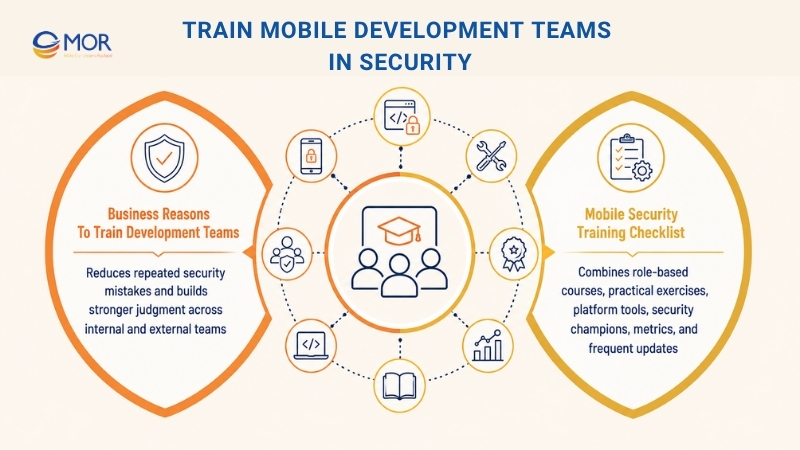
Business Reasons To Train Development Teams
Many security flaws start with small development choices. An engineer may log a token during testing, store private data without encryption, trust a client-side access check, or add an old SDK without checking its risk.
Automated checks may catch part of the problem, but they cannot replace sound security judgment. Trained teams are more likely to question unsafe needs, reject risky shortcuts, and repair flaws in the right place. They also make fewer repeat mistakes because they understand the cause behind each finding.
A shared learning base helps growing companies keep the same standards across staff, new hires, and outside development teams.
Mobile Security Training Checklist
A useful program should continue throughout the year, match each job role, and connect with real development work.
- Build A Practical Mobile Course: Cover mobile app security tips for secure storage, certificate checks, login, sessions, APIs, input checks, permissions, cryptography, logs, packages, and code protection.
- Add Hands-On Security Tasks: Use coding labs, unsafe sample apps, capture-the-flag tasks, and guided repair exercises instead of slide lessons alone.
- Teach Tools For Each Platform: Include Android Keystore, Network Security Configuration, Play Integrity API, iOS Keychain, App Transport Security, App Attest, biometric services, and safe app signing.
- Use Real Project Findings: Turn unnamed issues from code reviews, pen tests, and past incidents into learning cases. These cases help staff connect the lesson to their normal work.
- Match Training To Each Role: Developers need secure coding, architects need threat modeling, DevOps teams need pipeline protection, and product managers need privacy and security planning.
- Choose Security Champions: Train one or more people inside each development team to answer questions, review risky changes, and work with security staff.
- Track Learning Results: Measure repeated bug types, repair speed, course completion, test scores, and security faults found in each release.
- Refresh Training Content Often: Update lessons when mobile systems, coding tools, attack methods, security standards, or privacy rules change.
Comparison Of Mobile App Security Practices
Choosing where to start becomes easier when you compare the best practices for mobile app security by effort, staffing needs, business risk, and product type. The table below shows which mobile app security best practices 2026 teams should place first based on their data, users, and attack exposure.
Practice | Setup Difficulty | Team And Tool Needs | Main Result | Best Fit | Business Value |
Secure API Traffic With Certificate Pinning | High: approved certificate or public-key pins must be set and maintained | Medium: mobile engineers and certificate management support | Fewer interception risks and stronger checks for server identity | Banking, healthcare, payment, and enterprise products | Blocks many MITM attempts, trusts only approved servers, and protects private API traffic |
Encrypt Sensitive Data Stored On Mobile Devices | Medium: native secure storage must be added for each platform | Low to Medium: platform tools, encryption knowledge, and device testing | Protected credentials, tokens, and customer records stored on phones | Apps that keep private information on the device | Uses hardware-backed key storage, lowers theft-related exposure, and supports compliance duties |
Strengthen Login Security With Biometrics And MFA | High: several identity checks and fallback routes must work together | Medium to High: identity services, mobile development, and testing time | Fewer account takeovers and blocked access from stolen passwords | Fintech, healthcare, enterprise, and high-value consumer products | Adds several identity layers, uses native biometric tools, and builds customer confidence |
Protect Network Traffic And Limit App Permissions | Medium: teams must enforce TLS and review every device permission | Medium: certificate work, mobile testing, and permission reviews | Safer network data and less access to phone resources | Any application that uses network services or device hardware | Stops plain-text traffic, removes needless permissions, and supports app store privacy rules |
Scan Source Code And Third-Party Packages | Medium to High: security scans and repair steps must join the build process | Medium to High: scanning platforms and developer time | Earlier discovery of code flaws and unsafe outside components | Products that use open-source packages or release updates often | Finds risky code, tracks package flaws, and blocks unsafe builds through CI/CD checks |
Control API Requests And Validate Incoming Data | Medium: gateway limits and server checks require careful settings | Medium: API services, backend development, and monitoring | Less automated abuse, injection, and service overload | Public APIs, login services, marketplaces, and high-traffic products | Slows harmful traffic, saves server capacity, and rejects bad data before processing |
Create Safe Logs And Real-Time Security Monitoring | Medium to High: teams must structure logs, hide private data, and set alerts | Medium to High: storage, monitoring tools, and security staff | Faster attack discovery without leaking customer information | Financial, healthcare, regulated, and enterprise applications | Supports investigations, protects PII, and reports suspicious behavior quickly |
Defend Mobile Code Against Reverse Engineering | High: protected builds and runtime checks need careful setup | High: specialist tools, testing, and mobile security skills | More resistance to code theft, app changes, and harmful repackaging | Fintech, games, streaming services, and apps with private business logic | Protects company code, makes attacks harder, and detects altered devices or packages |
Run Mobile Security And Penetration Tests Regularly | Medium to High: automated checks and human testing must run on a schedule | Medium to High: test tools, internal staff, and outside specialists | Proof that controls work and discovery of hidden security gaps | Any security-focused product, mainly regulated or high-risk applications | Finds business-rule flaws, supports audits, and stops repaired bugs from returning |
Secure Backend Systems And Mobile APIs | High: server services need several connected protection layers | High: backend, identity, gateway, secrets, and monitoring support | Stronger server control and safer business information | Applications with sensitive data, transactions, or complex APIs | Treats mobile clients as untrusted, manages controls centrally, and blocks unauthorized server actions |
Add Threat Modeling To The Secure Development Process | Medium to High: teams must review system design more than once | Medium: shared workshops, technical diagrams, and written records | Earlier discovery of design weaknesses and clearer security needs | New applications, large redesigns, and risky product functions | Cuts late repair work, ranks serious threats, and places security inside early planning |
Manage Mobile Sessions With Strong Token Controls | Medium: token renewal, expiry, storage, and cancellation must work together | Medium: identity services and backend token controls | Lower risk of stolen sessions and repeated token use | Apps that keep users signed in or manage private account actions | Shortens stolen-token life, supports remote logout, and keeps access practical for users |
Place WAF And Edge Controls In Front Of Mobile APIs | Medium to High: traffic policies need testing and false-block review | Medium to High: cloud protection services and monitoring support | Less bot traffic, fewer web attacks, and stronger service availability | Public APIs, fintech, games, e-commerce, and high-volume platforms | Stops attacks before they reach servers, keeps services available, and supports fast rule changes |
Build Privacy And Compliance Rules Into The Mobile App | High: legal, product, engineering, and daily operations must stay aligned | High: privacy knowledge, technical work, and audit records | Lower legal exposure and tighter control over customer data | Healthcare, finance, enterprise SaaS, payments, and global consumer products | Supports audits, strengthens trust, and limits data collection to real business needs |
Train Mobile Development Teams In Security | Medium: teams need repeated training matched to each role | Medium: learning tools, practice labs, and security guidance | Fewer repeated coding errors and stronger choices during development | Companies with several development teams or frequent product releases | Lowers human mistakes, improves repair quality, and creates lasting security habits |
Moving From Mobile App Security Best Practices To Business Resilience
The full set of protections points to one clear lesson: security must support the whole product rather than sit beside it. We covered layered controls, including certificate pinning for API traffic, stronger login checks, protected local data, and safeguards against code analysis. Each control, whether it uses Static Application Security Testing (SAST), runtime testing, or server-side checks, adds another barrier against attack.
Treating this work as a checklist completed once creates a false sense of safety. Threats keep changing, and teams find new weaknesses every day. Real resilience grows when security becomes part of normal product work, and a DevSecOps model places it inside each CI/CD pipeline stage instead of leaving it until release.
When these principles guide a product from its first design, they lower risk and create a more stable and trusted service. This approach helps leaders stand apart in fintech, enterprise SaaS, and e-commerce, where customer trust can decide whether a product succeeds.
Key Insights And Next Steps
Turn the full list into a smaller set of tasks that your teams can begin now. The first goal is a security-first culture shared across product management, engineering, testing, and DevOps.
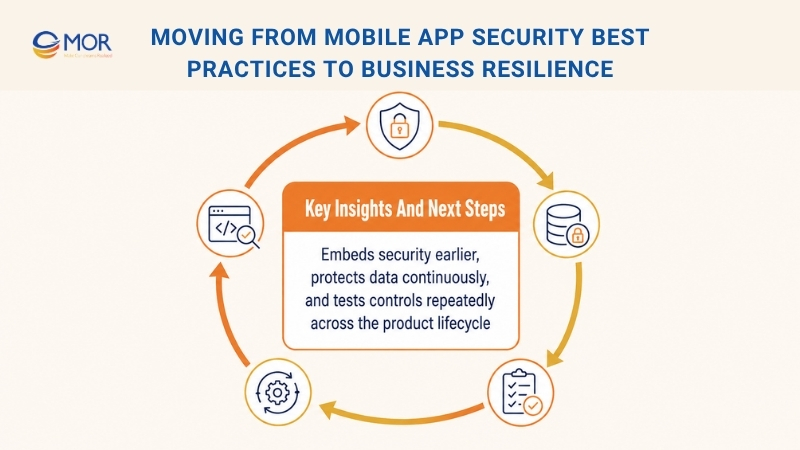
- Move Security Work Earlier: Put tools, reviews, and security rules near the start of the software development lifecycle (SDLC). SAST and Software Composition Analysis (SCA) checks inside the delivery pipeline give developers fast feedback, so repairs cost less and take less time. Late discovery, mainly after launch or a breach, creates slower work and higher costs.
- Protect Data Across Every Stage: Data protection connects many of these practices. Map each data path and rank information based on its sensitivity. This work guides choices for encryption during storage and transfer, along with safe logs that do not expose personally identifiable information (PII).
- Test Your Controls Repeatedly: Security cannot be set once and then ignored. Combine automated scans, manual reviews, scheduled penetration tests, and live application monitoring. Regular checks show whether your defenses still work against new attack methods.
Turn Mobile App Security Into a Business Strength With MOR Software
Mobile app security protects more than user accounts and stored data. It also protects your brand, customer trust, daily operations, and ability to meet industry rules. Startups can use a strong security plan to gain enterprise clients and investor confidence. Larger companies can limit business risk and protect long-term customer relationships.
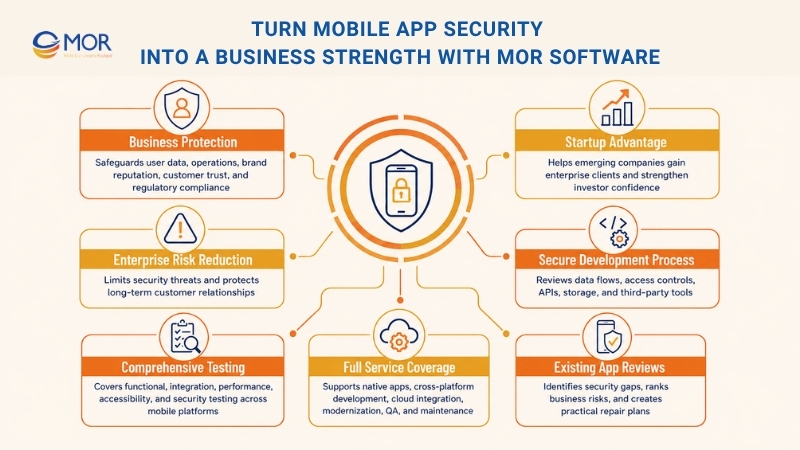
MOR Software builds security into each stage of mobile development outsourcing. Our teams review data flows, access rules, API connections, storage methods, and third-party tools before release. We also run functional, integration, performance, accessibility, and security testing across Android and iOS devices.
Our IoT development services cover native apps, cross-platform apps, backend systems, cloud integration, modernization, QA, and long-term support. We can also review an existing app, find security gaps, rank them by business risk, and create a practical repair plan.
Ready to build a safer mobile application? Contact MOR Software to discuss your product, security needs, and development plan.
Conclusion
Mobile security works best when it shapes planning, coding, testing, release, and support. The fifteen mobile app security best practices above help your team protect sensitive data, control access, secure APIs, meet industry rules, and respond faster when threats appear. MOR Software can review your current app or build a new product with security checks across Android, iOS, backend, cloud, and QA work. Contact MOR Software to discuss your mobile app, risk priorities, and delivery plan.
MOR SOFTWARE
Frequently Asked Questions (FAQs)
What are mobile app security best practices?
Mobile app security best practices are methods used to protect application code, user data, APIs, login systems, and backend services. They include encryption, secure authentication, permission control, code scanning, monitoring, and regular security testing.
Why is mobile application security important?
A mobile security flaw may expose personal data, payment details, account credentials, or internal business systems. Strong controls help prevent data theft, service disruption, legal penalties, and loss of customer trust.
What are the most common mobile app security risks?
Common risks include unsafe data storage, weak authentication, exposed API keys, insecure network traffic, excessive permissions, outdated libraries, poor session control, and weak backend authorization.
How can developers protect sensitive data stored on a mobile device?
Developers should encrypt private data and store keys through Android Keystore or iOS Keychain. Passwords, tokens, and encryption keys should never appear in source code, plain-text files, logs, or local databases.
How does certificate pinning protect a mobile app?
Certificate pinning allows an app to connect only to approved server certificates or public keys. This limits man-in-the-middle attacks that try to intercept traffic or redirect users to a fake backend server.
Should mobile apps use biometric authentication?
Biometric login can improve account protection when paired with secure fallback methods and server-side session controls. Apps should use native Android and iOS biometric APIs rather than storing fingerprint or facial data themselves.
How often should a mobile app undergo security testing?
Security testing should take place before launch, after major code or infrastructure changes, and at scheduled intervals. High-risk apps may need more frequent vulnerability scans, code reviews, and penetration tests.
What is the role of API security in mobile applications?
APIs connect the mobile client with databases, cloud services, and business systems. API protection should include authentication, access control, input validation, request limits, encrypted traffic, and server-side checks for every sensitive action.
How can teams apply mobile app security best practices during development?
Teams should add threat modeling, code scans, dependency checks, security tests, and access reviews to their development workflow. Finding problems during planning and coding is usually faster and less costly than repairing them after launch.
What should a mobile app security checklist include?
A practical checklist should cover local data encryption, secure communication, authentication, session management, API protection, permission reviews, third-party packages, safe logging, code protection, privacy rules, and penetration testing.
Share


Make Our-Dreams Realized


© 2023 . MOR Software. All Rights Reserved
Sitemap
Privacy Policy
Terms of Use

Rate this article
0
over 5.0 based on 0 reviews
Your rating on this news:
Name
*Email
*Write your comment
*Send your comment
1