


10 Best AI For Vibe Coding In 2026: Our Top Picks

Finding the best AI for vibe coding can feel messy when every tool claims it can turn prompts into real software. Some tools are great for prototypes, while others suit full codebases, teams, or frontend work. In this guide, MOR Software will compare the top 10 vibe coding tools and help you choose one that fits your skill level, budget, and project goal.
Key Takeaways
- The best AI for vibe coding depends on how much coding control you need. Claude Code, Cursor, Windsurf, and OpenAI Codex fit developers, while Lovable, Bolt.New, and Replit suit faster app ideas.
- Free or low-cost plans are useful for testing, but token caps, credits, and usage limits can change the real monthly cost once projects grow.
- AI-generated code works well for MVPs, demos, and internal tools. Before launch, real products still need code review, QA testing, security checks, and architecture cleanup.
10 Best AI For Vibe Coding In 2026
Starting vibe coding feels much easier when you have a clear path, and the vibe coding roadmap on roadmap.sh is a useful place to begin. For readers comparing the best AI for vibe coding 2026, these are the top 10 vibe coding tools MOR Software would put on the shortlist:
AI Tool | Tool Type | Works Best For | Strong Points | Limits |
Claude Code | Terminal AI agent | Developers handling large and complex repositories | Strong project awareness, agent workflow, clean code output | Command-line first, harder for new users |
OpenAI Codex | AI coding assistant | Developers building apps through ChatGPT workflows | Parallel work sessions, cloud-based task handling | Not as native to IDEs as Cursor |
Gemini CLI | Terminal AI agent | Developers already using Google tools | Large free tier, 1M-token context support | Newer tool, smaller user base |
Cursor | AI code editor | Developers working on current codebases | Multi-file changes, flexible model choice, strong project context | Cost may climb on large work |
Windsurf | AI code editor | Professional developers and team projects | Fixed monthly plan, strong agent mode for hard tasks | Agent commands take practice |
Lovable | Full-stack app builder | Founders without coding skills | Visual builder, web app creation, user login support | Backend work has clear limits |
Bolt.New | Full-stack app builder | Quick MVPs and non-technical users | Free tier, full-stack app generation | Generated code can be hard to adjust |
V0 By Vercel | UI app builder | React and frontend developers | Clean React and Tailwind code, design system support | Frontend focused, no backend |
GitHub Copilot | AI pair programmer | Teams using IDEs like VS Code and JetBrains | Broad IDE support, low starting cost, useful for existing projects | Not made to build full apps alone |
Replit | Cloud coding workspace | Beginners, students, and internal tool teams | Everything runs in one place, no setup needed | Platform lock-in may become a concern |
After this quick view, the next parts take a closer look at each AI coding tool. When you finish this guide, you will have a much clearer sense of which option fits your project.
These are the strongest vibe coding tools to consider in 2026.
Claude Code
Claude Code is a command-line AI coding agent released by Anthropic in 2025. It works inside the terminal and can read your full codebase. Before making changes, it prints its thinking process so you can check the direction first. You approve the plan before the tool takes action. After that, this coding agent can inspect files, run commands, update several files, suggest fixes, and apply them.
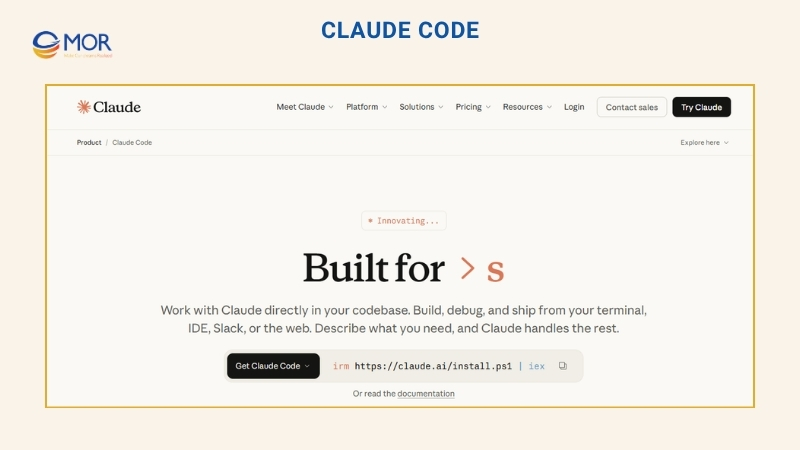
The workflow in Claude Code begins with a plain-language request. It can follow broad instructions without needing every step spelled out. You might ask it to create a dark-mode user dashboard, then let it plan the work and start building. For developers who want an editor view, Claude Code also has a VS Code extension. That extension adds a workspace where you can see changes, review them, and approve work before it runs.
Core Capabilities
- Runs an agent cycle that reads context, updates files, and checks results with tests.
- Includes a planning mode that studies the code and sketches the change before editing.
- Uses two-model support, with Opus 4.6 for deeper thinking and Sonnet 4.6 for lighter work.
- Connects with Model Context Protocol (MCP) servers for tools like Google Drive, Jira, and Slack.
- Saves project rules in a CLAUDE.md file so you do not repeat the same guidance.
- Lets you switch between approval-based editing and faster auto-edit flows through shortcuts.
- Uses a consent-first setup, so code changes need your approval.
Ideal Users
Claude Code fits skilled developers who build and maintain large software systems. It stands out as the best AI agent for vibe coding when deep repository work matters more than a visual interface.
For users with little coding background, Claude Code can feel tough at first. You need to know your way around the terminal and understand the code it writes. It asks for your approval before each major change, so your review still matters. If you want a deeper path, follow the Claude Code roadmap.
Strengths
- Produces strong code for large projects, mainly when using Opus 4.6.
- Saves time by fixing issues and running tests while you handle higher-level choices.
- Adds safer project handling through snapshots and rollback support.
Limits
- Requires command-line comfort, so it is less friendly than visual app builders.
- Long sessions can use many tokens and raise your cost.
- Large repositories may take more time to analyze before you get a reply.
Cost
Claude Code uses paid subscriptions and does not include a free plan. The Pro plan is $20 per month, or $17 per month with yearly billing, and includes access to Claude Code. The standard Team seat starts at $20 per person per month on annual billing, or $25 per person per month when billed monthly.
Most paid tiers rely on a set monthly fee rather than charging for each action. If Claude Code becomes your main coding agent, that model can be more sensible than paying for every API token.
OpenAI Codex
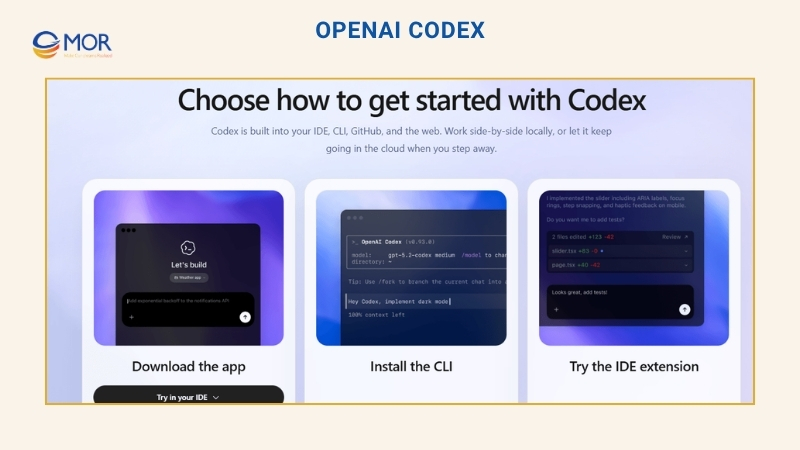
OpenAI Codex is OpenAI’s AI coding agent for software teams and developers. You can use Codex through desktop apps for macOS and Windows, the command line, an IDE extension, and the browser. It now runs on GPT-5.5, OpenAI’s latest flagship model for coding, reasoning, and agentic workflows, with GPT-5.4 mini also available as a faster, lower-cost option for lighter coding tasks. Codex brings AI-assisted software development into tools you may already use. You assign a task, the agent writes or suggests code from your request, then you review the result.
Core Capabilities
- Uses a three-level control dial, with Read-only, Auto, and Full Access modes.
- Reviews local code changes and commits to spot risk before you create a pull request.
- Runs subagents in separate sessions so several complex jobs can move at the same time.
- Supports MCP connections so outside tools and data can work through the terminal.
Ideal Users
OpenAI Codex fits developers who want to hand off coding tasks instead of writing every line themselves. It belongs in this list because it can run several agent tasks side by side. One task does not hold up the others, so teams can move work forward faster. Developers who already subscribe to ChatGPT Plus can use Codex without paying for a separate product, since it is part of the same plan.
Strengths
- Users on Business and Enterprise plans receive SOC 2 Type 2 compliance support, which helps teams with strict data rules.
- Flexible integration connects the terminal with GitHub for pull request automation.
Limits
- Large system architecture and wide design planning can still be hard for it.
- Setup and agent workflows require coding knowledge before you get full value.
Cost
OpenAI Codex does not have its own separate subscription. It is included with paid ChatGPT plans, which begin at $20 per month on the Plus tier. The Pro Plus plan costs $60 per month and gives higher usage limits plus early access to newer models. If you use up your credits on Pro or Plus, you can buy more instead of moving to a higher plan.
Gemini CLI
Gemini CLI is Google’s open-source AI agent for terminal-based coding. Google released it in June 2025, and it now uses the Gemini 3.1 model family with auto-routing turned on by default. It brings
AI-assisted coding into the command line and turns the terminal into a space where you can ask the agent to read and edit files.
Inside the terminal, you can create code, update current projects, run shell commands, and connect with Google’s AI services. You can do all of that with natural-language prompts, without opening a browser or switching tools.

Core Capabilities
- Uses agent skills that bring focused agents into the right coding task.
- Stores project guidance in GEMINI.md so each prompt keeps the right context.
- Supports a large context window of one million tokens for bigger codebases.
- Includes plan mode so you can review the proposed direction before edits begin.
- Connects with remote tools and data through MCP servers in the terminal.
Ideal Users
Gemini CLI works well for developers who can code and like terminal-based tools. It deserves a place in this guide because it may be the best free AI for vibe coding among terminal agents.
If your work already sits inside Google Cloud, Gemini CLI is easy to add to your setup. Its free plan gives developers a low-risk way to test an AI terminal agent before choosing a paid tier. For anyone searching for the best AI for vibe coding free, this is one of the first tools to review.
Strengths
- Gives individual users a free plan with 1,000 requests per day.
- Uses a one-million-token context window to review large projects or long logs.
- Publishes its source code on GitHub under the Apache 2.0 license.
Limits
- Some Google Cloud options and higher-level functions are not open in every region.
- Code changes may miss edge cases more often than tools like Claude Code.
- The system may route from Pro to Flash after you reach usage limits.
Cost
Gemini CLI has three ways to pay: a free tier, a fixed paid plan, and pay-as-you-go billing. The free tier gives 1,000 daily requests when you sign in with a personal Google account.
The paid pro plan costs $19.99 per month and raises daily limits for Gemini 3.1, while also opening more AI tools in the Google stack. The pay-as-you-go plan bills based on token use through a Gemini API key. Larger companies often buy fixed team seats through the Google Cloud console.
Cursor
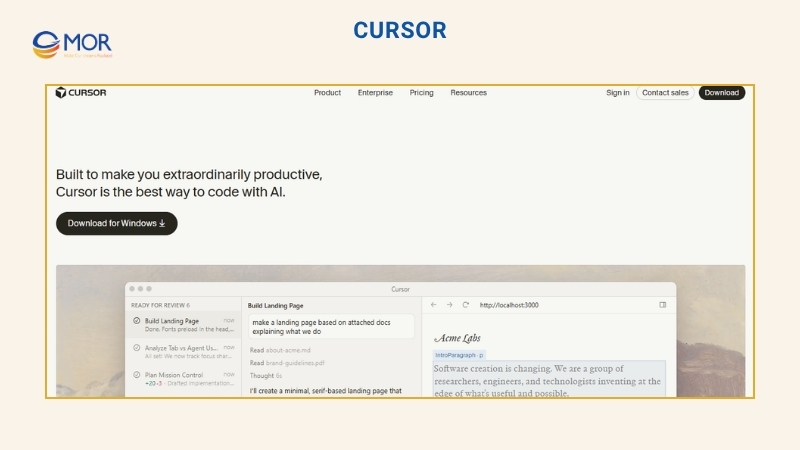
Cursor is one of the most common AI-powered editors among professional developers. Anysphere, founded in 2022, released Cursor in 2023 as an AI-first code editor built from a VS Code fork. It can run models like Claude Sonnet 4.5, Opus 4.6, GPT-5.3, and Gemini 3 Pro, so you can choose the right model for the job. Cursor keeps the familiar VS Code feel but adds AI tools across the coding process.
Core Capabilities
- Its agent can update several files and run terminal commands to build full parts of an app.
- Codebase indexing helps the AI understand your project before it writes code.
- Parallel subagents can handle separate tasks at once, using the right model for each one.
- Planning, design, and debugging tools let the AI draft a plan, edit UI elements, and inspect real data for bugs.
- Terminal, Git, and checkpoints let it run shell commands and save states you can roll back to.
- Plugins, skills, and MCP links connect tools like Figma and Slack, while teams can save commands for review flows.
Ideal Users
Cursor fits professional developers and engineering teams working on large, existing products. It earns its spot because it reads your codebase as context, then helps suggest, rewrite, and explain code.
If you already use VS Code, Cursor feels familiar right away. Developers with basic coding knowledge can also use it for small and mid-sized builds. The assistant explains code and walks you through edits in simple language. For many builders, it is the best AI tool for vibe coding when they want one editor for real software work.
Strengths
- Runs agent tasks in parallel, so you can keep working on other files.
- Uses a familiar VS Code-style interface, which lowers setup time.
- Lets you switch among Claude, GPT, and Gemini models inside one editor.
Limits
- Code may be sent to third-party APIs unless privacy mode is turned on.
- Agent mode can modify or remove code in ways that are hard to follow.
- It may miss edge cases or suggest APIs that are not real in complex projects.
Cost
Cursor has a free hobby plan for testing, and you do not need a credit card to start. Paid plans begin at $20 per month and include a premium model credit pool billed at API rates. That plan also adds higher agent limits, access to frontier models, and MCP.
If your $20 pool runs out, Cursor gives you a short window to set a spending cap before usage continues at that rate. The Teams plan starts at $40 per user per month and includes an admin dashboard, usage analytics, SSO, and other team controls. Annual billing gives a 20% discount on all paid plans.
Windsurf
Windsurf is an agentic AI code editor launched by Codeium in late 2024. It began as an autocomplete product, then became a full AI IDE based on a VS Code fork. Windsurf uses SWE-1.5 as its main agent model, while paid plans can unlock GPT-5.4 and Claude Opus 4.6 for harder work. You can run it as a desktop app on macOS, Windows, and Linux, with full VS Code extension support. It also has extensions for editors like JetBrains, VS Code, Vim, and others.

Core Capabilities
- Cascade handles multi-step work while tracking your edits and terminal activity.
- Tab predicts the next change and can suggest full functions from one keystroke.
- Linter support finds errors and fixes code without a separate prompt.
- Model selection lets you move between SWE-1.5, Claude Opus 4.6, GPT-5.4, and Gemini 3.1 Pro for different jobs.
- Arena mode tests two AI models on the same prompt so you can compare results.
- Windsurf previews display your website in the editor, letting you adjust page elements in real time.
Ideal Users
Windsurf is built for developers working on large and complex repositories. It earns its place through Cascade, which follows code changes across the project and applies updates. Windsurf is a good fit when you want the best AI for vibe coding to take on more work with fewer manual steps.
Strengths
- Its memory system learns your coding style and project structure as you work.
- Fast context indexing reads the full codebase and gives more relevant code suggestions.
- The VS Code fork brings over your extensions and themes without a long setup.
Limits
- Some users may face crashes or stalled sessions on very large projects.
- Daily and weekly caps can slow heavy users who need wider access.
- Large scans can use more battery and memory on a laptop.
Cost
Windsurf includes a basic plan with limited AI use for early testing. The Pro plan costs $20 per month and gives a standard usage quota plus full access to the SWE-1.5 model. Your quota renews daily and weekly, and extra usage can be bought at API cost after the limit.
For teams, the $40 per-user plan gives each user a daily usage allowance, with shared extra usage units available. Teams can also add SSO for $10 per user per month to protect code access.
Lovable
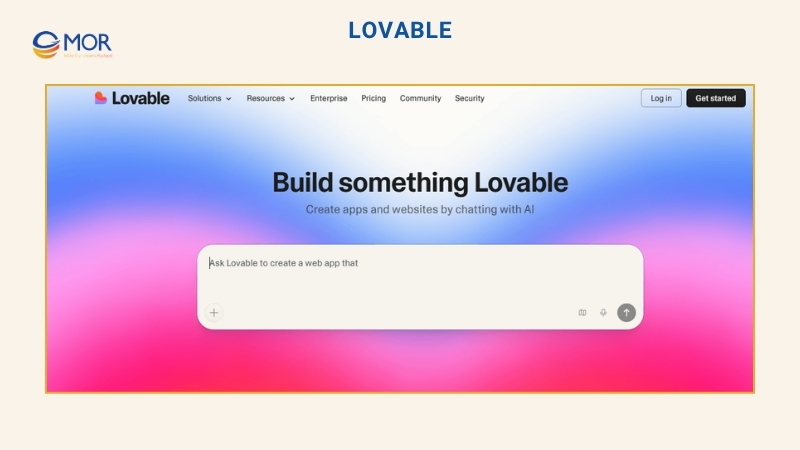
Lovable is an AI app builder launched by Anton Osika and Fabian Hedin in 2023. It began as GPT Engineer, an open-source project, then changed its name to Lovable in 2024. You can use it from a browser, with no local setup or install work. Lovable runs on Claude Opus 4.6 and handles many hard parts of software creation for you. It manages hosting, infrastructure, login, and deployment so you can focus on what the product should do.
Core Capabilities
- Plan mode turns your idea into a step-by-step build plan before code is written.
- Agentic mode works like a full-stack engineer that edits and checks fixes across the project.
- Supabase integration adds a database and user login without backend setup.
- One-click deployment sends your app to a live Lovable domain or custom domain without separate hosting work.
Ideal Users
Lovable is included because it turns ideas into working products very quickly for beginner users. It is often the best fit for non-technical founders, entrepreneurs, and product managers who need to build a Software as a Service (SaaS) product fast. Designers who want a finished app without coding or hiring developers may also find it useful. For this audience, Lovable can feel like the best AI for vibe coding when speed matters more than deep backend control.
Strengths
- Turns a product idea into a live app within minutes, without writing code.
- Includes modern UI parts, so you avoid writing the same base code again and again.
- Syncs changes to GitHub, giving you ownership of a clean TypeScript codebase.
Limits
- Does not include a dedicated desktop IDE for offline work.
- Has trouble with complex or highly custom backend logic.
- Starter plans limit how many AI messages you can send.
Cost
Lovable uses credits, so each plan gives you a monthly amount for AI work. The free plan gives five credits per day, which is enough for small tests, but your project will show Lovable branding.
The Pro plan costs $25 per month and includes 100 credits, plus the option to remove the logo. You can invite any number of team members to the Pro plan without raising that monthly price.
Bolt.New
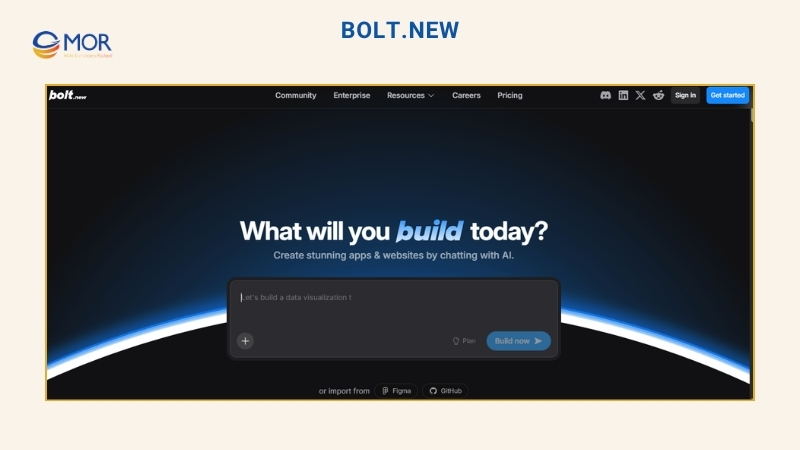
Bolt.New is a browser-based AI app builder released by StackBlitz in October 2024. You can open it in a browser tab on almost any device, without installing tools or setting up a local machine. It runs through WebContainers technology and uses Anthropic Claude to help create code for your app. Bolt.New lets you build the frontend, backend, and database together from one place.
Core Capabilities
- Runs a full Node.js workspace inside your browser through web containers.
- Creates full-stack projects with frontend and backend code, often using React and Node.js.
- Accepts Figma imports, so you can bring design files into the project while you build.
- Finds code errors and repairs them through autonomous debugging.
- Gives you terminal access for manual debugging or package installation.
Ideal Users
Bolt.New belongs on this list because one prompt can create a full-stack app with a frontend, backend, and database. It works well for founders without coding skills and solo builders who need to test an idea quickly. This AI coding platform for vibe coding gives them a browser workspace where a rough idea can become a working product without setup.
Strengths
- Starts projects without requiring local Node or Git installation.
- Its open-source code on GitHub lets developers review, fork, and contribute to the tool.
- Shows code updates in a live preview window while you make changes.
Limits
- Large file trees can make the browser slow or unstable.
- It has no offline mode because the development workspace runs in the browser and needs internet access.
- Some Git controls, like branch handling, are weaker than what desktop IDEs provide.
Cost
Bolt.New uses tokens to measure usage. You receive one million free tokens each month, with a 300,000-token daily limit, and no credit card is needed. The Pro plan costs around $25 per month and gives more tokens plus added functions. The Team plan costs $30 per member per month, and each member gets a separate 10M-token pool. Paid plans let unused tokens roll into the next month, which gives teams more room than many other tools.
V0 By Vercel
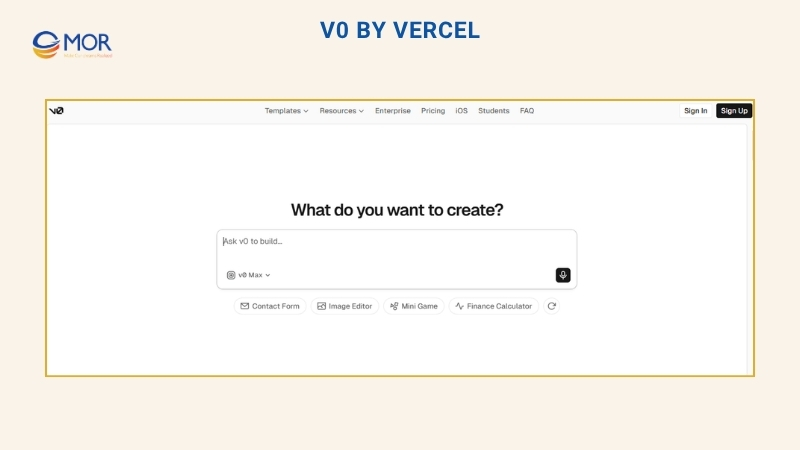
V0 By Vercel is an AI UI builder created by Vercel, the company behind Next.js, and released in 2023. You use it in the browser, with no setup on your computer. It runs on Vercel’s own models, including v0-1.5-md, v0-1.5-lg, and v0-1.0-md, and it can connect to your GitHub repo and Vercel project. V0 writes real code inside your project instead of keeping it inside a separate test space.
Core Capabilities
- Builds React apps with Tailwind CSS and shadcn/ui from text or image prompts.
- Design mode gives visual controls and live edits without using AI credits.
- One-click Vercel deployment sends projects to a live URL with hosting and SSL included.
- GitHub sync connects your repository, pushes code, and removes manual copy work.
Ideal Users
V0 stands out because it creates React and Tailwind code that teams can move toward production with little cleanup. It is a strong option for frontend developers and designers using React, Next.js, and Tailwind. For UI-heavy projects, it can be the best AI for vibe coding when you need clean interface code fast.
Strengths
- Creates usable Tailwind and React code within seconds.
- The Vercel stack can publish projects to a live URL with strong hosting speed.
Limits
- Tool lock-in can happen because it favors Vercel tools like shadcn/ui instead of other libraries.
- Hard UI revisions can use your daily or monthly AI credits quickly.
- Complex app logic and heavy backend work are outside its main use case.
Cost
V0 uses credits, and the right plan depends on how much you create. The Free plan gives $5 in credits each month, enough for roughly 10 to 15 generations. Solo vibe coders may prefer the Premium plan. It costs $20 per month and includes $20 in credits, plus a $2 daily bonus when you log in. This plan also supports direct Figma imports. Teams can choose the Team plan at $30 per user per month, with shared credits and team workspaces.
GitHub Copilot
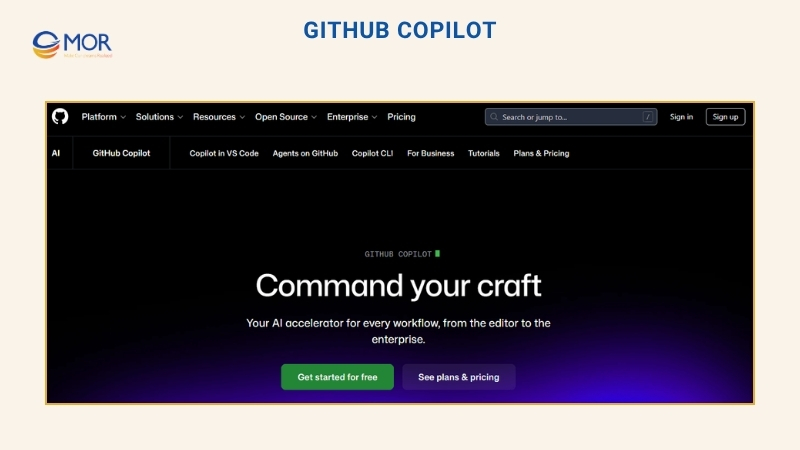
GitHub Copilot is an AI coding assistant launched by GitHub in 2021. GitHub built it with OpenAI and Microsoft. It works in many editors, including VS Code, Visual Studio, JetBrains, and more. It uses GPT-4.1 as the default model for code generation and completions, while Pro+ and higher plans add stronger models like Claude Opus 4.6 and GPT-5.
Core Capabilities
- Lets you assign GitHub issues to Copilot so it can create pull requests for review.
- Multi-model support lets you choose models from Anthropic, Google, and OpenAI for different jobs.
- Automated code review checks pull requests for bugs and security risks.
- Handles multi-file edits through the chat interface.
- Copilot extensions connect with tools like Jira and Azure to pull in extra data.
Ideal Users
GitHub Copilot is listed because it works with more editors and IDEs than any other tool in this guide. It is a strong match for developers and engineering teams that already use GitHub. It fits into the same workflow from day one, so teams get an AI assistant for vibe coding without adding a separate workspace. Students and open-source maintainers may also use it for free.
Strengths
- Learns from large public code datasets.
- Has a low monthly price for unlimited basic suggestions.
- Business-grade security helps protect data and adds legal cover for private code.
Limits
- It may not know the newest updates in some libraries or frameworks.
- It stays closely tied to the GitHub and Microsoft stack and does not fully support local AI models.
Cost
GitHub Copilot has five plans: Free, Pro, Pro+, Business, and Enterprise. Pro costs $10 per month, Pro+ costs $39 per month, Business costs $19 per user per month, and Enterprise costs $39 per user per month, plus an added $21 fee for GitHub Enterprise Cloud.
The free plan does not ask for a credit card, and Pro includes a 30-day trial before billing starts. Pro+ includes 1,500 premium requests and high-capacity access to frontier models like Claude Opus 4.6 and GPT-5. Paid plans use premium requests, with extra requests priced at $0.04 each.
Replit
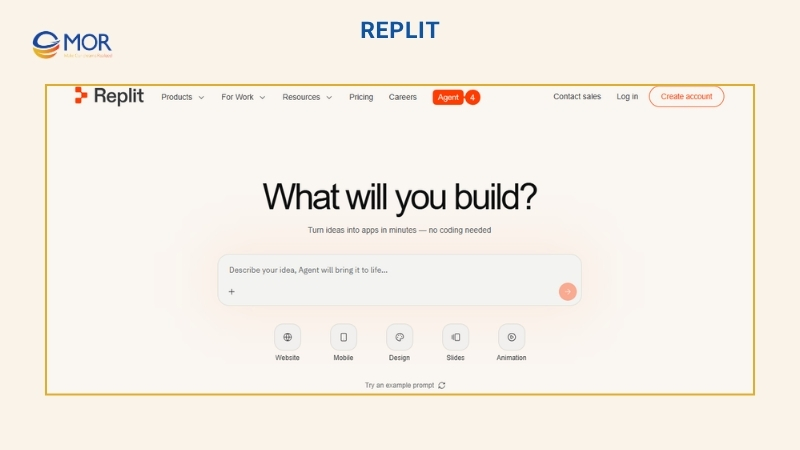
Replit is a cloud-based vibe coding platform that runs in the browser and was founded in 2016. It gives you a complete software development workspace in one place. You can open it from any browser without installing tools or preparing a local setup. Replit runs on Agent 4, its own AI agent built for quick software creation.
Core Capabilities
- Agent 4 can plan, code, and improve your project with parallel work and self-testing.
- The built-in stack puts hosting, database, and auth inside one browser tab.
- Figma Import changes design files into working code, closing the gap between design and build.
- Live collaboration lets up to 15 users edit the same file at the same time.
Ideal Users
Replit stands out because it combines many development needs in one browser workspace, including a code editor, AI agent, terminal, hosting, and version control. It works well for non-technical users, early founders, and product teams that want to build with very little coding. Beginners can use it without understanding servers or terminal commands.
Strengths
- Makes app building and hosting easy with no local setup.
- Supports coding and deployment from mobile devices.
- Keeps code, databases, hosting, and AI tools in one workspace.
Limits
- Its own stack can make project migration to your local machine harder.
- Heavy use may create delays inside the editor.
- Standard plans have privacy trade-offs because they do not include virtual private cloud (VPC) isolation.
Cost
Replit has four plans: Starter, Core, Pro, and Enterprise. Starter is free, Core costs $20 per month, Pro costs $100 per month, and Enterprise uses custom pricing. The Starter plan includes free daily agent credits and one published app without a credit card, but it shows the “Made with Replit” badge. Core gives $20 in monthly credits, supports work with up to five people, and removes the badge. Pro supports up to 15 builders, adds the strongest models, and includes premium support. More complex tasks use more credits, so bigger builds can cost more.
How To Choose The Best AI For Vibe Coding For Your Project
Choosing the best AI for vibe coding based only on online buzz can lead to a poor fit. A tool that works for another team may not match your skills, budget, or product type. The points below will help you choose with more care:
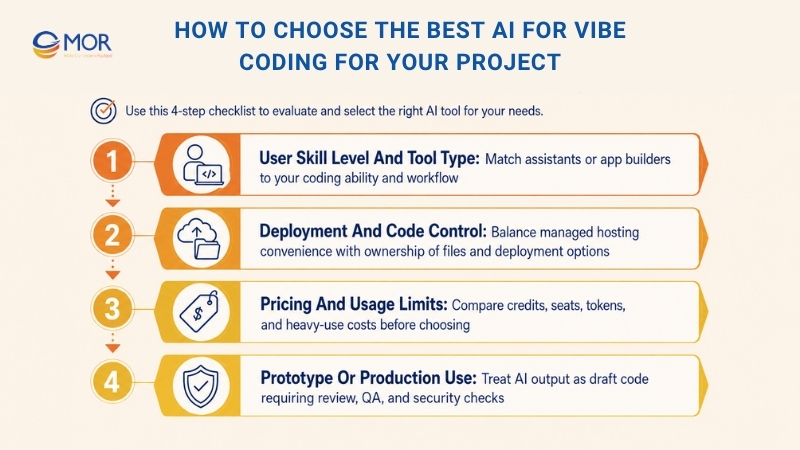
User Skill Level And Tool Type
The first thing to check is who will use the vibe coding tool. As noted earlier, these tools usually fall into two groups: app builders like Lovable, Replit, and V0 By Vercel, and AI coding assistants like Cursor, Claude Code, Windsurf, GitHub Copilot, Gemini CLI, and OpenAI Codex. AI coding assistants sit inside your current coding flow as editors, plugins, or terminal agents. App builders fit users without a coding background, including founders, product teams, and non-developers.
AI coding assistants like Cursor, Claude Code, Gemini CLI, and GitHub Copilot work better for users who already understand code. A poor match with your skill level will cost time and lead to weak results. Pick the option that fits how you work, not only the one that sounds impressive in a review.
Deployment And Code Control
Deployment and code control need a clear balance. Platforms like Replit handle much of the work, but your app runs on their servers. Moving the project to another platform can require technical work.
Vibe coding platforms like Lovable and Bolt.New make hosting and code export easier. They manage hosting, so you do not need to set up servers or maintain infrastructure. They also let you export code to GitHub, which makes platform changes easier later.
Other options, including GitHub Copilot, Cursor, and Claude Code, work with files on your own computer. That means you control the code and can deploy it to your own servers, Vercel, AWS, or another hosting setup. This route takes more setup, but you decide where the code lives and runs. So think carefully about whether you want a simple managed tool or stronger control over your code.
Pricing And Usage Limits
Vibe coding tools usually charge in three ways: credits, user seats, or usage. Credit-based plans give you a monthly credit amount and bill based on activity, which is common with Replit and Cursor. Seat-based plans charge a fixed monthly fee for each user, like GitHub Copilot Business at $19 per user.
Usage-based plans charge based on tokens or requests, as seen in some pay-as-you-go options for Claude Code or Gemini CLI. Your monthly cost depends on how often you use the tool and how hard your tasks are. If you use a credit plan for short sessions, you may stay under the limit. Heavy use can push the real price above the base plan. For that reason, the best AI for vibe coding should fit both your workflow and your budget.
Prototype Or Production Use
AI-written code can include security gaps and weak code structure. Sending it straight to production without a human review creates real risk for your app and users. This is one of the main limits of vibe coding, so you need to treat it with care.
AI tools for vibe coding work well for quick prototypes, MVPs, and side projects where speed matters. But when the product is ready for real users, treat AI output as a draft rather than final code. A developer should review security, logic, and code quality before release.
AI-generated code should not move into production without checks. Tools like Lovable, Bolt.New, Cursor, and Replit are useful for MVPs, demos, and internal tools. Before launch, businesses still need code review, QA testing, security checks, and architecture cleanup. MOR Software can help turn vibe-coded output into stable software ready for real users.
Best AI For Vibe Coding For Different Types Of Users
The best AI for vibe coding depends on your role and the product you want to build. This guide matches each user type with the tools that fit best.
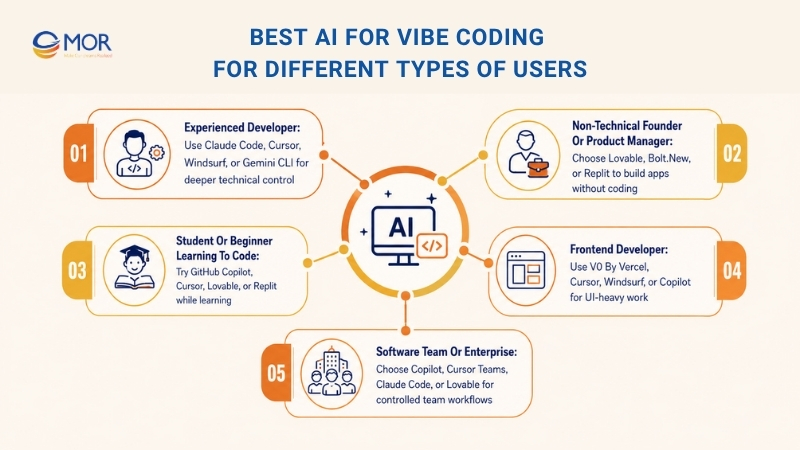
Experienced Developer
Claude Code works well for developers who like terminal-first agents and need help with hard tasks across many files. If you prefer a VS Code-style editor with deep project context, Cursor or Windsurf may suit you better. If you are just starting with AI coding tools and want a free option tied to Google, Gemini CLI is a smart pick. You can try it without a monthly plan. Developers searching for best AI for vibe coding python should look closely at these tools because they give better control for backend code, scripts, and automation.
Non-Technical Founder Or Product Manager
If you are a founder or product manager without coding skills and want to turn an idea into a live full-stack app, Lovable is a strong choice. If you need more freedom and a free tier for fast testing, Bolt.New is also worth trying. For teams building internal tools and dashboards, Replit gives you a complete browser-based workspace.
Student Or Beginner Learning To Code
If you are a student starting to code, GitHub Copilot is a useful option. It is free through GitHub Education, and no credit card is required. If you want to build prototypes while learning, Cursor can support you well. It gives you a VS Code-style workspace where AI explains and writes code through natural language. For beginners who want to move into app development, Lovable or Replit can turn ideas into working products. At this stage, the best AI for vibe coding is the one that teaches you while you build.
Frontend Developer
If you are a frontend developer using React and need quick, production-ready UI code, V0 By Vercel is the first tool I would suggest. It pairs well with Next.js and Vercel, so it fits teams already using that stack. For larger projects that need more code awareness, Cursor may be a better match. If you want AI support and quick prototypes without changing your current tools, Windsurf or GitHub Copilot are also good options.
Software Team Or Enterprise
If your company already uses GitHub and needs AI controls, audit logs, and IP protection, GitHub Copilot Business or Enterprise is likely the safest pick. Teams working on large full-stack apps with complex code analysis and multi-file generation may prefer Cursor Teams or Claude Code. If the goal is simple internal tools with less DevOps work, Lovable Pro can fit well.
Enterprise teams can use vibe coding tools to move early builds faster, test product ideas, or support internal workflows. Yet larger products still need solid engineering control. MOR Software can support enterprise teams with custom software development, web development, mobile app development, QA testing, and dedicated development teams when AI-built prototypes need to become production-ready systems.
Conclusion
The best AI for vibe coding is the one that matches your role, project size, and need for code control. Claude Code, Cursor, Windsurf, and Codex work well for developers. Lovable, Bolt.New, Replit, and V0 help teams move from idea to prototype faster. Still, AI-built code needs human review before release. Need help turning a vibe-coded prototype into real software? Contact MOR Software to plan, build, test, and scale your product.
"Evolution is not a destination, it is a disciplined journey of innovation."
Phung Van Tu


CEO MOR AI
MOR SOFTWARE
Frequently Asked Questions (FAQs)
Is vibe coding the same as no-code?
No. No-code usually uses drag-and-drop tools. Vibe coding uses written prompts to guide AI in creating code, logic, screens, or app flows. It feels more flexible, but the output still needs review.
Is vibe coding good for beginners?
Yes. Vibe coding is easier for beginners because they can describe what they want in plain language. It helps non-technical users test ideas without learning syntax first.
What is the best AI for vibe coding?
The best choice depends on your goal. Cursor, Claude Code, and Windsurf work well for developers who need codebase support. Lovable, Bolt.new, and Replit are better for beginners, founders, and teams building quick prototypes.
What is vibe coding?
Vibe coding means using natural language prompts to guide AI in building software. Instead of writing every line manually, users describe what they want, then review, adjust, and test the AI-generated code.
Can vibe coding tools build real apps?
Yes, many tools can create real apps, especially MVPs, dashboards, landing pages, SaaS demos, and internal tools. Larger products still need human review, testing, security checks, and better architecture before launch.
Which vibe coding tool is best for non-technical founders?
Lovable, Bolt.new, and Replit are strong options for non-technical founders. They help turn product ideas into working prototypes without requiring deep coding skills or a full local development setup.
Which tool is better for professional developers?
Cursor, Claude Code, Windsurf, GitHub Copilot, and Gemini CLI fit developers better. These tools work with existing codebases, support multi-file changes, and give more control over how the code is written.
Can AI-generated code go straight to production?
It should not go live without review. AI-generated code may contain weak logic, security gaps, or messy structure. A developer should test the code, check performance, fix errors, and clean up the architecture.
What should I check before choosing a vibe coding tool?
Check your skill level, project type, budget, code ownership, deployment needs, and how much control you want. A tool for fast prototypes may not be the right choice for a large production product.
Is the best AI for vibe Coding always the most expensive one?
No. The right tool is the one that matches your workflow. A beginner may get more value from Replit or Lovable, while a developer may prefer Cursor or Claude Code for deeper project control.
Share


Make Our-Dreams Realized


© 2023 . MOR Software. All Rights Reserved
Sitemap
Privacy Policy
Terms of Use

Rate this article
0
over 5.0 based on 0 reviews
Your rating on this news:
Name
*Email
*Write your comment
*Send your comment
1