


20 Best Meeting Room Scheduling Software [2026 Review]
A strong meeting room scheduling software keeps your teams organized and stops the messy double bookings that slow work down. Many companies still struggle with unclear calendars, missing rooms, and last-minute changes, which is why demand for smarter tools keeps rising. This guide of MOR Software will help you explore the best options and choose a system that fits your workplace today.
What Is Meeting Room Booking Software?
Meeting room booking software is a digital system that helps teams handle the reservation and scheduling of meeting rooms and shared work areas. One study in the UK found that workers lose about 68 minutes every week just trying to find a good place for meetings, so this software helps companies organize spaces in a clear and efficient way while keeping track of how often each room is used. This solution works as a central place where staff can check room availability, hold a space, and manage existing bookings so meetings run smoothly without clashes. It also supports teams that need a simple path for coordinating slots through meeting room enterprise scheduling software tools.
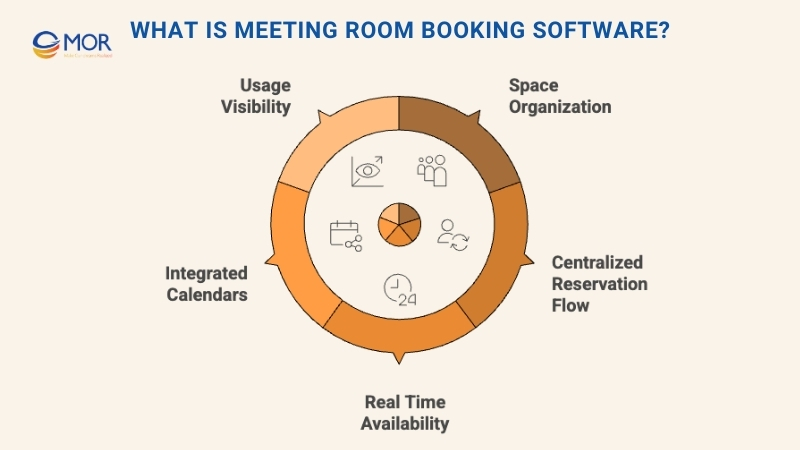
This type of software usually includes a built-in calendar for planning, tools for listing room equipment and amenities, and options to connect with workplace systems already in use. It gives a clear view of how rooms are used and helps leaders make smart choices about space planning. A 2025 global survey from Zoho found that 42% of businesses already use appointment scheduling software to make booking easier. It also supports teams that depend on online meeting scheduling through connected calendars and shared booking features.
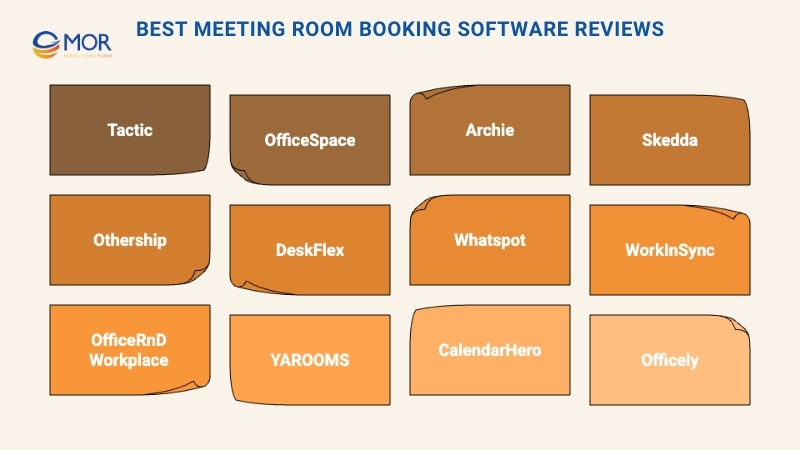
Best Meeting Room Booking Software Reviews
Here are detailed summaries of the best meeting room scheduling software options in this top 20 list, along with clear notes on why each one stands out. Each review outlines key features, pros and cons, integrations, and common use cases to help you decide which tool fits your workplace needs.
1. Tactic: Best meeting space software for hybrid teams
- 14-day free trial
- From 3 dollars per desk each month
- Rating: 4.6/5
Tactic works well for hybrid groups that need to track attendance, reserve meeting rooms, and manage shared spaces from one system. It shows real-time room and desk availability through clear visual maps, helping staff see what is open before they reach the office. It also supports teams that want meeting scheduling software suited for flexible work patterns.
Why We Picked Tactic
We chose Tactic because it helps hybrid teams stay organized with real-time updates and connected booking tools. Teams can check open rooms and confirm bookings right away through its floor maps, which also show room equipment and capacity for quick planning.
The platform syncs with Google Calendar, Outlook, and Microsoft Teams so everyone stays aligned. We also like that staff can manage bookings on their phones, which keeps daily attendance simple even when people move between spaces.
Extra tools like room limits and custom booking rules help maintain fairness and smooth use of shared resources.
Tactic Key Features
Here are several notable features worth pointing out:
- Custom Booking Rules: Control who can book rooms and set limits on booking time and frequency.
- Health and Visitor Check-Ins: Manage safety checks and visitor entries through easy workflows.
- Space Planning Analytics: Track room usage trends and use the insights to improve layouts.
- Team Schedule Visibility: See when coworkers plan to be in the office to match meeting times.
Tactic Integrations
Supported integrations include Slack, Zoom, Microsoft Teams, Google Workspace, Google Calendar, and Outlook.
Pros and cons
Pros:
- Interactive and detailed space maps
- Mobile app support for fast booking
- Real-time room and desk visibility
Cons:
- Limited advanced customization
- Not ideal for very large enterprises with complex setups
2. OfficeSpace: Best for real-time room booking and management
- Free demo available
- Pricing upon request
- Rating: 4.7/5
OfficeSpace fits medium and large companies that manage hybrid teams across different locations. It helps teams handle meeting rooms, desks, and shared resources in real time so employees can quickly check and reserve the spaces they need. It also supports workplaces that rely on reliable meeting scheduler software to keep daily booking tasks smooth and well organized.
Why We Picked OfficeSpace
We selected OfficeSpace because it gives teams a full view of how rooms and desks are used each day. Its real-time booking and occupancy tracking show which spaces are free, and staff can reserve them from a desktop, mobile device, or through apps like Slack and Teams.
Its move management feature makes it easier to guide office changes without slowing down daily tasks. The analytics also reveal how often each room is booked or not used, which helps leaders adjust layouts based on real space activity.
OfficeSpace Key Features
Here are several important features worth noting:
- Move Management: Plan and run office moves using drag-and-drop floor plans and clear visual layouts.
- Desk Hoteling: Allow employees to reserve desks early or book on demand with live availability.
- Analytics Dashboard: Track booking behavior, occupancy trends, and usage patterns to support better planning.
- Interactive Floor Plans: Let users see available spaces and confirm bookings directly from the map.
OfficeSpace Integrations
Supported integrations include Microsoft Teams, Slack, Google Workspace, BambooHR, Okta, OneLogin, Active Directory, Azure Active Directory, Workday, and SAP.
Pros and cons
Pros:
- Strong reporting features
- Good scenario office space planning tools
- Real-time data sync across platforms
Cons:
- Many room booking options are not included in the Lite plan
- Dashboards could allow more customization
3. Archie: Best for cross-platform room booking
- Free trial available
- From 109 dollars per month
- Rating: 4.9/5
Archie is a meeting room scheduler software built to make room reservations simple for any team. Its cross-platform setup lets staff book meeting rooms from almost anywhere, whether they are in the office or working remotely. This flexibility supports smooth workdays and helps teams stay connected through one easy system.
Why We Picked Archie
We like how flexible this platform is when handling bookings. Teams can reserve a room in five different ways, including the mobile app, web browser, calendar apps, Microsoft Teams, or screens placed outside meeting spaces. Archie also includes a check-in feature to reduce abandoned meetings. It can require in-person or virtual check-ins, and if no one checks in, the system can free the room automatically.
Standout features and integrations
Standout features include recurring bookings that let teams set daily, weekly, or monthly meetings without repeating the booking steps. Private mode helps protect sensitive sessions by hiding meeting details. The room search tool also makes it simple to filter spaces by capacity, type, amenities, or availability to find the best match.
Integrations include Outlook, Google Calendar, Slack, Microsoft Teams, Zoom, Office 365, QuickBooks, Xero, Stripe, GoCardless, Kisi, Salto, and Tapkey.
Pros and cons
Pros:
- Branded mobile app options
- Booking through both web and mobile
- Wide set of workspace management tools
Cons:
- No built-in view of team schedules
- Reporting tools could offer more customization
4. Skedda: Best for customizable booking systems
- 30-day free trial
- From 99 dollars per month
- Rating: 4.7/5
Skedda makes it simple to view and manage how shared spaces are used. It works well for offices, coworking spaces, universities, and community centers. The platform combines real-time floor plans with flexible booking rules so teams can control availability, access, and fairness in one place. It also supports groups that want meeting schedule software with strong rule-based scheduling.
Why We Picked Skedda
We chose Skedda because it offers far more than basic room booking. Its interactive floor plans let teams see which rooms are free and secure a space in just a few seconds.
You can set detailed booking conditions, including buffer times, quotas, and notice periods, to keep room use fair and efficient. We also like that the system applies these rules automatically, which removes the need for manual checks and keeps every site consistent. Its usage insights help you find rooms that are underused so you can adjust layouts or policies where needed.
Skedda Key Features
Here are some standout features worth highlighting:
- Interactive Floor Plans: View your spaces in real time and confirm bookings directly on the map.
- Custom Booking Rules: Automate access limits, quotas, lead times, and cancellations to maintain fairness.
- Utilization Insights: Review room usage patterns and make better layout or policy decisions.
- Two-Way Calendar Sync: Connect with Google Workspace or Microsoft 365 to keep bookings aligned.
Skedda Integrations
Integrations include Google Workspace, Microsoft 365, Outlook, Microsoft Teams, Slack, Stripe, Xero, Zapier, and SAML SSO.
Pros and cons
Pros:
- Automated scheduling support
- Flexible booking rules that promote fair use
- Clear visual layouts for fast room booking
Cons:
- Booking rule setup can take time
- Lower-tier plans may limit access to deeper insights
5. Othership: Best for Microsoft and Google integrations
- Free version available
- From 4 dollars per seat each month
- Rating: 4.8/5
Othership is a workspace and meeting room scheduling software built for teams that shift between offices, coworking hubs, and remote setups. It works well for groups that use on-demand spaces, shared desks, or flexible work locations. The platform brings everything together so teams can manage bookings and daily workflows in one place. It also supports workplaces that want meeting room technology designed for mixed environments.
Why We Picked Othership
We selected Othership because it fits flexible and coworking-style setups, not only fixed office layouts. Teams can book meeting rooms, hot desks, or shared spaces for an hour or a full day, so no one is locked into one location.
It also supports use across many sites, including your own offices and coworking spaces, which helps teams coordinate without jumping between tools. We like that people can book through phone, browser, calendar apps, or an entry tablet. Its analytics show how each space is used, which helps teams shape a more efficient workspace.
Othership Key Features
Here are some standout features worth highlighting:
- On-demand workspace booking: Hold desks, meeting rooms, or coworking spots for the exact time needed.
- Visual floorplans and multi-venue support: View office layouts, coworking sites, and hot-desk areas in one system.
- Built-in booking policy automation: Add rules like buffer times, auto-release for no-shows, and approval steps for busy areas.
- Usage analytics for flexible space: Check how often spaces and desks are used and adjust your workspace plans.
Othership Integrations
Integrations include Microsoft Outlook, Microsoft Teams, Google Calendar, Slack, Workday HCM, Auth0 (SSO), and more.
Pros and cons
Pros:
- Booking support across multiple devices
- Clear analytics for meeting rooms and desks
- Simple, user-friendly booking flows
Cons:
- Plan details may feel unclear without guidance
- Limited language options for some teams
6. DeskFlex: Best for real-time occupancy tracking and safety
- Free demo available
- Pricing upon request
- Rating: 5/5
DeskFlex is a meeting software scheduling room tool designed to simplify workspace management for teams working in hybrid environments. It supports room reservations, workstation booking, and shared space coordination while helping companies maintain safety, flexibility, and steady productivity.
Why We Picked DeskFlex
We chose DeskFlex for its clear real-time occupancy tracking, which shows open rooms and desks at a glance. It also supports hybrid teams through flexible desk booking and coworking space management. Its health and safety functions, including contact tracing and vaccine tracking, make it a strong choice for companies that want to follow compliance rules and protect staff.
Standout Features and Integrations
Standout features include interactive 3D floor maps that help teams view room layouts easily, touchscreen room displays for quick booking, and visitor management systems that help control guest access. DeskFlex also supports location-based booking with beacons and offers abandoned meeting protection to help teams use spaces more efficiently.
Integrations include Microsoft Exchange, Office 365, Zapier, Okta, status board displays, check-in and check-out systems, desk booking tools, and resource reservation systems.
Pros and cons
Pros:
- Visitor management and reservation tools
- 3D floor maps for better planning
- Flexible desk and meeting room booking
Cons:
- Limited interface customization
- Detailed reporting tools may need extra setup
7. Whatspot: Best for small and shared workspaces
- Free plan available
- From 16 dollars per month
- Rating: 4.4/5
Whatspot is an online meeting scheduling software designed for small offices and shared work areas. It helps teams manage bookings for desks, meeting rooms, and even parking spots through mobile apps, visual floor plans, and public booking pages. Built with simplicity in mind, it gives small teams a clear and lightweight option instead of spreadsheets or heavy enterprise systems.
Why We Picked Whatspot
We selected Whatspot because it offers a simple setup with enough control for teams moving beyond spreadsheets but not ready for complex tools. The clean interface supports fast bookings, including QR code scans and public pages for outside guests. We also like its visual floor plans for hot desk management and its calendar view across devices, which helps teams stay organized anywhere. With support for more than fifteen languages and GDPR compliance, it fits distributed or global teams well.
Standout Features and Integrations
Standout features include fast searches that help users find open rooms or desks quickly. The system also sends alerts for new bookings so teams always stay updated. Whatspot supports many languages, which helps diverse teams avoid barriers when booking rooms.
Integrations are not currently listed by Whatspot.
Pros and cons
Pros:
- Helpful floor plans for desk management
- Multilingual support for global teams
- Quick reservations through QR code scanning
Cons:
- No listed integrations at this time
- Limited customization for special needs
8. WorkInSync: Best for QR check-ins
- Free demo available
- From 2.50 dollars per user each month
- Rating: 4.8/5
WorkInSync is a meeting room scheduling software that helps teams book and manage meeting rooms, desks, parking spots, and visitor access in hybrid offices. It gives employees one simple interface for reserving resources and provides administrators with clear visibility into how spaces are used. It also supports teams that rely on online meeting scheduling tools to keep shared areas organized.
Why We Picked WorkInSync
We chose WorkInSync because it focuses strongly on real-time room availability and automatic conflict handling. Its QR check-ins and auto-release for no-shows help prevent ghost bookings and keep calendars accurate. We also like how its workspace analytics reveal real usage patterns, which helps leaders make better choices about space and planning. These features make it a strong fit for large hybrid teams that manage many shared resources.
Standout Features and Integrations
Standout features include visitor management system for office check-ins, parking management with real-time tracking, and role-based access for administrators. WorkInSync also supports hybrid policies with flexible booking rules and enterprise-level security.
Integrations include Google Workspace, Microsoft Outlook, Microsoft Teams, Slack, SAP, Honeywell, Johnson Controls, Okta, Oracle PeopleSoft, Dormakaba, and Workday.
Pros and cons
Pros:
- Automatic conflict resolution for bookings
- Built-in visitor management tools
- Real-time tracking of room availability
Cons:
- Large-team features may feel heavy for smaller businesses
- Analytics tools may need setup before full use
9. OfficeRnD Workplace: Best for flex space operations
- Free plan and free demo available
- From 265 dollars per month
- Rating: 4.5/5
OfficeRnD Hybrid is a meeting room scheduling software built to simplify management across flexible workspaces. It supports hybrid offices and shared environments with tools that make booking and workspace coordination easier. It also works well for teams that want an online scheduling tool suited for flex space operations.
Why We Picked OfficeRnD Hybrid
We selected OfficeRnD Hybrid because it handles the many moving parts of flex spaces with ease. Its wide set of scheduling and workspace tools makes it different from basic booking systems. We see it as a strong choice for flex operations because it centralizes control over room bookings, shared areas, and daily tasks, which is important for fast-changing work environments.
Standout Features and Integrations
Standout features include interactive floor plans for booking, detailed analytics that show workspace usage, and a simple interface that staff can learn quickly. It also supports memberships, events, and billing, which are key parts of running flex spaces.
Integrations include Microsoft 365, Google Workspace, Zoom, Slack, QuickBooks, Xero, Stripe, PayPal, Mailchimp, and Zapier, giving teams a connected and efficient setup.
Pros and cons
Pros:
- Large list of integrations with major business tools
- Strong analytics and reporting options
- Designed for flex workspace management
Cons:
- Minimum seat requirement may be a challenge for small teams
- Higher entry cost compared to some alternatives
10. YAROOMS: Best for coordinating hybrid meeting scheduling
- 14-day free trial
- From 99 dollars per location each month
- Rating: 4.3/5
YAROOMS is a meeting room scheduling software platform built to simplify complex scheduling needs in hybrid workplaces. It gives teams strong control over room availability, user permissions, and occupancy rules so spaces stay organized even as team needs change.
Why We Picked YAROOMS
We chose YAROOMS because it handles many of the detailed scheduling issues common in hybrid work. You can set capacity limits for each room, floor, or building and add buffer time between bookings to prevent back-to-back conflicts or cleaning gaps. If privacy matters, YAROOMS supports incognito bookings that hide meeting details from other users. Its hybrid meeting options also make it simple to add Teams, Zoom, or Google Meet links to reservations, keeping in-office and remote attendees connected.
Standout Features and Integrations
Standout features include detailed user permissions that control who can access specific rooms, people flow settings that require users to add headcount, and built-in issue reporting for facilities teams. YAROOMS also offers employee surveys to gather feedback about meeting room use and usage reports that help teams adjust future planning.
Integrations include Microsoft Teams, Microsoft 365, Outlook Add-in, Google Calendar, Azure AD, Zoom Meetings, Google Meet, SAML 2.0, OneLogin, Okta, Google Workspace, and AD FS.
Pros and cons
Pros:
- Several digital signage options
- Visitor self-registration and NDA signing tools
- Ability for employees to mark in-office or remote status
Cons:
- Limited customization for some advanced workflows
- Repeating bookings may need occasional manual updates
11. CalendarHero: Best booking system for automated meeting scheduling
- 14-day free trial
- From 8 dollars per user each month
- Rating: 4.1/5
CalendarHero helps automate meeting scheduling and makes it easier for teams to handle calendars. It stands out because it simplifies the process of finding suitable times across different schedules and time zones. It also supports sales and service teams that need software for scheduling meeting with qualified leads through smarter automation.
Why We Picked CalendarHero
We selected CalendarHero because it saves time by automating many scheduling steps that normally slow teams down. Its AI system works across multiple calendars to find the best meeting time, which is why it is such a strong pick for automated scheduling. The tool also learns user preferences and adjusts suggestions to match real habits, giving it an advantage over many basic scheduling tools.
Standout Features and Integrations
Standout features include strong AI automation support for identifying the best meeting times, an intuitive interface that makes setup simple, and wide integration options that help teams work faster.
CalendarHero integrates with Zoom, Microsoft Teams, Google Meet, Slack, Salesforce, HubSpot, Google Calendar, Office 365, Outlook, and Trello.
Pros and cons
Pros:
- Simple interface for quick meeting setup
- Large list of supported platforms and apps
- AI tools reduce manual scheduling work
Cons:
- Fewer customization options in lower-tier plans
- Meeting room booking tools only appear in the highest plan
12. Officely: Best for Teams and Slack integration
- Free plan available
- From 2.50 dollars per user each month
- Rating: 5/5
Officely is a flexible office management tool that helps hybrid teams coordinate in-office resources. It lets teams book desks, meeting rooms, and parking spots directly inside Slack or Microsoft Teams. It also works well for groups that want a free online meeting scheduler experience built into tools they already use.
Why We Picked Officely
We selected Officely because its meeting room booking tools show real-time availability and offer smart filters. Teams can see which rooms are open and sort by capacity or equipment, such as projectors or speakerphones, to find the right space. The “Find a Room” tool is helpful for last-minute needs, showing same-day availability that syncs with Google Calendar.
Standout Features and Integrations
Standout features include one-click desk booking, which makes workspace reservations easy and applies to meeting rooms as well. Officely also supports parking management so teams have access to all key office resources in one place.
Integrations include Slack, Microsoft Teams, Google Calendar, Outlook, Personio, Gusto, Deel, Eurécia, Heaven HR, PayFit, SAP SuccessFactors, and Workday.
Pros and cons
Pros:
- Easy booking through platforms teams already use
- Filters for room size and equipment
- Real-time room availability
Cons:
- Not ideal for teams that do not use Slack or Teams
- Analytics could be more detailed
13. Meetio: Best meeting room booking app for booking simplicity
- Free demo available
- From 189 dollars per room each year
- Rating: 4.7/5
Meetio is a meeting room scheduling software tool that focuses on simple, clear booking flows. It offers easy scheduling, workspace management, and real-time room availability through mobile devices. It also works well for teams that want an app for scheduling meetings without any complicated setup.
Why We Picked Meetio
We selected Meetio because it takes a clean and uncomplicated approach to booking rooms. Its simple design sets it apart from many other platforms. Meetio solves common booking problems with an easy layout and fast steps, giving teams a smooth booking experience without extra hassle.
Standout Features and Integrations
Standout features include a visual traffic light system that shows room availability at a glance, mobile app scheduling for teams on the move, and a central admin panel for managing all rooms. It also provides room usage insights and allows branding adjustments so the system fits the company style.
Meetio integrates with several popular calendar systems, letting teams work with tools they already use every day.
Pros and cons
Pros:
- Centralized control through Meetio Admin
- Mobile app for quick and easy scheduling
- Simple traffic light system to check availability
Cons:
- May need extra integrations for full workplace features
- Hardware costs may apply for some setups
14. Smartway2: Best for tailored booking recommendations
- Free demo available
- Pricing upon request
- Rating: 4.2/5
Smartway2 is a workplace scheduling tool that helps employees book desks, meeting rooms, parking, and other shared amenities. It aims to support face-to-face collaboration and keep hybrid work schedules organized through one connected platform.
Why We Picked Smartway2
We chose Smartway2 because it offers a wide range of features that make booking smoother and more efficient. Its digital booking concierge stands out since it can suggest and reserve meeting rooms based on your needs, helping teams get the right space quickly. The mobile app also adds flexibility, letting users book rooms, desks, and resources while on the move.
Standout Features and Integrations
Standout features include individual desk booking, parking and locker reservations, workspace analytics for measuring performance, digital signage, space management tools, visitor management, and full workplace scheduling support.
Integrations include Gmail, Microsoft 365, Google Calendar, Tableau, Microsoft Outlook, Microsoft Power BI, Workday HCM, Okta, Proxyclick, Cisco Meraki, Ping Identity, Brivo Access, and more.
Pros and cons
Pros:
- Strong reporting tools for space usage
- Digital booking concierge for smart suggestions
- Mobile app for easy on-the-go booking
Cons:
- May require time for new users to learn
- Interface design feels slightly outdated
15. HubStar: Best for AI booking assistance
- Free demo available
- Pricing upon request
- Rating: 5/5
HubStar is a meeting room scheduling software built to improve hybrid occupancy and strengthen the overall employee experience. It includes tools for meeting room bookings, desk reservations, and full space management so teams can collaborate well in a hybrid setup.
Why We Picked HubStar
We selected HubStar because it lets employees check room availability, reserve spaces, and add the amenities they need from one simple dashboard. This makes meeting setup easier and ensures teams always get a room that fits their needs. HubStar also provides real-time space usage data from several sources in one view, giving teams a clear picture of how rooms are used. Its AI assistant helps staff find the most suitable space for work, whether they need a meeting room or a desk.
Standout Features and Integrations
Standout features include hybrid data management, booking rules, system notifications, office announcements, occupancy sensors, room displays, collaboration tools, purposeful attendance support, employee wellbeing tools, and workspace design and retrofit options.
HubStar integrates with Microsoft Teams, Microsoft Outlook, Google Play Store, Microsoft AppSource, Apple App Store, Microsoft Exchange User Availability, Zoom, iCalendar, Azure Active Directory, and Okta SSO.
Pros and cons
Pros:
- Strong workplace analytics
- AI assistant that simplifies booking
- Broad set of tools for space management
Cons:
- Setup may take some time
- Limited customization options
16. Clearooms: Best for visual floor plans
- Free trial available
- From 30 dollars per month for 1 to 5 desks
- Rating: 4.7/5
Clearooms is a desk and meeting room booking tool built for hybrid workplaces. It helps teams handle workspace management and supports smooth coordination across shared areas. It also works well for companies that want meeting room schedule software with a strong focus on clear visual layouts.
Why We Picked Clearooms
We selected Clearooms because it offers practical tools that make meeting room management easier. Its visual floor plan lets users see room availability at a glance, helping them choose and reserve the right space quickly. Clearooms also includes a health questionnaire before booking to support a safer workplace. Another helpful feature is its check-in requirement. If attendees do not confirm their meeting within a set time, the room is released so others can use it, which helps reduce wasted reservations.
Standout Features and Integrations
Standout features include team spaces, a mobile app, usage analytics, desk lock, single sign-on, user provisioning, cross-platform support, no-touch booking, battery alerts, eco mode, and privacy mode.
Integrations include Google Calendar, Office 365, Microsoft Teams, Paxton Access, Azure, Google Workspace, JumpCloud, Microsoft AD FS, Okta, OneLogin, Stripe, and Calendly.
Pros and cons
Pros:
- Analytics provide helpful insights into space usage
- Mobile app supports easy booking on the go
- Visual floor plans make room selection simple
Cons:
- Room booking pages may load slowly at times
- Limited customization options for room settings
17. Meeting Rooms by Officely: Best for Slack and Teams integrations
- Free trial available
- From 12 dollars per space each month
Meeting Rooms by Officely is a meeting room scheduling software that helps teams reserve and manage meeting rooms directly inside Slack and Microsoft Teams. It gives users a quick view of what is available and keeps the booking process simple.
Why We Picked Meeting Rooms by Officely
We selected this tool because it provides real-time visibility into room availability right from Slack or Teams. Teams can instantly check which rooms are open and filter them by features like whiteboards, projectors, video tools, or capacity. We also like its attendee management and chat-based booking. Once you find a room, you can reserve it with a few clicks and invite teammates without switching to another calendar tool.
Standout Features and Integrations
Standout features include tagging rooms with amenities so the system can suggest the best match, plus real-time monitoring that helps teams make better choices about where to meet. It keeps booking accurate and reduces double reservations.
Integrations include Slack, Microsoft Teams, Google Calendar, Outlook, Personio, Gusto, Deel, Eurécia, Heaven HR, PayFit, SAP SuccessFactors, and Workday.
Pros and cons
Pros:
- Works well for both small and large offices
- Real-time availability reduces double bookings
- Smooth integration with Slack and Teams
Cons:
- Limited customization for complex multi-location setups
- Fewer long-term usage analytics compared to some tools
18. Nexudus: Best for scaling coworking spaces
- 21-day free trial
- From 150 dollars per location each month
Nexudus is a meeting room scheduler software that provides full scheduling and workspace management tools for coworking and flexible workspaces. It supports daily operations while giving teams the structure needed to grow.
Why We Picked Nexudus
We selected Nexudus because it delivers a wide set of tools built for coworking spaces that plan to expand. It manages many workflow tasks from one platform, which helps reduce manual work. We see Nexudus as the strongest option for scaling because it provides the systems needed to support growth while keeping daily operations smooth.
Standout Features and Integrations
Standout features include automatic billing, meeting room booking, CRM tools, and digital signage. It also connects with access control tools, accounting systems, and more than one hundred payment gateways. These integrations allow teams to shape the system to match their workspace needs.
Integrations include Doorflow, Doordeck, OpenPath, Xero, QuickBooks Online, Stripe, GoCardless, Authorize.net, PayPal, Square Point of Sale, Tevalis, Cisco Meraki, Zoom, Jitsi, Google Calendar, Tapirx, Humly, Outlook and Office 365, Microsoft Teams, Calendly, Tally Workspace, Upflex, CloudVO, Syncaroo, NearU, Valve Space, Looker Studio, Dropbox Sign, Zapier, Slack, HubSpot, Dropbox, Mailchimp, Trello, Google Drive, and many others.
Pros and cons
Pros:
- Designed to support coworking space growth
- Large set of native integrations
- Full suite of management tools
Cons:
- White-label options require an extra fee
- Starting price is higher than some alternatives
19. anny: Best for using integrated display systems
- Free plan available
- Pricing upon request
anny is meeting schedule software that helps teams manage meeting rooms, workspaces, and shared resources through one clear platform. It focuses on simple scheduling, safe check-ins, and better productivity across digital offices.
Why We Picked anny
We selected anny because it connects smoothly with external display systems, which helps teams view room availability right at the door. Any tablet or screen can show live booking details, making it easier for people to find open rooms and confirm reservations in busy areas.
Standout Features and Integrations
Standout features include visual maps of workspaces, e-commerce tools for renting spaces, QR code check-ins, real-time usage insights, and a full mobile app for flexible booking.
Integrations include Microsoft Teams, Zoom, Microsoft 365, Stripe, Kleverkey, Custom SAML2, Tapkey, Google Calendar, Apple Kiosk Mode, Weclapp, Intercom, Slack, Unsplash, Cisco WebEx, and others.
Pros and cons
Pros:
- Helps improve HR workflows
- Strong HR-focused functions
- AI-supported features
Cons:
- Pricing information is not clear
- Could benefit from additional native integrations
20. Condeco: Best for workspace scheduling
- Free demo available
- From 35 dollars per user each year
Condeco is meeting room scheduling software that provides strong scheduling, workspace coordination, and analytics for modern flexible offices. It helps teams manage spaces and services in one organized system.
Why We Picked Condeco
We selected Condeco because it uses enterprise-grade technology and is trusted by more than two thousand large organizations worldwide. It fits well into existing systems and workflows, making it a flexible choice for workspace management. We consider it the best option for workspace scheduling because it centralizes booking for meeting rooms, desks, and shared resources, which supports efficient hybrid workplace operations.
Standout Features and Integrations
Standout features include tools for planning flexible workweeks and keeping teams aligned. Condeco supports quick rebooking and rescheduling, lets employees reserve desks and meeting rooms through the app or Outlook, and manages visitor and employee check-ins. It also provides workspace and usage reports that help teams make better decisions.
Condeco integrates with calendar tools, Microsoft Teams, mobile and web platforms, and offers workplace analytics and visitor management. Its integrations marketplace shows a wide range of supported tools, though specific names are not listed in the provided information.
Pros and cons
Pros:
- Works smoothly with existing systems and workflows
- Full feature set for scheduling, booking, and workspace management
- Enterprise-grade platform used by more than 6.5 million users globally
Cons:
- Could benefit from more native integrations
- Pricing for add-on features is not clearly listed
Key Benefits Of Using Meeting Room Scheduling Software
Meeting room scheduling software is designed to help organizations manage the reservation and scheduling of their meeting spaces in a simple and organized way. It supports businesses of all sizes by improving how rooms and shared resources are used each day. We’ve gathered several key benefits you can expect when using a modern booking system in your workplace:
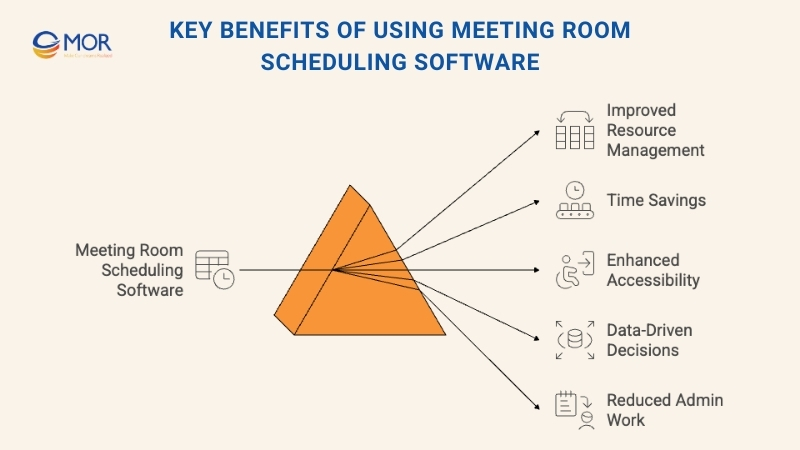
- Improved Resource Management: This kind of tool shows real-time room availability and helps prevent double bookings. It also supports better use of space and shared equipment. A recent office study found that around 40% of workspaces are underused, so tools like this help companies spot free rooms and fill them.
- Time Savings: The system automates scheduling tasks, which reduces the time staff spend handling bookings. One report on meetings found that 40% of workers waste up to 30 minutes just looking for a space. So, saving even part of that time can make a real difference to the team. This gives teams more time to focus on other work.
- Enhanced Accessibility: Employees can reserve meeting rooms from any device with internet access, making it easy for them to manage their schedules no matter where they are. This is important because one recent summary of meeting habits found that about 86% of meetings now include at least one remote participant.
- Data-Driven Decision Making: The platform gathers usage data that can help leaders understand room demand and make smarter choices about space planning and future needs.
- Reduced Administrative Burden: With a streamlined booking process, the workload tied to manual room scheduling becomes lighter and easier to manage.
These software can be a strong asset for any organization that wants better control over its meeting spaces. When you use the right tools, your meeting rooms stay organized, your teams enjoy a smoother experience, and your spaces reach their full potential.
Core Features To Look For In Meeting Room Scheduling Software
Meeting room scheduling software is an important tool for managing office spaces and keeping meeting schedules organized. It helps teams reserve rooms without conflicts and supports smooth collaboration across the workplace. We’ve outlined the key features you should look for when choosing a system:
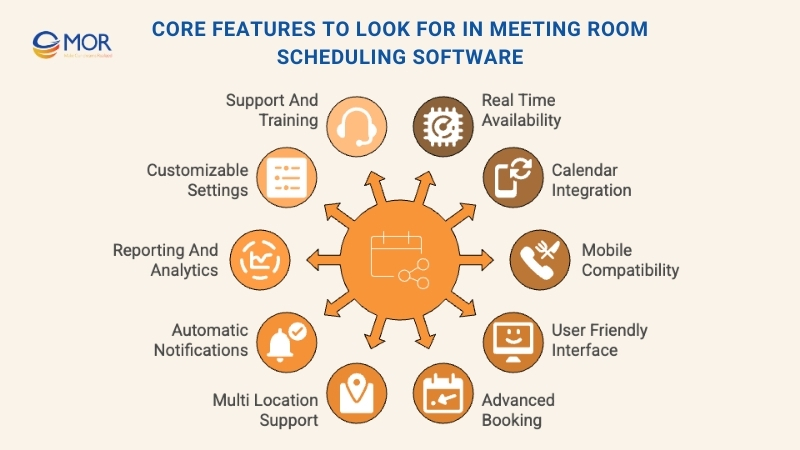
- Real-Time Availability: This shows which rooms are open at the moment. It helps prevent double bookings and ensures everyone can find a room when needed.
- Calendar Integration: Syncing with popular calendar apps keeps room reservations aligned with personal schedules. It reduces clashes and helps with planning.
- Mobile Compatibility: A mobile-friendly interface or app lets users book rooms while away from their desks. This supports last-minute changes and helps staff who move around often.
- User-Friendly Interface: A simple design makes the tool easy for all employees to use. This encourages adoption and keeps booking fast and clear.
- Advanced Booking: Users can reserve rooms far ahead of time. This is helpful for busy organizations with high demand for meeting spaces.
- Support for Multiple Locations: Companies with several offices can allow staff to book rooms across different sites. This helps teams coordinate meetings in various places.
- Automatic Notifications: Reminder alerts and booking updates help reduce no-shows and keep meetings running on time.
- Reporting and Analytics: Usage reports help leaders understand room demand and make better decisions about space planning. Some systems even support tools similar to a free scheduling calendar to give clearer usage insights.
- Customizable Settings: Organizations can adjust rules, permissions, and preferences to match their workflow.
- Support and Training: Access to help resources and troubleshooting keeps the system running smoothly and reduces downtime.
Choosing the right meeting room booking software can improve how your workplace functions each day. With the right features, your team can use meeting spaces more effectively and collaborate without stress.
How To Choose the Right Meeting Room Scheduling Software?
When selecting meeting room scheduling software, keep the points below in mind to make sure the tool fits your workplace needs:
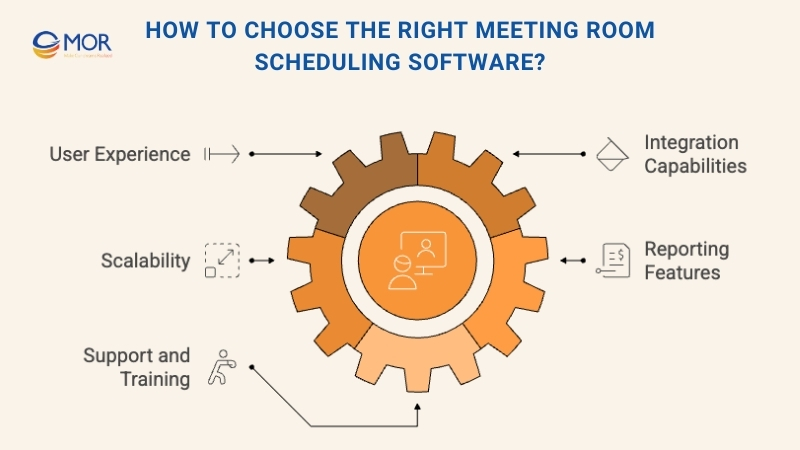
- User Experience: The system should be simple for everyone to use. If the interface feels confusing, employees may avoid it and go back to manual booking, which removes the value of the software.
- Integration Capabilities: Make sure the platform connects well with your current calendar and email tools. This is especially helpful for teams using Outlook or Google Calendar. Smooth integration keeps schedules in sync and helps prevent double bookings.
- Scalability: The software should support growth. If your company expands, you need a tool that can handle more rooms and resources without slowing down. This keeps the system useful as the number of meeting spaces increases.
- Reporting Features: Data and analytics help you understand how rooms are being used. This matters for teams that want to improve space planning. Reports can show trends, highlight underused rooms, and support smarter meeting booking decisions.
- Support and Training: Good customer support and clear training resources help teams adopt the system faster. This is especially helpful for employees who are less comfortable with tech, since easy access to help encourages regular use.
Choosing the right tool ensures smoother scheduling and better use of your meeting spaces.
2026 Trends In Meeting Room Scheduling Software
Meeting room scheduling software keeps advancing as hybrid work becomes more common. We’ve highlighted the most important factors to keep in mind:
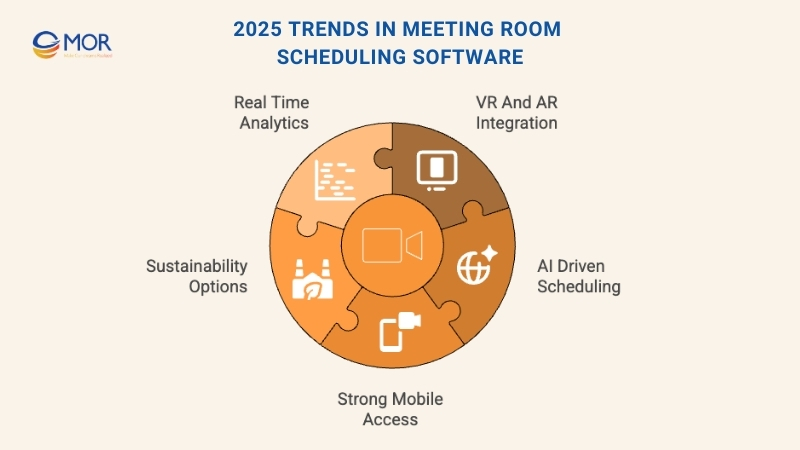
- Integration with Virtual and Augmented Reality: More platforms now include VR and AR features. These let users view and explore meeting spaces before booking, creating a more interactive and helpful experience.
- Use of Artificial Intelligence for Scheduling: AI is becoming a bigger part of scheduling tools. It can suggest the best meeting times and match groups with suitable rooms based on simple data. This makes planning faster and more accurate.
- Enhanced Mobile Accessibility: Mobile features continue to improve. Users can book, change, or cancel reservations with ease from their phones. This is important for a flexible workforce that moves between home and office.
- Sustainability Features: Many tools now include eco-focused options. These may track energy use or help teams choose rooms that match their actual needs, supporting more sustainable office practices.
- Real-Time Analytics and Reporting: Real-time insights help teams understand how rooms are used. This supports better planning and smarter decisions about office layouts and resource needs.
These trends show how developers are creating smarter, faster, and more helpful booking tools that match today’s workplace needs.
Costs and Pricing for Meeting Room Booking Software
Meeting room scheduling software comes with a wide range of functions, from real-time room availability to calendar sync and admin controls for managing reservations.
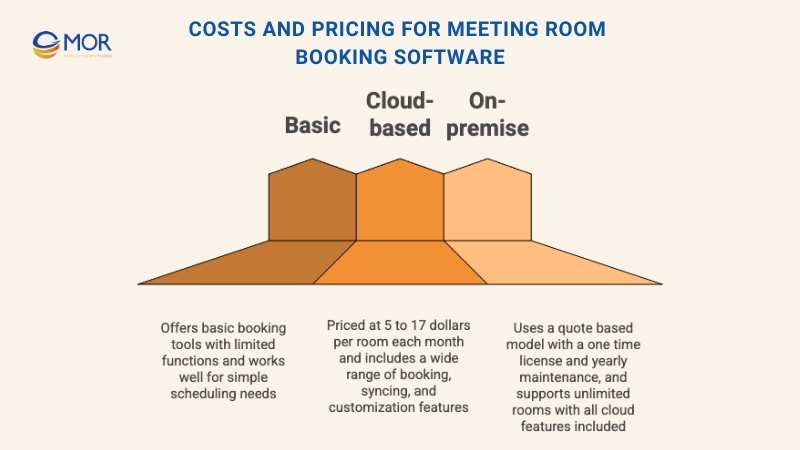
Pricing can vary a lot depending on how many rooms you manage, how advanced the features are, and whether you choose a cloud-based or on-premise setup. Below is a clear look at common plan types and what buyers can expect to pay.
Plan Comparison Table for Meeting Room Booking Software
Plan Type | Average Price | Common Features |
Free Option | 0 dollars | Basic booking tools with limited features, usually enough for simple scheduling tasks |
Cloud-Based | 5 to 17 dollars per room each month | Ad-hoc booking, daily agenda, availability signals, event cancellation, full-screen mode, screen saver, system syncing, PIN protection, notifications, remote settings, meeting subject, tablet invites, cleaning and catering notes, company branding |
On-Premise | Quote-based | One-time fee and yearly maintenance, unlimited room support, plus all features included in cloud-based plans |
A simple breakdown of plan types, pricing, and included features
When choosing a meeting room booking tool, consider how well the plan can scale with your company and the level of customer support offered. Compatibility with your current office systems and overall ease of use are also important points to review before making a final decision.
MOR Software Builds Custom Scheduling Tools For Unique Business Needs
Many of the tools above work well for common booking needs. Yet some organizations run into limits when their workflows, security rules, or space-management processes are more complex than what standard platforms can handle. Large enterprises, hospitals, education campuses, and companies with unique workplace policies often need deeper customization, tighter integrations, or features that simply do not exist in ready-made systems.
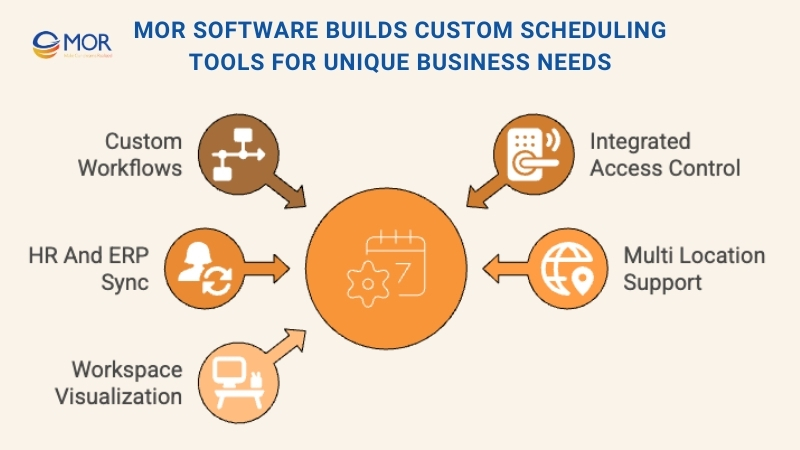
This is where MOR Software JSC can step in. We develop fully custom meeting room scheduling solutions tailored to each business. Our team can design booking systems that match your exact approval flows, integrate with building access control, connect to HR or ERP platforms, support multi-location operations, and visualize workspace layouts the way your teams actually use them. Instead of adjusting your processes to fit a commercial tool, we build a solution that fits the way your organization works.
If you want a scheduling platform designed around your real needs instead of generic templates, MOR Software can build it from the ground up.
Conclusion
Choosing the right meeting room scheduling software helps your teams stay organized, avoid double bookings, and use office space more effectively. With so many tools on the market, the best fit depends on your workflows, team size, and daily booking habits. If your organization needs deeper customization or a system built around unique processes, MOR Software can help. Contact us today to build a scheduling solution that matches your real workplace needs.
MOR SOFTWARE
Frequently Asked Questions (FAQs)
1. What is meeting room scheduling software?
It is a digital tool that helps teams see room availability, make reservations, manage equipment, and avoid double bookings. It replaces manual calendars and spreadsheets with an organized, real-time booking system.
2. How does meeting room scheduling software prevent double bookings?
The system updates availability in real time. Once a room is reserved, others cannot book the same time slot, which removes overlap and scheduling conflicts.
3. Can employees book rooms from their phones?
Yes. Most platforms include mobile apps or mobile-friendly dashboards that let staff check availability and reserve rooms anywhere, even while moving between workspaces.
4. Does this software integrate with tools like Google Calendar or Outlook?
Many solutions sync with popular calendar platforms. This allows bookings to appear directly in personal calendars and helps reduce scheduling mistakes.
5. What features should a business look for when choosing a tool?
Important features include real-time availability, calendar syncing, room search filters, equipment tracking, automated reminders, analytics, and support for multiple locations.
6. Is meeting room scheduling software useful for hybrid or flexible workplaces?
Yes. Hybrid offices depend on tools that help employees know which spaces are available when they plan to be onsite. Many systems also support desk booking and visitor management.
7. Can the software handle equipment and room amenities?
Most platforms let users filter by room type, capacity, equipment like TVs or speakerphones, and any other amenities. Some tools even track setup needs or catering requests.
8. Is it possible to restrict who can book specific rooms?
Yes. Admins can set permissions, allowing certain teams or roles to reserve specific spaces, set time limits, or require approval for large or specialized rooms.
9. Does the software provide analytics or usage reports?
Modern systems track how often rooms are used, peak booking hours, no-shows, and underused spaces. This data helps businesses plan layouts and improve space utilization.
10. What budget should businesses expect for a scheduling platform?
Pricing varies. Some tools offer free plans with basic functions, while paid plans usually charge per room, per user, or per location. Costs depend on features like integrations, analytics, and security requirements.
Share


Make Our-Dreams Realized


© 2023 . MOR Software. All Rights Reserved
Sitemap
Privacy Policy
Terms of Use

Rate this article
0
over 5.0 based on 0 reviews
Your rating on this news:
Name
*Email
*Write your comment
*Send your comment
1