


45 Best AI Productivity Tools for 2026 (Hands-On and Tested)
In a year where speed and focus decide who wins, choosing the best AI productivity tools is no longer optional. Teams struggle with overload, messy workflows, and wasted hours. This guide of MOR Software will focus on what actually works, from AI tools for productivity to AI driven productivity systems, so you can work smarter, move faster, and scale with confidence.
How We Evaluated And Shortlisted The Best AI Productivity Tools
In this article, we cover 45 solutions across 21 distinct categories. After reviewing every viable option in each group, we shortlisted the best AI tools for productivity based on direct, hands-on testing by our team. This approach reflects real usage across roles, including teams relying on AI tools for product managers and AI tools for product management, rather than theoretical comparisons, so recommendations stay grounded in what consistently works in day-to-day operations.
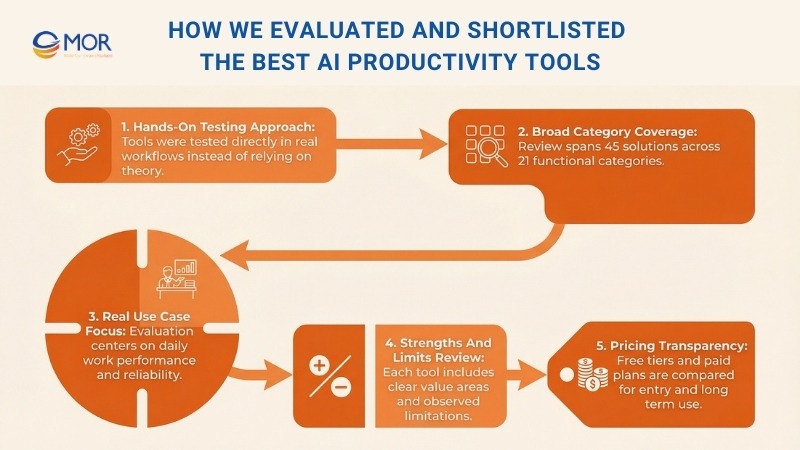
For every platform included, we highlight its strongest use cases and explain where it delivers the most value in practice. We also note limitations observed during testing and include clear pricing details, from free tiers to paid plans. This helps teams evaluate how each solution supports AI-driven productivity, both at entry level and as usage scales across the organization.
Best AI Productivity Tools For Everyday Assistance
This category focuses on assistants that support daily tasks across writing, analysis, planning, and problem solving. These solutions rank among the best AI apps for work and are often considered the best AI for work when teams want dependable support for everyday tasks without complex setup or heavy onboarding.
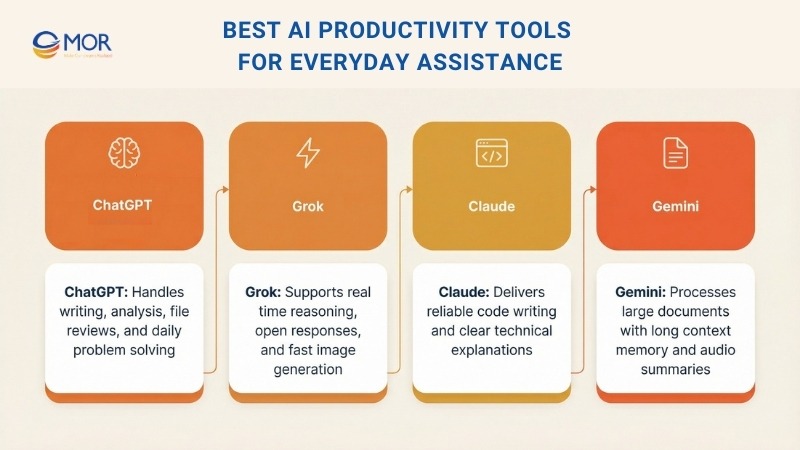
ChatGPT
By now, most professionals are familiar with ChatGPT. Many teams rely on it each day for a wide mix of personal tasks and business work.
It remains our primary AI coding assistant, even as other platforms in this list have become stronger competitors than they were at launch.
One standout feature is file upload and analysis. At work, we often add PDFs, spreadsheets, screenshots, and other files, then ask the platform to summarize content, review data, or pull out insights. Recently, we uploaded a screenshot from a Google Analytics funnel report, and it provided clear feedback on possible drop-off points that helped guide next steps.
We also used it to review several spreadsheets for this report. After sharing the raw survey files, it returned clear patterns, useful takeaways, and suggestions for chart formats that fit the data well. That process saved hours of manual review and made it one of the most practical AI automation tools for everyday use in this category.
ChatGPT is available at no cost, though the free version limits access to newer models. The Plus plan, priced at $20 per month, unlocks advanced capabilities along with quicker responses, making it a strong option among productivity focused AI tools.
Grok
While Grok works as a standalone assistant, most people encounter it inside X, previously known as Twitter.
We are still unsure whether its tight link with X improves the platform overall, since many replies now involve users tagging Grok to check facts from the original post. That behavior can support accuracy and accountability, but it also changes how conversations flow across Elon Musk’s social network.
Grok runs on a highly capable model, and one clear advantage is its minimal content filtering. It includes several reasoning modes, including Think, which allows deeper processing before replying, and Deep Search, which scans online sources through a setup that feels similar to retrieval based systems.
That open approach also applies to image generation. The platform handles visual creation well, which makes it a frequent choice when teams want images of public figures, branded visuals, or fast meme style content for internal or external use.
Grok can be tested at no cost with usage limits. Access to higher quotas and newer models requires one of X’s paid plans, including Basic, Premium, or Premium+, placing it among productivity focused AI tools aimed at fast, real time interaction.
Claude
Claude has been a trusted assistant for coding work for some time. Other platforms in this list are catching up, but many offshore AI developers still rely on it as their primary option. We are not full-time developers, but when coding tasks come up, this solution is often the first choice among the best AI productivity tools for technical work.
It performs very well when writing clean, well-commented code and stands out even more when explaining how that code works in simple language. From our testing, the output tends to be more dependable. There are fewer problems with invented variables or faulty logic compared to results we have seen from other AI tools for productivity.
The communication style also sets it apart. The interaction feels cooperative, as if the platform is working through the problem alongside the user rather than delivering rough answers that need heavy cleanup.
Claude is available at no cost with basic limits. The Pro plan costs $20 per month and expands usage and features, while the Max plan starts at $100 per month and provides higher limits along with early access, making it a strong option for productivity AI tools for professionals.
Gemini
Gemini is Google’s AI assistant, and at the time of writing it sits at the top of the LLM Arena leaderboard, a ranking built from millions of blind comparisons where users select their preferred AI responses.
One major reason we rely on Gemini is its extremely large context window. This term refers to how much text the system can remember and process within a single conversation. The larger the window, the more material it can handle at once. The latest Gemini models support over one million tokens, which allows us to upload long academic papers and continue asking detailed follow-up questions without losing accuracy or context.
Another feature we value is the audio overview option. After uploading a document, the platform can generate a short, podcast-style audio summary using AI voices. This works well for reviewing long reports or research papers while commuting or multitasking.
Gemini includes a free plan with core capabilities. Paid Pro and Ultra plans unlock stronger ml models, creative tools, and more storage. Pricing starts at $19.99 per month for Pro and $124.99 per month for Ultra, placing it among the leading AI productivity platforms for deep analysis and learning tasks.
Best AI Productivity Tools For Video Creation
This category includes platforms that help teams produce video content faster without traditional filming setups. These solutions fit well within the best AI productivity tools for organizations that need clear, repeatable video output for training, marketing, and internal communication.
Synthesia
Synthesia is a widely used AI video platform that lets teams create realistic avatar based videos. We have used it for training materials and presentations, and it is easy to see why it is popular with learning and development teams. Turning written scripts into video allows high quality production without cameras, microphones, or studio work.
Its most common use case is training content, but the platform supports many other needs. Teams rely on it for internal updates, employee onboarding software, customer support videos, and knowledge base content. On the marketing side, it works well for personalized sales messages, B2B campaigns, explainer videos, and product demonstrations.
We have also found it useful for website videos that need a clean and professional look with minimal setup. The workflow is simple. You enter your script, choose settings, and generate the video within minutes.
Two strong points are avatar customization and the large template library. When creating training content for different departments, it is easy to adjust language, tone, or background to match each audience. With more than 240 digital avatars and support for over 140 languages, teams can maintain consistent messaging across regions.
While Synthesia works very well for talking head style videos, it is not built for cinematic storytelling. It suits businesses that value speed, clarity, and brand consistency in their video workflows.
A free plan allows up to 36 minutes of video per year without a credit card. Paid plans begin at $29 per month for broader features and higher usage.
Google Veo
Google Veo is a strong option for creative video generation and can produce visuals for many different ideas, though moderation rules are strict.
We mainly use it to create b-roll for social media marketing. Veo 2 is fairly affordable, and while it can struggle with complex action scenes, the motion and physics feel more realistic than many other tools in this space.
Veo 3 costs more but adds audio generation, which makes it more useful for complete video clips.
Veo 2 can be tested for free through Google AI Studio with limited credits.
Access to Veo 3 requires either the Google AI Pro plan at $19.99 per month or the Ultra plan at $249.99 per month. Another option is to register for a free Synthesia account and generate Veo 3 clips through that workflow.
OpusClip
OpusClip is designed to turn long videos into short clips that are easy to share on social platforms. The interface is simple, and much of the editing work is handled automatically.
Its AI does a good job identifying strong moments, which removes the need to manually search through footage. The tool also resizes clips to fit formats used on TikTok and Instagram.
Captions can be added quickly, and emoji support helps clips stand out during silent scrolling. The hook feature is especially useful, as it selects key moments to start each clip with impact.
This solution makes it easier to reuse existing video content. It is efficient, practical, and reduces the time spent on social media editing tasks.
Best AI Productivity Tools For Image Generation And Editing
This category covers tools that help teams create, edit, and transform visuals without complex design software. These platforms support fast visual work and fit well into daily workflows where speed and flexibility matter.
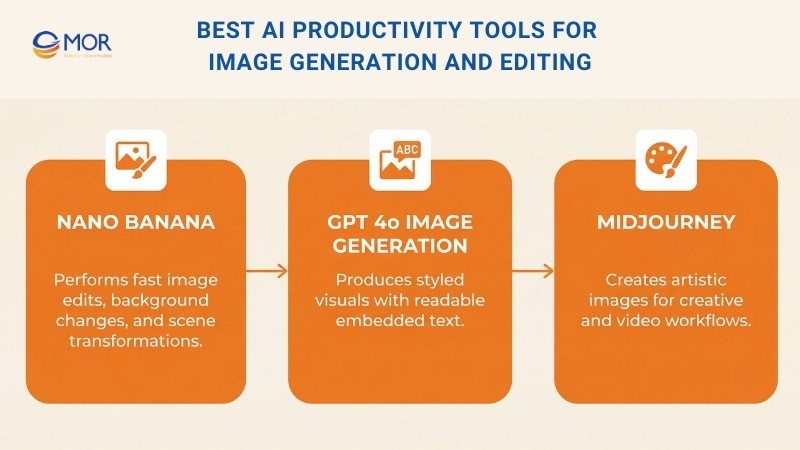
Nano Banana
Google’s Gemini 2.5 Flash Image model, often called Nano Banana, stands out for its speed and ease of use. It responds quickly and supports a wide range of image edits with simple prompts.
We have used it as part of a video workflow by first creating a Synthesia video, downloading the MP4 file, and capturing a still frame from the opening shot. That image is then uploaded into this platform with a short prompt, such as adding a yellow hard hat and a high visibility jacket. The generated result usually matches the request with strong accuracy.
After that step, we ask the tool to replace the background with a busy construction site while keeping the main subject intact. The updated image is then animated back into video using Runway Act Two. The process requires some testing, but the final output looks smooth and realistic.
In simple terms, this solution handles almost every type of image edit teams may need. It supports fast retouching, background changes, text additions, and full scene edits. Common use cases include turning selfies into 3D figures, testing new outfits or hairstyles, redesigning interiors, and recreating photos in new visual styles.
GPT-4o Image Generation
Many people remember the wave of Studio Ghibli style images featuring users, pets, and everyday objects. Those visuals were created using the built-in image tools inside GPT-4o.
The system supports both text to image and image to image creation across many art styles, which makes it useful for a wide range of tasks. We often rely on it to produce royalty free visuals for blog content and social posts. Its ability to place readable text inside images adds extra value, especially compared to older tools that struggled with this task.
This feature is included in the free version of ChatGPT with daily limits. Higher usage becomes available through Plus or Pro plans.
Midjourney
Midjourney is often seen as one of the earliest leaders in AI image generation. It launched in early 2022 and remains popular for its artistic look and for producing source images used in video workflows.
In most cases, we rely on built-in image tools inside platforms like ChatGPT or Gemini. When the goal is to create something visually striking or artistic, this platform is still the preferred choice.
A limitation is the lack of a free plan. Users must subscribe to generate images, with pricing starting at $10 per month. Higher tiers provide more generation time and advanced options like video features and private mode.
Best AI Productivity Tools For Meetings And Notes
This category includes solutions that handle meeting records, summaries, and follow-ups with minimal manual effort. These platforms work well for teams that want clear notes, reliable action tracking, and better focus during live calls.
Fathom
You may have noticed Fathom joining video calls at work, and it remains one of the most practical tools we use on a daily basis.
It works as an AI note taker that connects to Zoom or Microsoft Teams, records full meetings, and tracks who says what throughout the discussion. When an action item is missed, an explanation needs review, or a detail needs checking, the platform makes it easy to go back and confirm.
Along with full transcripts, Fathom produces a clean and structured summary. In our experience, the notes stay accurate and easy to follow, which saves time after meetings end.
The tool is available for free with some limits. Paid plans start at $19 per month and unlock unlimited AI features plus deeper integrations. Given how well it captures questions and action items, it delivers strong value for teams focused on productivity AI.
It quickly becomes one of those solutions that feels essential once it is part of daily work.
Nyota
While Fathom works well as a free option, Nyota feels more refined and comes with extra capabilities. Like Fathom, it records meetings and creates AI generated transcripts and summaries. It also handles follow-up tasks that often take time after calls, including data entry and CRM updates based on the discussion.
This setup allows a sales or project call to end with a full summary already prepared and CRM records updated without manual work. The experience feels smooth and removes much of the usual admin work tied to meetings.
These added features come with a higher price. Nyota is a paid platform with a 7 day free trial. Pricing starts at $12 per month for individuals, $39 for small teams, and $89 for larger teams, with custom plans for enterprise use. Higher tiers provide more meeting hours and access to advanced options.
>>> Let's explore essential insights on how to select the best AI agent development company and the key advantages they can offer to propel your business forward.
Best AI Productivity Tools For Workflow Automation
This category focuses on platforms that reduce manual work across systems and processes. These solutions suit teams that want tools that automate routine tasks and keep operations running with less hands-on effort.
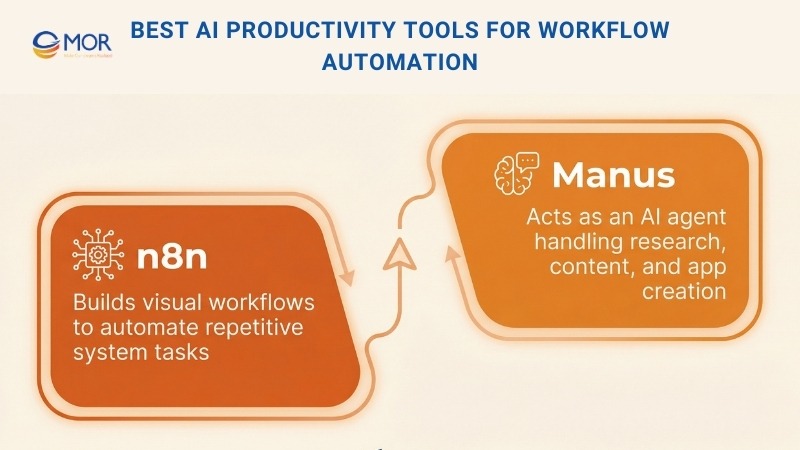
n8n
n8n helps automate tasks that feel repetitive, time consuming, or easy to forget. It may seem complex at first, but it becomes much easier to use once the basic workflow logic is clear.
Automation in n8n is built through visual workflows. Apps and services are connected using nodes that you drag and link together, which makes the setup feel logical and approachable.
No coding knowledge is required to create useful workflows. For teams with technical skills, the platform also allows custom functions and deeper control through code.
One workflow we use performs a daily backup of key data into a Google Sheet. The steps follow a simple structure:
Trigger: Every day at 6am
Get Data: Pull records from an internal SQL database
Google Sheets: Append the data to a spreadsheet
This process runs in the background and saves time each morning without manual checks.
Pricing starts at €20 per month for 2,500 executions with core features. The Pro plan costs €50 per month and adds more workflows, faster runs, and admin tools. Enterprise plans provide full customization and support with pricing available on request.
Manus
We have spent a fair amount of time testing Manus, and the experience has been impressive. It works as an AI agent that can handle many tasks, including slide creation, data analysis, image and video generation, website building, and programming work. It achieves this by combining multiple language models and other AI systems to complete requests.
We tested it on several tasks, including researching the causes of the 2008 global financial crisis and then building a financial blog site to publish that research. The final output included HTML, CSS, and JavaScript files, along with image assets. The result looked polished and professional.
When compared with other AI agent products, including features like ChatGPT Operator, this platform felt more reliable. Tasks completed more consistently, and the overall output quality was stronger.
Manus provides a free plan with 300 daily credits and basic access. Paid plans start at $16 per month and unlock more credits, stronger models, and media creation features.
Read more >> AI Automation Tools
Best AI Productivity Tools For Research And Learning
This group includes platforms designed to collect information, summarize sources, and support learning at scale. These tools work well for teams and professionals who need fast insights and clear explanations from large amounts of content.
Deep Research
OpenAI’s Deep Research capability can locate, review, and combine hundreds of online sources to produce a detailed report on almost any topic within minutes.
Although it is often associated with academic shortcuts, it works very well as a way to build personal or professional understanding around subjects you want to explore in depth.
In a work setting, we mainly rely on it for market analysis, competitor reviews, and summaries of industry movement. One particularly useful application is sentiment analysis. Asking a question like “What are Reddit users saying about this company?” delivers a clear snapshot of how a brand is discussed across online communities.
The report generation process may take some time, which makes sense given the number of sources involved.
Free ChatGPT accounts receive five Deep Research tasks each month. Paid tiers provide higher limits, with Plus, Team, and Edu plans offering ten tasks, and the Pro plan allowing up to 125.
NotebookLM
NotebookLM was recently used to support exam preparation. After uploading notes and course materials, the platform produced a clear and structured overview of the content. The standout feature is the audio summary, which turns uploaded material into a short podcast style format that helps reinforce key ideas.
It is not flawless, and occasional checks are still needed, but it organizes complex information in a way that makes learning easier. The fact that this tool is available at no cost makes it even more impressive.
The free version supports up to 100 notebooks and 50 sources per notebook, with daily limits on questions and audio summaries. The AI Premium plan costs $19.99 per month and expands limits to 500 notebooks with 300 sources each, along with access to Gemini Advanced. Students with a valid .edu email can access the premium tier at no charge.
Best AI Productivity Tools For Writing And Content Creation
This category covers platforms built to support writing tasks, from fast drafts to creative storytelling. These tools fit well into workflows where speed, clarity, and structure matter.
Rytr
A common question with any writing focused AI tool is why it should be used instead of a general assistant like ChatGPT.
Rytr is an AI writing assistant created to produce quick and polished content, especially for short format needs like social posts, product descriptions, and email drafts.
When compared with ChatGPT, this platform feels more targeted and writing focused. ChatGPT works well for brainstorming and exploring ideas, but Rytr performs better when the goal is formatted and ready to use content with minimal revisions. It also includes a built in plagiarism checker and supports more than 30 languages, which helps teams working across regions.
Its library of over 40 ready made templates makes it easier to start writing, especially when the structure is not clear at the beginning.
That said, it struggles with long or complex writing tasks, so it is not ideal for deep articles. For short, high quality output, it remains fast, effective, and affordable, with plans starting at $9 per month. Freelancers, marketers, and small business teams often find it a practical choice among AI tools for productivity.
Sudowrite
This platform is focused on creative writing and earns its place in this list for that reason.
Sudowrite works as a writing assistant for fiction projects. It helps overcome writer’s block, generate new ideas, and create more detailed and engaging narratives.
Tools like Describe support rich scene building, while Brainstorm helps generate plot ideas. The Expand feature turns simple outlines into fuller drafts, which can speed up the creative process.
Unlike general assistants or tools like Rytr, this solution is not built for emails, product copy, or blog posts. Its focus stays on fiction writing, including dialogue, character depth, and story structure. When a scene feels stuck, its suggestions often help improve pacing and tension, even if the final text is not used directly.
It is not suited for business or technical writing, but it works very well for novelists, short story writers, and creative projects. Pricing starts at $19 per month and provides a distinct option within productivity focused AI tools for creative work.
Read more >> AI Application Generator
Best AI Productivity Tools For Search And Discovery
This category includes tools that help teams find answers faster, summarize sources, and explore topics without digging through endless links. These platforms support quick decisions and ongoing research during daily work.
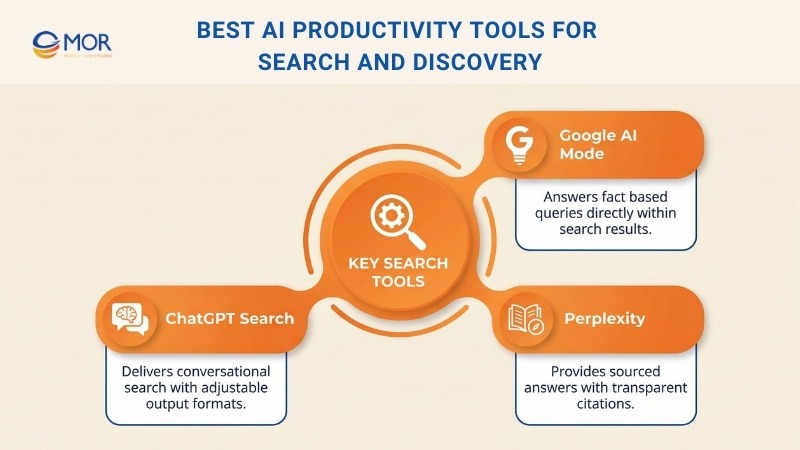
Google AI Mode
You have likely noticed Google’s AI Overviews appearing in search results. From our testing, the quality can vary, with some answers being useful and others feeling shallow or inaccurate.
Even so, Google continues to invest heavily in search changes, with AI Mode combining Gemini responses and traditional search results in one experience.
For simple fact based questions, this approach feels faster than opening several pages just to find one detail.
The main weakness appears with niche or complex topics. Large language models tend to return the most probable answer based on training data, which can limit discovery. Classic search sometimes leads to a lesser known article or forum post that offers a fresh angle or deeper insight.
AI Mode is free and accessible as a tab in Google Search. It may soon become the default view, and if that happens, many users may miss the familiar list of blue links.
Perplexity
Although ChatGPT Search and Google AI Mode receive more attention today, Perplexity remains a strong option when clear sourcing matters.
Its main strength is transparency. Each response includes citations that show exactly where information comes from. This makes verification easier and builds trust in the output. Google’s AI Mode often feels less clear in comparison, with limited visibility into source details.
The free plan works well for light use. Teams that depend on regular research often find the Pro plan worthwhile for deeper and more frequent queries.
ChatGPT Search
ChatGPT Search now blends naturally into everyday use. When questions are asked, the system often performs a web search automatically without any extra instruction. There is still a manual option available through the Search the web setting.
As with Google AI Mode and Perplexity, answers arrive as summaries rather than lists of links. The experience feels conversational, since the system remembers earlier questions and continues the discussion without repeated prompts.
Another advantage is the lack of advertising. Traditional search results are crowded with ads, and AI Mode may follow the same path over time.
The ability to adjust output also adds value. Users can request simpler explanations, tables, or CSV formats without starting a new search.
ChatGPT Search is included in all ChatGPT plans, including the free tier.
Read More >> Prompt Engineering Techniques
Best AI Productivity Tools For Design And Branding
This category covers platforms that help teams create visual assets quickly without advanced design skills. These tools support brand consistency and speed across everyday design tasks.
Canva Magic Studio
Canva is widely known as an easy to use design platform. With the addition of its AI powered Magic Studio features, it becomes even more capable for day to day creative work.
Magic Studio includes several tools designed to simplify and improve the design process.
Magic Design allows users to enter a prompt or upload an image to generate custom templates for formats like social posts and presentations. We often use it when ideas run dry, since it provides a strong starting layout.
Magic Write supports text creation based on prompts. It is especially helpful when drafting copy or working through writer’s block.
Magic Edit enables quick image adjustments, such as changing colors or removing elements, without switching to advanced photo editing software.
Magic Eraser goes further by removing unwanted objects cleanly from images, which is useful when preparing visuals for social platforms.
Magic Animate adds motion to static designs, helping presentations and social graphics feel more engaging.
Canva uses a freemium model. Some Magic Studio features are available for free with limits, such as up to 50 total uses of Magic Write. Canva Pro costs $15 per month, while Canva for Teams is priced at $30 per month for three seats, increasing usage to 250 actions per person each month.
Looka
Looka is an AI driven logo and brand design platform. We tested it on two side projects, including an Airbnb property management business and a digital marketing agency.
The setup process is simple. After entering a business name and short description, the platform presents sample logos and asks users to select preferred styles. This feedback helps guide the system. Once a color scheme is chosen, it generates logo options aligned with the brand.
The overall quality is strong. After selecting a design, the drag and drop editor allows small refinements without much effort.
Once a logo is finalized, the platform also creates a brand kit that applies the design across various brand assets.
Looka provides two pricing paths. The Premium Logo Package is a one time purchase at $65 and includes high resolution files, full ownership, and unlimited edits. The Brand Kit Subscription starts at $96 per year and adds assets like social graphics and business cards. A bundled website option is available for $129 per year.
Best AI Productivity Tools For App Building And Coding
This category focuses on platforms that help you build software or write code faster, whether you are a non technical user or an experienced developer. These tools support rapid experimentation, prototyping, and hands on development work.
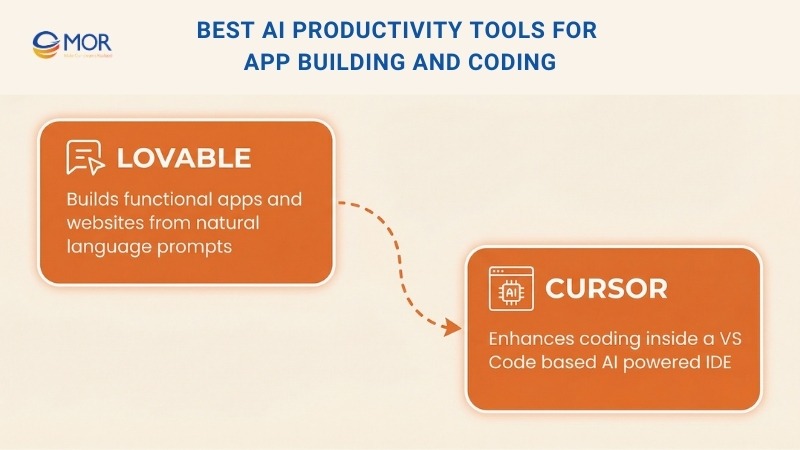
Lovable
Lovable is one of Europe’s fastest growing startups, and it is easy to understand the appeal. The idea that you can build software simply by describing what you want, even without coding experience, is very attractive. In practice, the platform delivers surprisingly solid results.
We tested it by creating several apps and websites with increasing complexity. It handled a digital marketer portfolio site and a task manager style productivity app very well. We also used it to generate a calculator widget for a client landing page, and it produced a working mini app that could be embedded in an iframe without extra setup.
That is where Lovable stands out. If you are not a developer, it opens up many new possibilities and helps you create things that would normally require technical skills.
At the same time, expectations should stay realistic. You will not create a full enterprise SaaS product through prompts alone. Those projects still demand large engineering efforts. What makes this platform interesting is not only what it can do now, but how much potential it shows for future growth.
Pricing stays straightforward. There is a free plan for basic use, a Pro plan at $25 per month with expanded features, and custom Enterprise plans for larger teams.
Cursor
If you are more technical and want deeper control over your code than an AI app builder can provide, Cursor is currently one of the most popular AI powered IDEs. It supports a pair programming style workflow that many developers enjoy.
We prefer using Cursor because it feels familiar. It is built on top of VS Code, which many developers already know, so there is almost no learning curve.
Its popularity comes from two main strengths. First, it handles large codebases well. It understands dependencies and provides file aware suggestions that fit the project structure. Second, it maintains strong awareness of development context, including imports, file layout, and naming patterns, which means we spend less time correcting generated code.
Another advantage is the generous free tier. The Pro plan costs $25 per month and adds access to stronger models and priority updates, but the free version is enough for most daily development tasks.
Recommended for you
Best AI Productivity Tools For Knowledge Management
This category focuses on tools that help you find, organize, and reuse internal knowledge without searching through endless documents. These platforms work well for teams that depend on shared information across tools and departments.
Notion Q&A
Notion Q&A is a strong solution that helps you access a company’s full knowledge base across thousands of Notion pages. We started using it in a new role, and it quickly became one of the most useful AI tools in daily work.
If you prefer not to interrupt teammates, this tool makes a big difference. You can ask any question and get a clear, accurate answer pulled from content stored in your Notion workspace and connected Slack channels. It feels like having a personal assistant that knows exactly where every piece of information lives.
While our setup only connects Slack, the platform can also pull answers from other linked tools, including Google Drive, GitHub, and Zendesk.
What sets Notion Q&A apart from standard search tools is how it delivers answers. Instead of sending you to documents, it surfaces direct responses from the content itself, which makes finding information much faster.
Another benefit is source citation. Each answer shows where the information came from, so you can quickly verify details and trust the output. This saved us many hours when accurate and traceable information was needed.
Notion Q&A is priced as an add-on at $10 per user per month, or $8 per month with annual billing. The cost can add up for large teams, but the value often justifies the price.
Guru
Guru is a dedicated knowledge management platform with a similar goal but a different approach. Its main strength is delivering answers directly within the tools you already use. You can ask questions inside Slack, your CRM, or other integrated systems, and Guru pulls relevant information from those sources automatically. This makes responses feel more practical, since they reflect real time data across platforms.
From our perspective, Guru fits teams that need a fully integrated knowledge system embedded into daily workflows. Notion Q&A works better as a lighter option, especially if your team already stores most information inside Notion.
The main drawback is pricing. Guru costs $15 per user per month, which can be expensive for growing teams.
Best AI Productivity Tools For Email And Communication
This category covers tools that help you manage inboxes, draft messages faster, and keep communication organized. These platforms reduce manual effort while improving speed and consistency across email workflows.
HubSpot AI Email Writer
HubSpot provides an AI powered email assistant built to help you create personalized emails at scale. The system generates copy suited for many campaign types, including sales outreach, marketing newsletters, and similar use cases.
You can adjust generated drafts by changing tone or length with a few clicks. HubSpot also includes a drag and drop email builder with many customizable templates designed for specific scenarios, which helps simplify the content creation process.
What we find most useful is the connection to HubSpot’s CRM. You can launch email campaigns and automatically log conversations to contact records. From there, it becomes easier to track engagement and send follow ups at the right time. The AI assistant can also be used directly inside Gmail, which helps you avoid switching between tools.
HubSpot AI Email Writer works well for marketing and sales teams that want to scale outreach without adding more staff.
The email assistant is available at no cost. Advanced email features are part of HubSpot Marketing Hub paid plans, with pricing starting at $15 per month.
Fyxer
Fyxer is a fast growing AI executive assistant that claims it can give you back at least one hour each day. We tested this by connecting it to a work Gmail account.
After learning from past emails, it began handling two main tasks. First, it automatically sorted incoming messages into folders that made sense, which made it easier to locate specific conversations.
Second, it started suggesting reply drafts. Although the platform notes that learning your writing style takes time, the early drafts already felt close to how we normally write. It could not handle very specific questions if the information was missing, but it reduced the number of emails written from scratch. Editing suggested drafts was much faster than starting with a blank message.
Fyxer also includes an AI meeting note taker that performs well, although we still prefer dedicated meeting tools for that purpose.
Pricing starts at $30 per month. More advanced features are available at $50 per month, with custom enterprise plans offered. All plans include a 7 day free trial.
Shortwave
Shortwave is an AI email assistant designed to help you organize, write, search, and schedule messages.
It does not include a meeting note feature like Fyxer, which may not matter if you already rely on a separate tool for meeting notes.
The platform stands out for strong inbox organization, powerful search, and fast AI assisted drafting. These features are especially helpful if you often search through old emails for contracts, invoices, or past conversations.
Here is how you might use it. Shortwave works well for your personal inbox because it is simple, affordable, and easy to manage. For work accounts, you may prefer Fyxer to benefit from meeting support and deeper automation.
Shortwave offers a free plan with AI assistance, inbox customization, and 90 days of searchable history. The Personal plan costs $8.50 per seat each month and adds more features for daily use.
Best AI Productivity Tools For Scheduling And Time Management
This category includes tools that help you plan your day, protect focus time, and reduce calendar conflicts. These platforms are useful when managing tasks and meetings starts to feel overwhelming.
Reclaim
Reclaim is an AI powered scheduling assistant that helps you manage your calendar by organizing tasks, meetings, and breaks based on priority. Since we started using it, the effort required to plan each day has dropped noticeably.
After connecting it to your Google Calendar, you enter tasks and meetings along with priority levels. The platform then assigns time slots automatically, helping you stay focused on what matters most.
One of its strongest features is how it protects deep work time. It blocks off hours for focused work and reduces unnecessary meeting overlap. It also works well for shared scheduling, finding suitable meeting times based on availability and preferences, which reduces back and forth messages.
Reclaim provides a free Lite plan with basic time blocking. The Starter plan costs $10 per user each month and includes more advanced scheduling features.
Clockwise
Clockwise is another AI powered scheduling assistant that focuses on meeting optimization and protecting focus blocks. Since we started using it, staying organized and completing deep work has become easier.
After linking it to your Google Calendar, you can mark meetings as flexible. The system then reschedules them to create longer focus periods, which leads to more productive work sessions.
It also simplifies meeting coordination by identifying the best times for everyone involved, reducing the usual scheduling back and forth. Compared to Reclaim, which manages both tasks and meetings, Clockwise focuses mainly on meeting timing and uninterrupted work windows. We found Reclaim more useful overall due to its wider feature set, but Clockwise works well if meeting overload is the main issue.
Clockwise offers a free plan with core optimization features. Paid plans start at $7.75 per month.
Best AI Productivity Tools For Presentations
This group focuses on tools that help you create polished presentations faster with less manual work. They work well for client decks, internal updates, and team presentations.
Gamma
In our current work, we present often to clients, managers, and teammates. Any tool that reduces prep time, improves slide quality, and delivers better results quickly is always welcome.
Gamma works well for building presentations from scratch. We have also used it to turn notes into full decks and to reuse existing presentations or PDFs. It handles all of these situations better than expected.
When starting from zero, we usually open Gamma’s “Generate a Presentation” feature. We type a prompt like “create a presentation explaining different digital marketing channels,” choose the slide count, and receive a clear outline that we can adjust. After that, we generate the deck and get a complete presentation within seconds.
The quality stands out. The slides come with clean layouts and AI generated visuals that feel consistent and professional. They look better than what we would normally create in PowerPoint or Google Slides. We usually make small edits, add our own data or examples, but most slides are ready almost immediately.
Another helpful detail is the ability to export files in PowerPoint format. This makes sharing with clients who rely on PowerPoint much easier.
Gamma includes a Free plan with 400 AI credits, basic image tools, and up to 10 slides per deck. The Plus plan costs $10 per user each month and unlocks unlimited AI creation, more slides, stronger image features, and priority support.
You can also convert your finished PowerPoint slides into video if needed.
Copilot For PowerPoint
Although it is not as visually refined as Gamma, we still use PowerPoint at times, especially with Copilot for PowerPoint.
Like Gamma, it allows you to generate a full presentation from notes, an existing file, or a clear prompt. It does a solid job building structured slides from very little input.
The biggest advantage Copilot has is familiarity. Almost everyone already knows how to use PowerPoint, so there is no learning curve.
That said, if we were not already using Microsoft 365, we likely would not pay for Copilot on its own. Gamma costs less, and we prefer creating slides in a modern web based tool instead of a traditional desktop app.
Microsoft Copilot for PowerPoint requires either a Copilot Pro subscription at about $20 per month or the Microsoft 365 Copilot add on at $30 per month on top of an eligible Microsoft 365 plan.
Best AI Productivity Tools For Resume Building
These tools help you create stronger resumes faster and adapt them to specific roles. They are especially useful when applying to multiple jobs and adjusting content each time.
Teal Resume Builder
Teal is an AI powered resume builder that helps simplify resume writing and tailor each version to a specific job application, a task we have always found repetitive and time consuming.
After entering work history, skills, and career goals, Teal generates a live resume preview with bullet points based on your experience. When we added a past marketing role, it suggested phrases like “increased engagement by 30%” or “managed a team of 5,” which gave the resume a clear, results focused tone with very little effort.
Teal also scans job descriptions to highlight key skills and phrases, then suggests how to include them in your resume. We tested this with a marketing manager role, and it helped align the resume with the job requirements in just a few clicks.
Teal also includes a job application tracking tool that many users rely on to stay organized.
The Free plan includes unlimited resumes and job tracking. The Teal+ plan costs $29 per month and unlocks all premium features.
Kickresume
We personally prefer Teal for its smart suggestions when tailoring resumes to specific roles. That said, Kickresume often produces a more visually polished final result.
It provides more than 40 resume templates that are said to be designed by HR experts and typographers, and the quality shows. The layouts look clean, modern, and professional. They are also ATS compliant, which helps ensure your resume can be read correctly by automated screening systems.
Another useful bonus is the ability to turn your resume into a personal website in just a few clicks, without needing an extra tool.
Kickresume offers a Free plan with basic resume and cover letter templates, a website builder, and access to over 20,000 pre written phrases. The Monthly plan costs $19 per month and unlocks premium templates, full customization, an AI resume checker, and priority support.
Best AI Productivity Tools For Voice And Audio
This category focuses on tools that turn text into natural speech and help you produce voice content without recording equipment. These platforms work well for narration, training content, and multilingual audio projects.
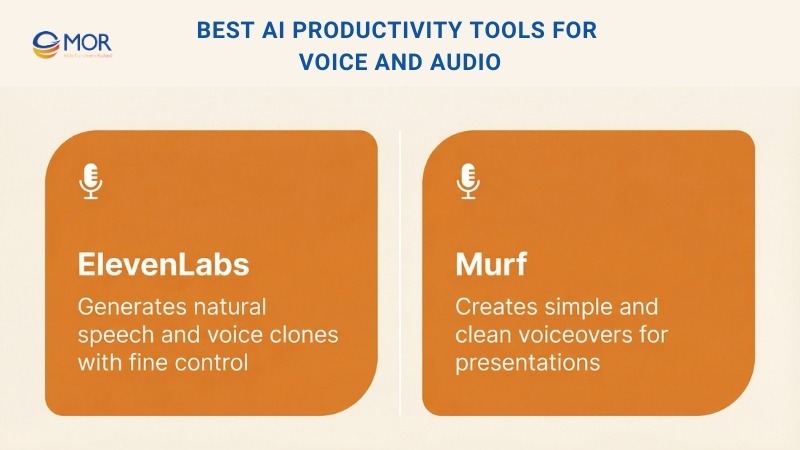
ElevenLabs
ElevenLabs stands out as a leading platform for AI voice generation. It supports both text to speech and voice cloning with impressive results.
It is genuinely enjoyable to experiment with. The generated voices sound very natural, and the level of control is high. You can change the spoken language, select different voices, and add multiple speakers. We also found the voice tag feature especially useful. It lets you control delivery and emotion within the same script, switching from whispers to sarcasm to laughter without extra setup.
Things felt a bit surreal when we cloned our own voice. After cloning, you can generate speech using text prompts in that same voice. The output sounded exactly like us, which made the experience both impressive and slightly unsettling.
ElevenLabs also includes an AI Dubbing Studio that impressed us with its ability to create voiceovers in many languages. We uploaded a video and quickly produced high quality voice tracks using different voices and accents. It is more expensive, and it does not support lip synced video dubbing, but as an added feature set it is still very strong and ranks among our favorite tools for video translation tasks.
ElevenLabs provides a free plan with 10,000 credits. Paid plans start at $5 per month and include more credits, voice cloning, and commercial usage. Higher tiers unlock advanced audio quality and API access for larger projects.
Murf
When we work on projects that require narration, we almost always choose AI generated voices. It removes the need for microphones, noise control, and repeated takes, and we are not particularly fond of recording our own voices.
While ElevenLabs leads in raw voice realism, Murf can be a better fit if you prefer simplicity and ease of use.
Murf offers a clean drag and drop interface that makes voiceover creation fast and straightforward. It does not match ElevenLabs in technical depth, but it still delivers reliable results, especially for explainer videos and internal presentations.
Murf’s Free plan includes 10 minutes of voice generation and transcription, access to more than 120 voices, and basic sharing options. The Creator plan costs $29 per month and adds unlimited downloads, over 200 voices, two hours of voice generation each month, and commercial usage rights.
Best AI Productivity Tools For Music Creation
These tools help you create original music quickly without needing studio gear or deep production skills. They work well for background tracks, ads, and creative experiments.
Suno
At work, we use Suno to generate background music for social posts, videos, and ads. It works well for producing original, royalty free tracks that sound polished, and it only needs a simple prompt.
Suno is also one of the most enjoyable tools in this list. We often find ourselves using it outside of work just to experiment with new songs inspired by favorite artists.
For example, we generated a strong track using this prompt:
A high energy, funky pop song in the style of Michael Jackson from the "Bad" era, about the late night grind of writing a blog post. Catchy verses about researching, editing, and dealing with writer’s block, paired with a smooth, soulful chorus that celebrates hitting publish. Include MJ style ad libs like "hee hee" and "shamone" with signature vocal flair.
AI music still does not fully match the emotional depth of human created songs, but it is very fun and practical for creative projects. We are not listening to AI tracks purely for enjoyment yet, but the gap is closing.
Suno’s free plan includes 50 daily credits for up to 10 songs each day for personal use. The Pro plan costs $10 per month and includes 2,500 credits, commercial rights, faster generation, and the ability to run 10 tasks at once.
If you plan to use the music publicly at work, you will need the Pro plan for commercial licensing.
Udio
We see Udio as a better fit for musicians who want to use AI as a starting point and then refine their work further. Its editing options are more flexible than Suno’s, although they still do not fully match traditional music production software.
When more control over song structure matters, we tend to choose Udio. It allows you to reshape and refine tracks, whether that means regenerating a weak chorus, extending a verse you like, or adjusting lyrics until they feel right.
It is not as fast or as polished straight out of the box as Suno, but if structure and customization are important to you, Udio is the stronger option.
Udio offers a free plan with 100 credits per month for up to 50 songs and basic tools. The Standard plan costs $10 per month.
Best AI Productivity Tools For Marketing Teams
These tools support faster campaign creation, content production, and optimization across channels. They are useful when teams need to scale output without adding more manual work.
AdCreative
AdCreative is an AI powered platform that helps simplify the creation of ad creatives for platforms like Facebook, Instagram, and Google Ads. After testing it, we found it to be a practical tool that saves time while delivering professional looking results.
As a team without a strong design background, we liked how quickly usable ads came together. We entered basic campaign details like the product and target audience, and the platform produced several polished ad designs tailored to different channels. Most outputs only needed small adjustments.
The interface feels intuitive and easy to learn. We could quickly edit text, swap visuals, and add logos to match brand guidelines. AdCreative also made it easy to generate multiple ad variations for A/B testing by changing headlines or images slightly.
Pricing starts at $39 per month, which makes sense for teams that run ads often and is far less than hiring a designer. For occasional use, especially if heavy editing is required, the price may feel high.
AirOps
AirOps positions itself as a content operations engine with a strong focus on scalable content creation. We mainly use it for blog production, but we have also relied on it to refresh landing pages, suggest ad copy, review backlink quality, and generate SEO metadata across hundreds of pages at once. It removes repetitive tasks and allows more time for strategic work.
Creating complex workflows is straightforward thanks to the drag and drop builder. There are many standard steps available, but the real value comes from the power steps. These are prebuilt modules that handle tasks like keyword research or detecting content overlap.
One standout feature is model flexibility. AirOps allows workflows to run on the latest ChatGPT, Claude, and Gemini models, with support for language models, image models, and likely video models in the future.
Output quality depends heavily on how well workflows are designed, but the platform makes learning accessible. Tutorials are clear, and the team often hosts webinars with experienced SEO and content marketing professionals who share real use cases.
It is not a low cost option, but it is very capable. We expect its role in marketing teams to expand as the platform continues to grow.
Best AI Productivity Tools For Sales Teams
These tools help sales teams manage relationships, answer questions faster, and move deals forward with less friction. They are especially useful for growing teams that want clarity without heavy systems.
Attio
Attio is an AI powered CRM that has been gaining attention among small and mid sized teams. Larger platforms like Salesforce and HubSpot are adding AI features as well, and switching CRMs is usually painful, so it is fair to ask why teams would consider Attio.
The simple answer is usability. Anyone who has worked in Salesforce knows how complex CRMs can become. Attio feels modern, flexible, and easy to understand. If you are comfortable using spreadsheets, you can pick it up quickly.
It also includes built in data enrichment features. The recent integration with Clay further expands its ability to enrich and organize contact and company data.
That said, it has limits. We do not think it is ready yet for very large sales teams with complex workflows. Integration options are still growing, although progress has been fast. For smaller and more agile teams, Attio is a strong option worth considering.
Docket
Docket is an AI powered revenue platform built to help sales teams work more effectively and close deals faster. Its generative AI focuses on two main areas. The AI Sales Engineer provides real time answers to technical and product questions, which saves time and reduces reliance on specialists during active deals. The AI Seller interacts with website visitors through conversational experiences, explains products, and helps turn interest into qualified pipeline.
Docket brings together structured and unstructured sales data from tools like Slack, Salesforce, and Gong. This gives teams clear and useful insights without jumping between systems. Early users have reported higher win rates and lower sales overhead after adoption.
If you want another option focused more on email outreach or lead engagement rather than CRM or revenue intelligence, let us know.
Read More>> AI Tools for Ecommerce, AI Tools for Small Business, AI in Sales
Key Business Benefits Of Using AI Productivity Tools
Workflow automation in business has existed for a long time. Companies have relied on software and tools to automate tasks for years. AI has pushed this idea much further. Traditional automation often lacked flexibility and could not adjust easily, but AI systems can learn, adapt, and make decisions, which greatly expands their role in daily operations.
Key advantages for organizations include:
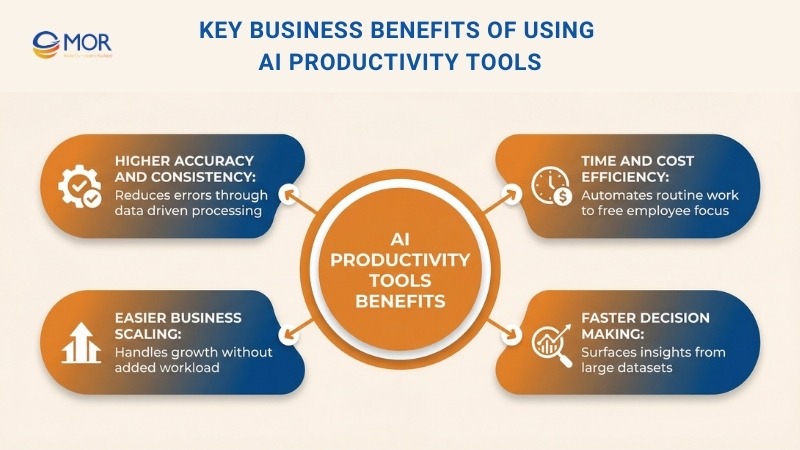
- Higher accuracy and consistency. AI systems can process large volumes of data, spot patterns, and learn from results to deliver more reliable predictions and decisions. Automation also lowers the risk of human error and improves overall data quality and consistency.
- Stronger time and cost efficiency. AI driven automation can take over routine and administrative work, allowing employees to focus on more valuable tasks. Teams can also create automated workflows that send instant updates to clients or respond to customer questions outside working hours, which improves engagement with very little manual effort.
- Easier scaling as teams grow. Many AI powered solutions adjust smoothly to changing business demands. This makes it possible to handle larger workloads without placing extra pressure on employees or causing burnout.
- Faster, data informed decisions. AI tools can review large datasets and surface practical insights that help teams act more quickly. This can shorten sales cycles for sales teams, help support teams detect recurring customer issues, and warn project managers about possible bottlenecks early.
Practical Tips For Choosing The Best AI Productivity Tools
AI can clearly improve efficiency and output, but every team works differently. To get real value and a solid return, it is important to choose a solution that fits your goals, works with your current setup, and delivers clear results.
Here are five practical tips to keep in mind when selecting an AI tool for productivity:
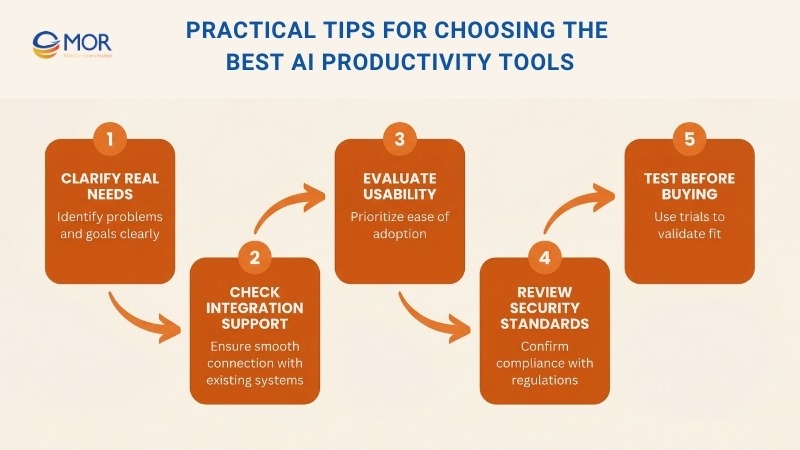
- Clarify your real needs. Start by listing the problems you want AI to solve and the goals you want to reach. Look at where time is being wasted or where work slows down. You might want better collaboration between teams, faster handling of repetitive tasks, or stronger customer engagement.
- Check integration support. The tool should connect smoothly with software your team already uses, like a CRM, Slack, or a project management system. Good integrations help keep workflows stable and prevent data from becoming scattered or hard to access.
- Look closely at usability. Choose platforms with clear interfaces and simple onboarding. Strong documentation, training materials, and responsive support help teams adopt the tool faster and use it with confidence.
- Prioritize security and compliance. Make sure the tool follows data protection rules that apply to your industry, including standards like HIPAA, GDPR, or CCPA. Review security features like access controls and encryption to keep sensitive data protected.
- Test before committing. Free trials and demos give you a chance to see how a tool performs in real situations. Use this time to check whether it fits your workflows and meets expectations before making a purchase decision.
How To Get Long Term Value From AI Productivity Tools
Artificial Intelligence is no longer a concept; it’s a practical tool. We see significant growth in AI tools for ecommerce and specialized AI in financial services that optimize wealth management. For those in the medical field, conversational AI in healthcare is revolutionizing patient engagement. Whether it's AI in game development or AI solutions for healthcare, selecting the right enterprise AI platform is the key to success.
To get the most value from any AI solution, it helps to plan how change will happen across your organization. A clear change management approach reduces disruption and supports a smoother shift in daily workflows. Long term success depends on proper training and steady support for everyone involved.
Below are a few practical ways to move forward:
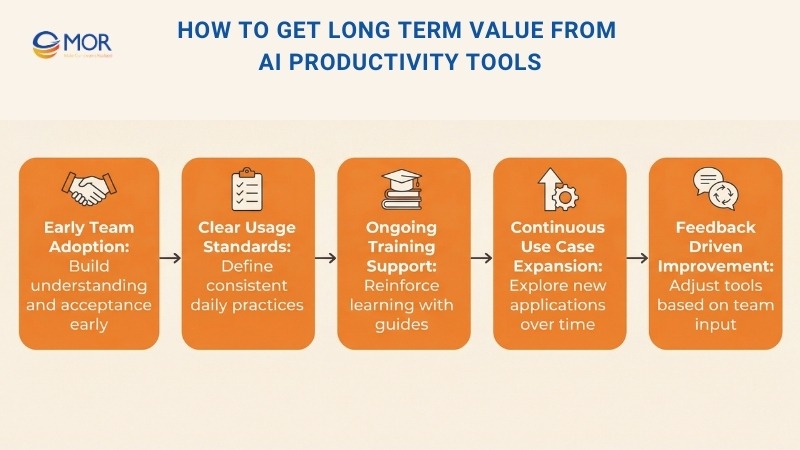
- Build team adoption early. Share clear messaging about why the tool exists and how it helps the team. This creates buy in and encourages correct usage. Rolling the tool out in stages gives teams time to adjust and allows you to solve issues before expanding it across the whole organization.
- Set clear usage standards. Defined guidelines help teams stay consistent in how they use the tool each day. Run focused training sessions that highlight advanced features and real use cases tied to your work. Supporting materials like short videos or simple guides give your team an easy reference point when questions come up.
- Keep expanding AI use cases. After the first rollout, continue looking for new ways AI can support other teams or processes. Invite employees to test ideas and try new approaches that match changing business needs. Listening to feedback and ideas helps keep these tools useful and aligned with priorities over time.
How MOR Software Helps Businesses Apply The Best AI Productivity Tools
Choosing the best AI productivity tools is only the first step. Real progress starts when those tools fit your workflows, data, and teams.
At MOR Software, we work with businesses to apply AI automation services in ways that support daily operations, not just experiments. We help you assess where AI makes sense, which tools match your goals, and how they should connect with existing systems. That includes internal platforms, customer-facing products, and data pipelines already in use.
Conclusion
The best AI productivity tools can transform how teams work, but only when applied with purpose. The real advantage comes from choosing the right platforms, integrating them properly, and supporting people through change. MOR Software helps businesses turn AI tools for productivity into real operational gains, not short term experiments. If you are ready to move faster, reduce friction, and get lasting value from AI, contact us to start building a smarter workflow today.
MOR SOFTWARE
Frequently Asked Questions (FAQs)
What are the best AI productivity tools?
The best AI productivity tools help teams save time, reduce manual work, and improve focus. They usually support tasks like writing, research, scheduling, automation, meetings, and content creation. The right choice depends on how you work and which tasks slow you down most.
Who should use AI productivity tools?
AI productivity tools work well for individuals, small teams, and large organizations. They are commonly used by marketers, developers, managers, sales teams, researchers, and content creators who want to work faster without increasing workload.
How do AI productivity tools improve daily work?
They automate repetitive tasks, summarize information, generate drafts, organize schedules, and surface insights from data. This frees up time for higher-value work that requires judgment and creativity.
Are free AI productivity tools good enough?
Free plans are useful for testing and light use. They often come with limits on usage, features, or output quality. For consistent or team-wide use, paid plans usually provide better reliability and control.
What types of AI productivity tools are most popular?
Common categories include AI assistants, writing tools, meeting note-takers, automation platforms, scheduling tools, design tools, and research assistants. Many users combine several tools rather than relying on one.
How do I choose the best AI productivity tools for my needs?
Start by identifying tasks that consume the most time. Then check whether a tool integrates with your existing software, feels easy to use, and offers clear value during a trial period.
Are AI productivity tools safe to use with business data?
Many tools include security features, but data handling varies by provider. It is important to review privacy policies, data retention rules, and compliance standards before using AI with sensitive information.
Can AI productivity tools replace human work?
AI tools support work, they do not replace critical thinking or decision-making. They handle routine tasks well but still rely on humans for context, strategy, and final judgment.
Do AI productivity tools require technical skills?
Most modern tools are designed for non-technical users. Advanced automation or customization may require some technical knowledge, but basic use is usually straightforward.
Share


Make Our-Dreams Realized


© 2023 . MOR Software. All Rights Reserved
Sitemap
Privacy Policy
Terms of Use

Rate this article
0
over 5.0 based on 0 reviews
Your rating on this news:
Name
*Email
*Write your comment
*Send your comment
1