


Odoo App Development: Complete Guide for Businesses 2026

Odoo app development can turn a rigid Odoo ERP setup into a system that fits your real workflows, reports, approvals, and daily team tasks. Poor planning can lead to slow adoption, messy data, and wasted budget. In this guide, MOR Software will show how custom Odoo apps help businesses build a cleaner, smarter ERP setup.
What Is Odoo App Development?
Odoo app development means creating custom apps, modules, functions, workflows, and integrations inside the Odoo ERP platform. It helps businesses shape Odoo around real daily work instead of making teams adjust to a fixed setup.
The Odoo framework already supports many business areas through standard apps like CRM, Sales, Inventory, Accounting, Manufacturing, HR, Project Management, Website, and eCommerce. Yet each company has its own approval steps, reports, user access, customer flow, stock rules, and internal process. This is where Odoo app development brings real value, especially for firms using an Odoo opensource base and needing more control.
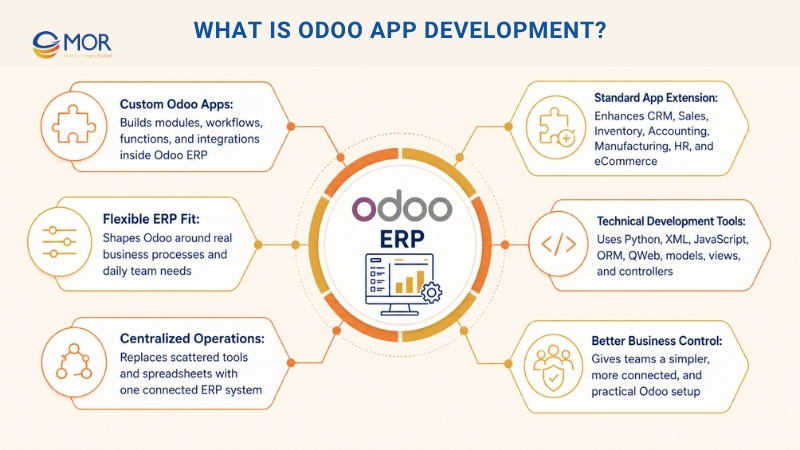
A custom Odoo app can add new functions to an existing module, handle repeated work, link Odoo with another tool, or build a new business process from the ground up. Odoo developers often use Python, XML, JavaScript, Odoo ORM, QWeb reports, access rules, menus, models, views, and controllers to make apps run well inside the Odoo system.
For companies, the value is clear. Odoo becomes simpler, more connected, and closer to how teams work each day. Instead of scattered spreadsheets, separate tools, and manual changes, teams can run more tasks from one central ERP system.
Key Benefits Of Odoo App Development
Odoo app development gives businesses more control over their ERP setup. It supports smoother workflows, cleaner data, stronger automation, and better teamwork across departments. A well-built Odoo app can cut manual effort, raise accuracy, and let the system grow with the company.
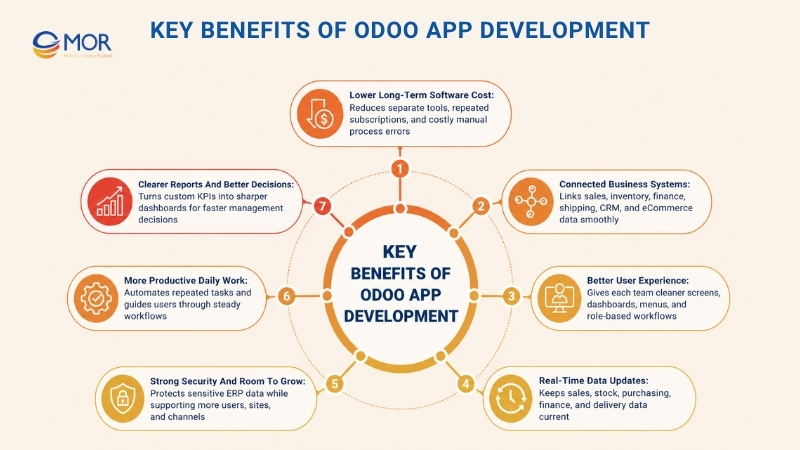
Lower Long-Term Software Cost
Odoo app development can lower long-term software spending because companies do not need to build every system from zero. Odoo already gives businesses a strong ERP base, so custom work can focus on missing functions, special workflows, or industry needs.
Rather than paying for many separate tools, companies can build apps that run inside one ERP setup. This can lower repeated subscription costs, manual data entry, and hidden costs caused by process errors.
A custom Odoo app can also reuse current models, modules, user groups, reports, and business rules. This makes the build faster and simpler to maintain than a fully separate application. Over time, the business gets stronger ROI because the platform can keep serving new workflows without a full rebuild.
Connected Business Systems
Many companies run many platforms at once, including eCommerce stores, payment gateway integration, accounting tools, shipping apps, POS systems, CRMs, warehouse systems, and marketing platforms. Without the right connection, teams often spend hours moving data between tools.
Custom apps can link these systems so data flows with fewer errors across departments. Sales orders, customer data, stock numbers, invoices, delivery updates, and payment details can stay in sync across platforms.
A connected Odoo setup gives teams one trusted place for business data. Sales teams can check available stock. Warehouse teams receive order changes sooner. Accounting teams see correct invoices and payment data. Managers can review performance without waiting for hand-made reports.
Better User Experience
A system may include strong functions, but users will avoid it when it feels slow or hard to understand. Custom Odoo application development can improve user experience with cleaner screens, role-based dashboards, shorter forms, smart buttons, auto-filled fields, custom menus, and clearer report layouts.
Each department needs a different view. Warehouse users may need barcode scanning, transfer status, and picking details. Sales managers may need pipeline value, quote status, and customer activity. Finance teams may need invoice aging, payment follow-up, and tax reports.
Custom Odoo apps can show each user the right data at the right time. This shortens training, lowers mistakes, and helps staff finish work faster. When the system reflects real work habits, adoption becomes much easier.
Real-Time Data Updates
Business choices rely on correct and current data. When teams depend on old spreadsheets or late updates, small mistakes can spread across sales, inventory, purchasing, and finance.
Odoo app development can support real-time or near-real-time updates across modules and linked systems. After a sales order is confirmed, stock numbers can change at once. When inventory falls below a set level, purchase requests can start. Once an invoice is paid, finance records can show the update quickly.
This kind of data sync helps companies react sooner. Teams can follow stock movement, customer orders, production progress, delivery status, and revenue results without waiting for separate department reports.
Strong Security And Room To Grow
Security matters in every ERP setup because Odoo may store private business data, including customer records, invoices, staff information, product costs, vendor details, and finance documents.
Custom Odoo app creation can include clear access rights, user roles, record rules, audit logs, safe API handling, and data checks. This lowers the risk of unapproved access or accidental data edits.
Growth also matters. A company may begin with a small user group, then later add more teams, sites, warehouses, sales channels, or markets. A well-built Odoo app can handle that growth without slow performance or messy fixes. Clean structure, lean code, and careful database design help the system stay stable as business volume rises.
More Productive Daily Work
Odoo app development can remove many repeated tasks from daily work. Teams no longer need to update records by hand, send the same reminders, prepare repeated reports, or copy data across systems.
Custom apps can handle approval flows, stock alerts, quote follow-ups, invoice reminders, lead routing, manufacturing steps, purchase requests, employee requests, and reporting tasks. This saves time and lets teams focus on work that needs judgment.
Productivity also rises when workflows become more steady. Instead of relying on each person to remember every step, the Odoo app can lead users through the right process. This improves accuracy, cuts delays, and creates a more stable working rhythm.
Clearer Reports And Better Decisions
Custom Odoo app work can also improve reporting. Standard reports may not fit a company’s internal KPIs, management style, or industry rules. Custom dashboards and reports can give leaders a sharper view of business activity.
Companies can track sales results, inventory turnover, production output, customer behavior, staff productivity, late payments, supplier results, and project profit. Reports can also be filtered by team, location, product group, customer segment, time range, or business unit.
When leaders have clearer data, they can make decisions faster and with more confidence.
Ways To Extend Odoo For Better Business Fit
Odoo has a modular design, so companies can extend it in stages. Some businesses only need small settings changes. Others need deeper Odoo development or new applications. Knowing each option helps teams choose the right build path.
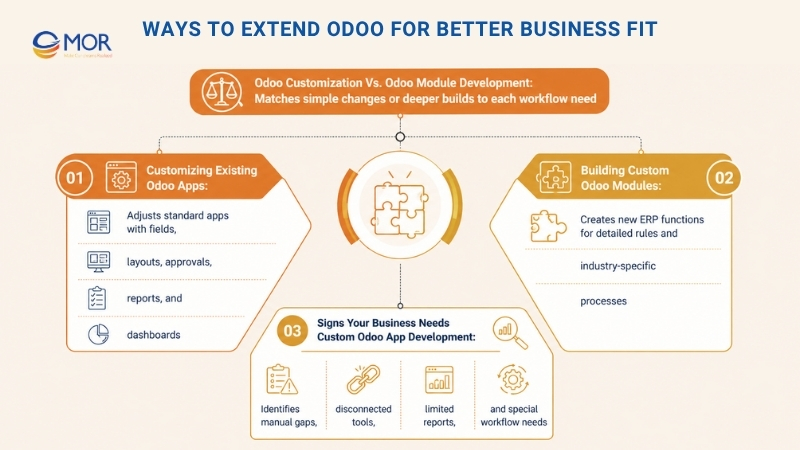
Odoo Customization Vs. Odoo Module Development
Odoo ERP customization means changing current functions to fit business needs. This can include fields, views, forms, workflows, reports, permissions, and automated actions. It works well when Odoo already covers most of the process, but the company needs small changes for a better fit.
Odoo module development goes further. It creates a new module or app with its own models, menus, rules, screens, reports, and access settings. This option fits best when the needed function does not exist in standard Odoo or when the workflow is too specific for simple setup changes.
The right choice depends on how complex the need is. Small changes can often be handled through customization. Complex workflows, special formulas, third-party links, and industry-specific functions often need deeper Odoo app development.
Customizing Existing Odoo Apps
Changing current Odoo apps is often the most practical starting point. Businesses can adjust standard apps so they match daily work better without building a complete app from scratch.
Common changes include new fields, revised form layouts, custom approval stages, quote template changes, invoice report edits, validation rules, and dashboards for each role.
This path works well when the main Odoo app already covers the core process. A sales team may need a custom quote approval flow. A warehouse team may need extra product tracking fields. A service team may need a special ticket priority setup. These changes make the system more useful without adding too much complexity.
Building Custom Odoo Modules
Odoo module development fits more complex business needs. A custom module can add new data models, screens, workflows, and rules that extend ERP functions beyond the standard setup.
A manufacturer may need a custom quality control module. A retailer may need a loyalty app connected to POS and eCommerce. A logistics firm may need delivery tracking with route assignment and driver updates. A service company may need a field service app with mobile access, scheduling, and customer signatures.
Odoo’s modular design lets these custom modules work with current apps. A strong module can connect with Sales, Inventory, Accounting, CRM, Manufacturing, or HR without harming the core system. This is where custom Odoo apps development becomes useful for companies with detailed work rules.
Signs Your Business Needs Custom Odoo App Development
Custom work becomes useful when standard Odoo functions cannot fully support your process. This often appears when teams keep spreadsheets beside Odoo, repeat the same manual steps, or use outside tools that do not connect well with the ERP.
A company may also need custom development when reports are too limited, approval flows are too detailed, users need a special screen, or industry rules require special data handling.
The goal is not to change every part of Odoo. The goal is to find the workflow points where Odoo app development creates clear business value.
>>> Let's explore how Odoo manufacturing software works, its key features, and how manufacturers can use it to improve production performance.
New Features Businesses Can Build In Odoo
Building new functions in Odoo helps companies turn real process needs into practical ERP tools. Each new Odoo application can improve daily work, handle decision steps, and link teams more closely.
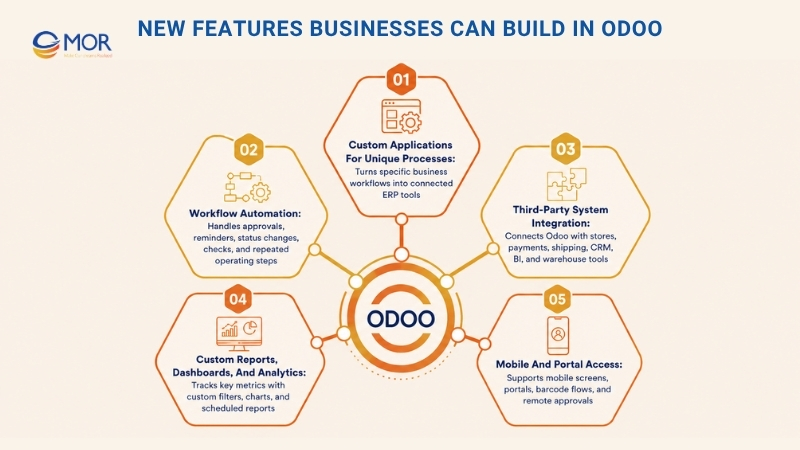
Custom Applications For Unique Processes
Custom Odoo applications can support many business processes. A company may create a custom inventory tool, customer portal, approval system, rental app, field service app, vendor scorecard, manufacturing dashboard, or project cost tracker.
The value of building apps on Odoo comes from keeping these functions inside the ERP. Users do not need to move across many tools. Data stays linked between departments, and managers get a clearer view of daily work.
Custom applications are most useful when a company has unique processes that shape its business edge. When the workflow affects how the business serves customers, controls cost, or checks quality, custom Odoo development can help protect and improve that process.
Workflow Automation
Workflow automation is one of the strongest reasons to use Odoo app development. Many business processes include repeated steps, approval chains, status changes, reminders, and data checks. Manual work slows teams and raises the chance of errors.
A custom Odoo app can handle order confirmation, purchase approvals, stock replenishment, lead routing, invoice reminders, service ticket escalation, employee requests, and quality checks.
A simple case is order handling. After a customer places an order, the system can check stock, confirm price, send the order to the right team, reserve products, create delivery tasks, and update the customer. A basic Odoo app development tutorial may help explain simple automation logic, but complex approval paths need careful planning.
Third-Party System Integration
Custom Odoo development can connect Odoo with outside systems your company already uses. These may include Shopify, Magento, WooCommerce, Amazon, payment gateways, shipping providers, accounting platforms, CRM tools, marketing automation systems, BI tools, and warehouse devices.
A well-planned connection cuts repeated work and data mismatch. Customer details, orders, stock levels, invoices, and delivery data can move between systems with fewer errors.
Third-party integration matters a lot for companies with omnichannel operations. When online stores, physical stores, warehouses, and accounting teams work from separate data, daily operations become harder to control. Odoo integrations can create a steadier flow of information.
Custom Reports, Dashboards, And Analytics
Standard Odoo reports may not show the exact data managers need. Custom reporting tools can help companies follow the metrics that matter most.
A custom dashboard can show sales pipeline value, stock aging, late purchases, production output, employee workload, payment status, and customer retention. Reports can also include calculated fields, custom filters, charts, and planned email delivery.
Better reporting helps companies move from reacting late to planning earlier. Teams can find bottlenecks, spot odd patterns, and act before small issues become costly.
Mobile And Portal Access
Many teams need ERP access away from the office. Salespeople, warehouse staff, service technicians, delivery teams, managers, and customers may all need different access levels.
Odoo app development can support mobile-friendly screens, customer portals, vendor portals, field service tools, barcode flows, and approvals from any location. These functions help users finish tasks faster without waiting to return to a desktop.
Core Odoo App Development Services We Offer
Our Odoo app development services help companies extend Odoo across teams, devices, and workflows. We build practical Odoo-based solutions that improve daily work, connect systems, and support long-term growth.
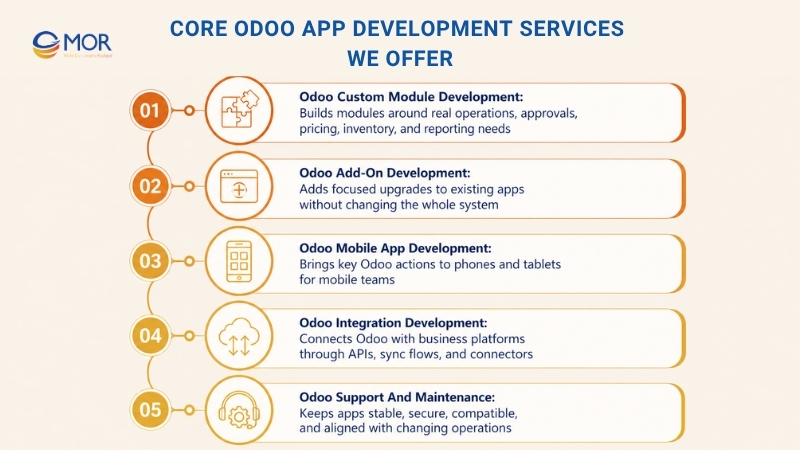
Odoo Custom Module Development
Standard Odoo apps may not always fit your business process. When teams must change their workflow to fit the software, productivity often falls. Manual steps grow, data spreads across places, and employees spend more time fixing process gaps.
Through custom module development, we build modules around your real operations. We can create new models, fields, menus, views, reports, permissions, approval flows, and automation rules. These modules can work with standard Odoo apps and support your company without added clutter.
A custom module can help your team manage special pricing, production rules, service workflows, inventory logic, internal approvals, or customer-facing processes. The result is an ERP system that feels more natural for your users and more useful for your managers.
Odoo Add-On Development
Some companies do not need a full custom module. They only need one focused upgrade that solves a clear problem. Add-on development is a good choice for those cases.
An Odoo add-on can extend an existing app with new functions, extra reports, new buttons, better validation, custom alerts, API links, or special calculations. These focused changes can remove friction from daily tasks without changing the whole system.
Odoo apps development can be useful when teams already like the standard Odoo flow but need extra functions for speed, accuracy, or visibility.
Odoo Mobile App Development
Modern teams often need ERP data from phones and tablets. This is common for sales staff, warehouse teams, delivery crews, field service technicians, and managers who move between locations.
Our mobile development work helps companies bring key Odoo functions to mobile users. We can create mobile-friendly flows for task updates, approvals, order tracking, stock checks, barcode scanning, customer visits, service reports, and real-time alerts.
Mobile access can cut waiting time because users can complete key actions from wherever they work. It also helps managers stay informed without relying only on desktop access.
Odoo Integration Development
Companies often rely on many systems to manage sales, accounting, marketing, logistics, payments, and customer service. When these tools do not talk to each other, teams lose time and data quality drops.
Our integration development connects Odoo with the platforms your business already uses. We can build API links, data sync flows, automated imports and exports, webhook updates, and custom connectors.
This helps your business cut duplicate entry, improve data accuracy, and create a more connected operating system. In many cases, Odoo app development plays a central role in making these integrations fit the real process.
Odoo Support And Maintenance
Odoo app development does not stop after launch. Apps need updates, bug fixes, speed checks, security reviews, and changes as business needs shift.
Our support and maintenance work keeps your apps stable, secure, and aligned with your operations. We monitor issues, improve performance, update custom modules, check compatibility, and help users when problems appear.
Good maintenance protects your investment and helps your Odoo system stay reliable over time.
Our Odoo App Development Process
We follow a clear Odoo app development process that keeps each Odoo project practical, visible, and tied to business goals. Each stage lowers risk and helps the final app serve real users, not just technical notes.
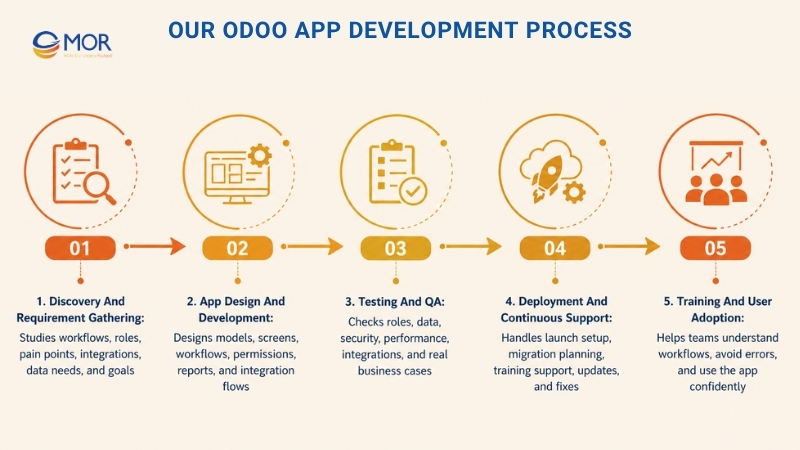
Discovery And Requirement Gathering
We begin by learning how your business runs. This covers current workflows, user roles, pain points, approval steps, reporting needs, integrations, and growth plans.
Our team checks what standard Odoo already supports and what needs customization or custom build work. This step avoids extra development and keeps the project focused on functions that bring real value.
We also define user stories, process flows, data needs, technical limits, and success targets. A clear requirement stage helps prevent confusion later.
App Design And Development
Once requirements are clear, we design the app structure. This may cover data models, screen layouts, workflows, permissions, menus, reports, and integration flows.
During the build, we focus on clean structure, maintainable code, and user-friendly functions. Our developers follow Odoo’s native design so the app works well with current modules.
We also think about future changes early. A good Odoo app should solve today’s problems and stay flexible as the business grows.
Testing And QA
Testing is a key part of every Odoo app development project. We check whether the app works across different user roles, business cases, data sets, and connected systems.
Testing can include functional testing, integration testing, security testing, performance testing, user acceptance testing, and regression testing. We also check edge cases that may happen in real operations.
This lowers bugs, protects data accuracy, and helps users complete their tasks without disruption.
Deployment And Continuous Support
After testing ends, we prepare the app for launch. This includes migration planning, setup checks, user access setup, training support, and final release work.
After the app goes live, we continue to support updates, improvements, bug fixes, and performance work. If your business process changes, we can adjust the app so it still fits your needs.
Training And User Adoption
A custom Odoo app creates value only when teams know how to use it well. We support adoption through training materials, walkthroughs, documents, and practical guidance.
Training helps users understand new workflows, avoid errors, and feel more confident with the system. This step is very useful when the app changes daily tasks across many departments.
Odoo App Development Best Practices
Successful Odoo app development takes more than code. A strong build needs clear requirements, clean design, reliable testing, and a plan for long-term care, whether the business runs Enterprise or Odoo community edition.
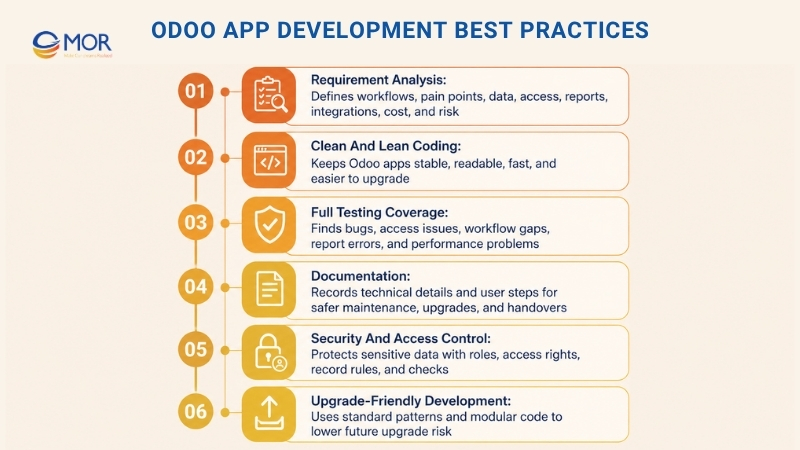
Requirement Analysis
Strong requirement analysis helps the development team understand what the business truly needs. This stage should cover current workflows, user pain points, system limits, reporting needs, data structure, access rules, and integration needs.
The aim is to separate real business needs from nice-to-have ideas. Without this step, companies may spend too much time building functions that users rarely need.
Clear analysis also helps estimate cost, timeline, technical difficulty, and project risk with more accuracy.
Clean And Lean Coding
Clean code makes Odoo apps easier to maintain, upgrade, and extend. Developers should follow Odoo coding rules, use the right module structure, avoid needless overrides, and keep business logic easy to read.
Lean code also protects system speed. Poor functions, heavy database queries, and unplanned automation can slow the ERP when data grows.
A well-coded Odoo app should be stable, readable, and simple for future developers to understand.
Full Testing Coverage
Testing should cover more than basic functions. A custom Odoo app may touch sales, inventory, accounting, HR, manufacturing, or customer service. One small error in one module can cause trouble in another area.
Full testing helps find bugs, access issues, workflow gaps, integration errors, report mismatches, and performance problems before users rely on the app.
Businesses should also involve real users in testing. They know daily work best and can spot issues that technical tests may miss.
Documentation
Good documentation makes future maintenance easier. It helps developers, admins, and users understand how the app works. For Odoo app development, this record also makes upgrades and handovers safer.
Technical documents may include module structure, models, fields, APIs, dependencies, setup details, and deployment notes. User documents may include step-by-step guides, screenshots, role-based instructions, and troubleshooting notes.
Documentation is useful when new employees join, when the system is upgraded, or when another developer needs to improve the app later.
Security And Access Control
Security should be planned from the start. Each user should only see the data and actions needed for their role.
Custom Odoo work should include the right groups, access rights, record rules, safe API handling, and data checks. Sensitive data should stay protected from unapproved access, accidental changes, and wrong sharing.
Strong access control helps companies protect customer data, finance records, employee information, and operating details.
Upgrade-Friendly Development
Odoo releases new versions over time, so custom apps should be planned for future upgrades. Heavy changes to core code can make upgrades harder and more costly.
A better path is to extend Odoo through standard development patterns, clean inheritance, modular code, and clear dependencies. This lowers upgrade risk and keeps the ERP easier to maintain. Upgrade-safe planning is a key part of long-term Odoo app development.
Why Choose MOR Software For Odoo App Development?
Choosing the right Odoo development partner matters when your ERP affects sales, inventory, accounting, HR, and daily operations. At MOR Software, we begin with the business goal, then build the technology around it.
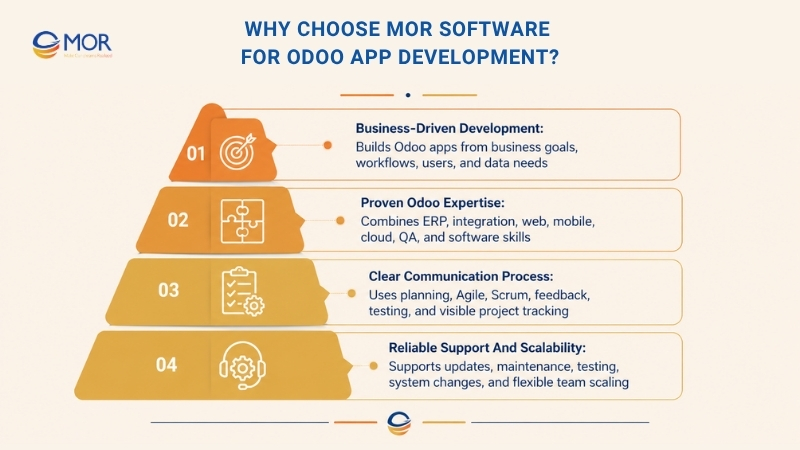
Business-Driven Development
We do not treat Odoo as a coding job only. We begin with business analysis, user roles, workflows, data flow, and long-term goals. This helps us build Odoo apps that solve real process gaps, not just add more screens. MOR has worked across manufacturing, finance, healthcare, HRM, logistics, retail, and eCommerce, so we understand real business operations across many fields.
Proven Odoo Expertise
Our team brings experience in ERP, system integration, web apps, mobile apps, cloud systems, QA, and outsourcing custom software development. This mix matters because Odoo often needs to connect with legacy tools, third-party platforms, payment systems, dashboards, and internal databases.
For companies that want to hire Odoo apps & themes developer support, MOR can help with app logic, interface work, integrations, and long-term care. We also support firms comparing Odoo apps development in us with offshore delivery, giving them flexible access to skilled teams without losing process control.
Clear Communication Process
We keep the process visible through planning, analysis, design, development, testing, and maintenance. MOR also applies Agile and Scrum during development, so clients can track work, give feedback, and adjust scope before small issues become costly.
Reliable Support And Scalability
Odoo apps need care after launch. We support maintenance, testing, updates, and system changes as your business grows. MOR’s offshore model also allows flexible team scaling, so you can add resources when the project grows or new modules are needed.
Conclusion
Odoo app development gives businesses more control over workflows, data, reports, integrations, and user access. The best results come from clear planning, clean code, strong testing, and support after launch. When your Odoo system fits how your team works, daily operations become easier to manage. If you need a trusted team to build custom Odoo apps for your business, contact MOR Software and share your project needs today.
MOR SOFTWARE
Frequently Asked Questions (FAQs)
What is odoo app development?
Odoo app development is the process of creating custom apps, modules, and features inside the Odoo ERP system. It helps businesses adjust Odoo to match their workflows, industry needs, user roles, reports, and daily operations.
Why is odoo app development important for businesses?
It helps businesses turn Odoo into a more flexible and useful system. Companies can reduce manual tasks, connect departments, improve data visibility, and create features that support their exact business processes instead of depending only on standard ERP functions.
What is the difference between Odoo customization and Odoo module development?
Odoo customization adjusts existing Odoo features, forms, views, workflows, or reports to fit business needs. Odoo module development creates new functions or apps from scratch when the standard system cannot support a specific process.
Can Odoo apps be customized for existing workflows?
Yes. Odoo apps can be customized to match current workflows, approval steps, user roles, reports, and department-specific tasks. This helps teams continue working in a familiar way while improving speed, accuracy, and control.
Can custom Odoo apps integrate with third-party systems?
Yes. Custom Odoo apps can connect with eCommerce platforms, payment gateways, CRM tools, accounting software, inventory systems, shipping tools, and other business applications. These integrations help data move smoothly across different systems.
How can odoo app development improve workflow automation?
It can automate repeated tasks such as order processing, invoice creation, inventory updates, approvals, alerts, and customer follow-ups. This reduces manual errors, saves time, and helps teams focus on work that needs human decision-making.
Are Odoo applications secure?
Yes, Odoo applications can be secure when they are built with proper coding standards, access controls, user permissions, testing, and data protection practices. Security should be planned from the start, especially for apps that handle financial, customer, or operational data.
How long does it take to build an Odoo application?
The timeline depends on the app’s scope, features, integrations, data needs, testing requirements, and approval process. A simple module may take a few weeks, while a larger app with advanced workflows and third-party integrations may take several months.
Is odoo app development suitable for small and growing businesses?
Yes. Small businesses can start with simple custom modules and add more features as they grow. This makes Odoo a scalable option because the system can expand with new users, departments, locations, and business requirements.
Why is documentation important in odoo app development?
Documentation helps developers, admins, and business users understand how the app works. It also makes future updates, bug fixes, training, maintenance, and feature expansion easier because the technical logic and business rules are clearly recorded.
Share


Make Our-Dreams Realized


© 2023 . MOR Software. All Rights Reserved
Sitemap
Privacy Policy
Terms of Use

Rate this article
0
over 5.0 based on 0 reviews
Your rating on this news:
Name
*Email
*Write your comment
*Send your comment
1